


Current ATS Desktop Apps Prerequisite: .NET 8 Desktop Runtime
ATS Windows desktop apps require Microsoft .NET 8 Desktop Runtime (x64). Install the current serviced .NET 8 Desktop Runtime from the ATS download instructions or Microsoft’s .NET 8 download page, choosing Windows Desktop Runtime — Windows x64. Downloading the file alone does not install it: open the installer, complete installation and reopen the ATS app.
.NET Desktop Runtime is different from .NET Framework, the SDK and ASP.NET Core Runtime. A later major runtime should not be assumed to replace the .NET 8 runtime required by the app. If a current app still asks for another runtime, report the app name and exact message to ATS support.
Choose Self-Assisted or One-to-One Assisted Setup
If installation is difficult or you prefer someone to guide you, there are two routes. Self-assisted: follow the ATS Desktop Apps installation guide, one step at a time, with ATS Help Bot and technical support for supported issues. Get assisted: explore optional paid one-to-one onboarding and setup from independent ATS Ecosystem providers.
Ecosystem providers may help with ATS account onboarding, NinjaTrader and ATS installation, connections, licence sync and workspace setup. Review services, pricing and booking options through the ATS Ecosystem. Providers set their own terms; personal setup sessions are not automatically included with an AFT Essentials purchase. You can be experienced in trading and still choose personal help with the technology.

The NinjaTrader Best Trading System is Now Officially Released
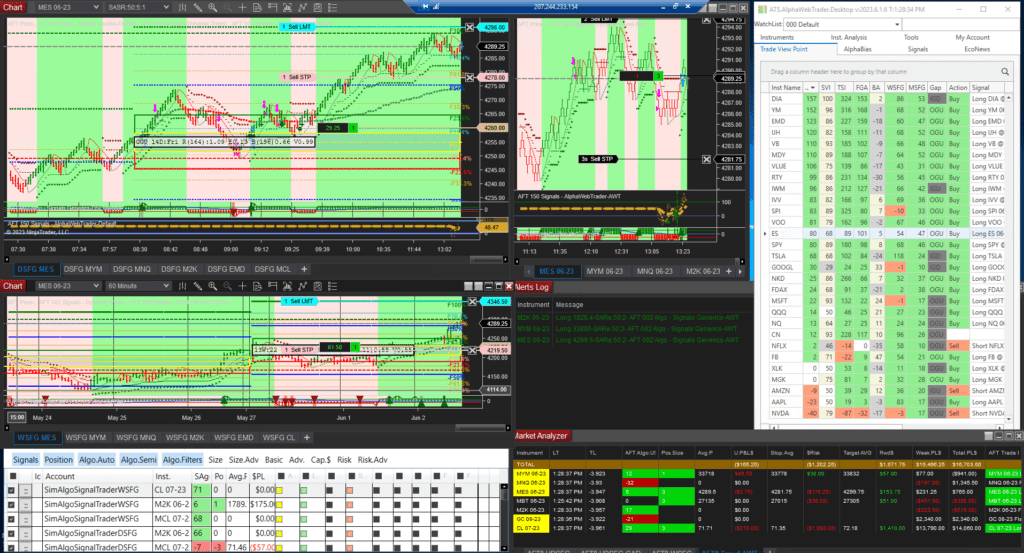
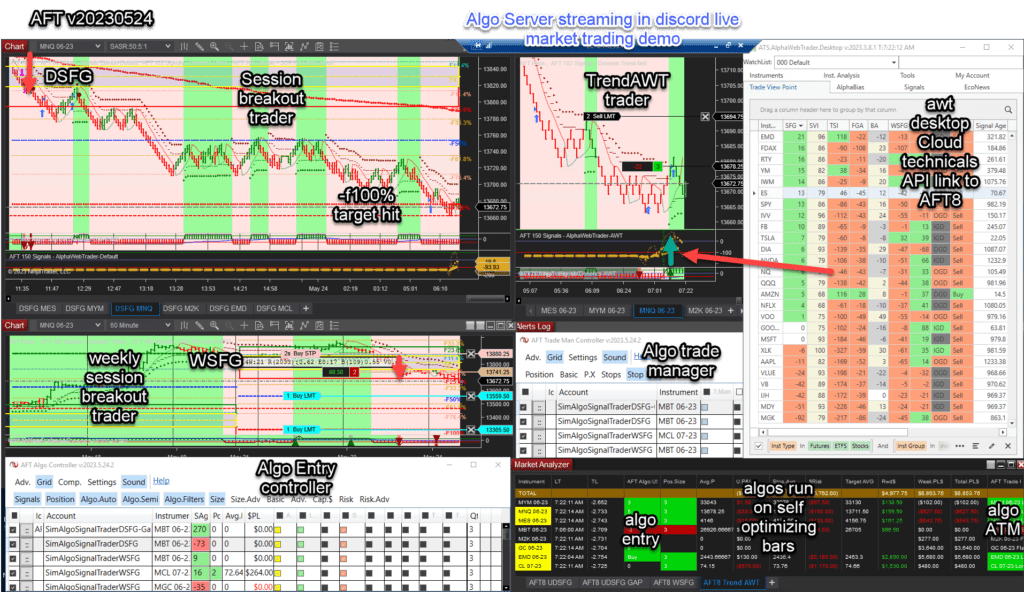
The AFT8 hybrid automated trading system’s official public release is out, with more updates and features to come. For now, this is the minimum feature set for fully automated, hybrid semi-automated, and manual entry modes with fault-tolerant adaptive trade management, algo entry controller, algo trade manager controller, and multiple algo systems with baseline turnkey workspaces.
- Historical 2023 release access; current intraday simulation, replay, evaluation and live use requires the applicable trial or paid licence.
- AFT8 will display an update message for the new version.
- Download and get started with AFT8 for free
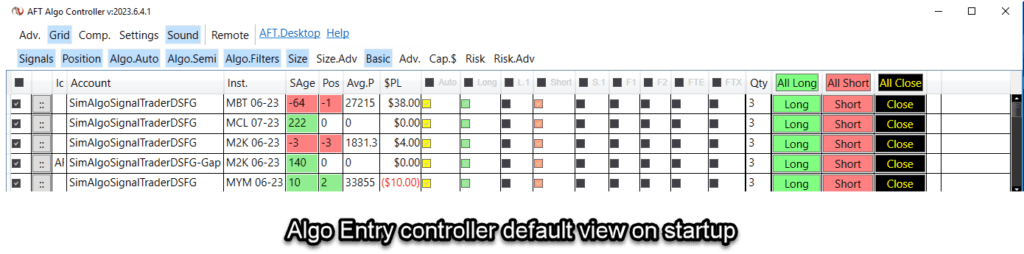
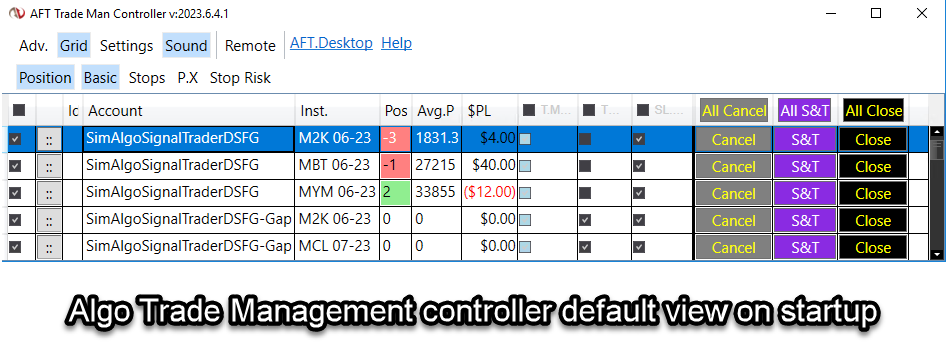
New Improved Algo Controllers Default Starting View



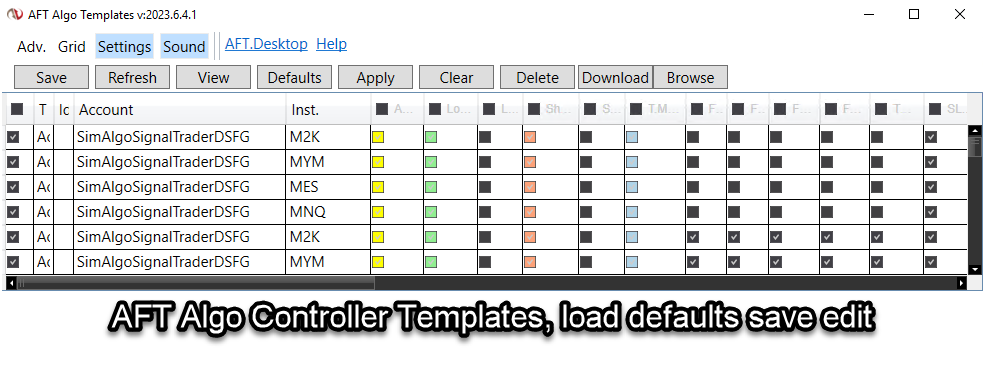
New Baseline Turnkey Workspace
- AFT8-SFG Breakout Trader-0000C-Mix
- Includes indices, oil, FDAX, gold, etc.
What Will Happen to the AFT8 Beta Version and Licenses
- Licenses will expire in 5 days.
- All prior versions of AFT8 Beta will cease to function.
- Simply upgrade to the new version and use it.
- Temporary full-feature live trading licenses will be granted.
- Over the next 2 weeks, licenses will start to lock down features.
Why Should I Upgrade from AFT8 Beta to the AFT8 Official Release?
- AFT8 Beta will expire.
- Grace period for full licenses.
- New features are being released all the time.
- Prior versions will expire after a period.
- Why is AFT8 the most advanced and best trading system for NinjaTrader?
Trader Education Training and ATS Trading Discord Group
- More features are to come, so all focus will go into coding and rolling out the updates.
- Videos, articles, and educational material will be worked on after the dust settles.
- For interactive support from 6 AM CT to 12 PM CT, join us in the ATS Discord Group.
Introducing the ATS.AlgoFuturesTrader.Desktop App
- Trading licenses, if any, will be downloaded from http://account.algotradingsystems.net/
- A new desktop app will work alongside AFT8 NinjaTrader: ATS.AlgoFutures.Desktop
- Providing auto-login, license sync, remote trading control, remote workspaces, and more.

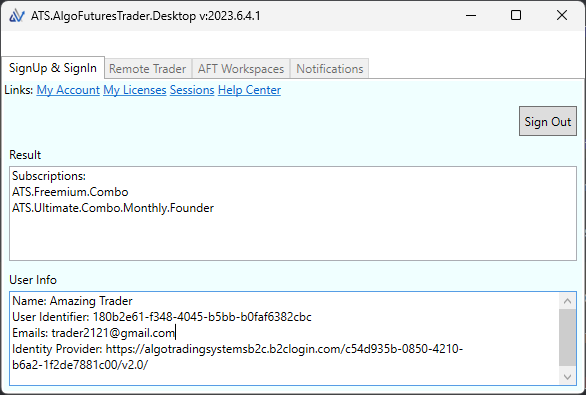
This should ideally be installed before AFT8RC1 is installed. AFT8 will attempt to install and require your permission to install. Install from here: https://algotradingsystems.s3.amazonaws.com/aft-desktop/Publish.html. The following prerequisites are required: .NET 8 Desktop Runtime (x64). Direct link here: https://dotnet.microsoft.com/en-us/download/dotnet/8.0
AFT Licenses for Live Trading Modes
The AFT8 live licensing is being enforced tentatively as we don’t want to disrupt evaluations and live trading. The system will appraise how NT8 is being used, e.g., in Sim mode or live mode/eval mode, and then check your ATS licenses. If it can’t reconcile a license to allow live account trading or eval trading, it will display a message that can be saved and sent to support to work out a plan. This approach will disable features after a timeout period, allowing time for organization. Please join us in the ATS Trading Discord Group for interactive support and Q&A.