NinjaTrader Automated Trading by Algo Futures Trader

hybrid algorithmic automated futures trading for prop firm traders, day & swing traders

🚀 Get Started 🔴LIVE
  • 🚀Get Started
  • NinjaTrader
  • Get Funded
  • Trading Servers
  • Pricing
  • blog
  • Help

AFT8 version 20260518 released for compatibility with NinjaTrader 8 .1.7

May 19, 2026 by AFT

NinjaTrader 8.1.7.0 + AFT8: A Major Milestone for Futures Traders

NinjaTrader 8 version 8.1.7.0 is, without doubt, a major milestone for both NT8 and AFT8 users. The new features, stability improvements, and connection reliability enhancements are a massive win for futures traders.

This release addresses the long-standing Tradovate connection freeze issues that, although rare, sometimes affected prop firm and live brokerage connections. In the past, a few traders, a rare minority, experienced intermittent data freezes that required a full NinjaTrader restart to reconnect and restore data.

For active traders, especially swing traders and prop traders, this could occasionally pose a serious issue. Restarting NT8, passing the login screens, waiting for charts and workspaces to reload, reconnecting data, and refreshing historical data could take several minutes. During fast market conditions, that downtime could result in missed trades, whipsaws, or even breached prop firm rules.

Now, thanks to the efforts and talent of the NinjaTrader development team, who have once again raised the bar, we are pleased to announce that our preferred technology stack for AFT8 has evolved. It is time to salute the old guard of CQG and Rithmic as the industry moves forward with the next-generation technology stack of Tradovate, NinjaTrader, and AFT8.

A Very Difficult Issue to Track Down

  • To be fair to the NinjaTrader team, this was an extremely difficult issue to isolate. The problem was rare, random, difficult to reproduce, and therefore challenging to diagnose consistently.
  • Over time, through diagnostics, error logs, user feedback, platform analytics, trader reports, and our own testing and assistance, the NinjaTrader development team successfully resolved the issue in version 8.1.7.0.
  • This is a key strength of the NinjaTrader and Tradovate ecosystem. Development feedback, suggestions, improvements, and diagnostic reporting can flow directly to the development team for investigation and resolution, unlike some platforms that rely heavily on third-party infrastructure outside their direct control.

Tradovate Connectivity Improvements for NT8

Based on our bench and soak testing, Tradovate connectivity in NinjaTrader 8.1.7.0 has improved dramatically. AFT8 trading technology can now operate as intended for day trading, swing trading, hybrid algo trading, and desktop and server-based workflows with a far stronger reliability foundation.

The flexibility of Tradovate connections allows traders to monitor and interact with their accounts from NT8 desktop, web views, and mobile platforms simultaneously across multiple connected views of the same account. This creates a powerful workflow combination that many other trading platforms and connection choices are unable to provide.

Connection, disconnect, and reconnect fault tolerance now works seamlessly, with no need to restart the platform.

If the connection drops, NT8 now correctly reports the disconnect, reconnects automatically, turns green again, and resumes the data stream without requiring:

  • Manual disconnect and reconnect actions
  • A full platform restart
  • Chart reloads
  • Workspace reloads
  • Manual data resets
  • Recovery from freezes or platform exceptions

This is a major improvement a game-changer for traders using Tradovate connections, prop firm accounts, VPS environments, and longer-running AFT8 trading modes.

Why This Matters for AFT8 Swing Trading

This update makes AFT8 swing trading modes far more practical for week-long operation. Traders can now realistically start NinjaTrader on Sunday and keep it running through Friday, while only monitoring for external issues such as VPS outages, internet problems, or power interruptions outside the control of NT8 and AFT8.

Previously, CQG and certain Rithmic-based solutions were often considered the preferred choice for higher-reliability trading environments prior to the introduction and maturation of the latest Tradovate connectivity stack. With NinjaTrader 8.1.7.0, that technology barrier is no longer a major concern.

Tradovate Advantages for Prop Traders

One of the major advantages of Tradovate connectivity for prop traders is the flexibility of the connected account infrastructure and modern web-based tooling.

Traders can access and monitor the same trading account simultaneously across NT8, AFT8, Tradovate Web, and mobile platforms. This provides a significant operational advantage for monitoring positions, managing risk, checking account status, or supervising automated and hybrid trading workflows while away from the trading desk.

Tradovate also provides additional account-level controls and features useful for prop traders, including trading goal visibility, risk monitoring, trading-hour lockouts, and web/mobile supervision tools that complement NT8 and AFT8 workflows.

However, one of the most important advantages is multi-firm scalability.

With Tradovate connectivity and the AFT8 MultiShot Trade Copier, traders can trade and mirror orders across multiple prop firm accounts simultaneously within the same NT8 and AFT8 instance, with extremely low-latency execution and synchronization.

This differs from some alternative connection technologies where simultaneous multi-firm deployment may be more restrictive depending on infrastructure and connection limitations.

For traders scaling funded accounts across multiple prop firms, this capability represents a significant operational advantage.

Scientific Testing and Real-World Validation

Prior to the introduction and maturation of the latest Tradovate connectivity stack, CQG and certain Rithmic-based solutions were often considered the preferred choice for higher-reliability trading environments for NinjaTrader 8 and AFT8 automated trading systems.

However, following extensive real-world bench testing, soak testing, disconnect and reconnect fault-tolerance testing, VPS deployment testing, and long-duration runtime analysis, we have observed substantial improvements in Tradovate connection reliability and operational stability.

This conclusion is not based on marketing bias, sponsorship, or assumptions. We do not simply pull information out of a hat. Our background includes institutional-grade software development, trading systems engineering, and high-level platform testing methodologies used throughout the financial technology industry.

We understand how to properly test, stress, validate, and appraise trading software and infrastructure under real trading conditions, and that is exactly what we have done with NinjaTrader 8.1.7.0 and the latest Tradovate connectivity stack.

The Best NT8 Release Ever?

NinjaTrader 8.1.7.0 is one of the most important NT8 releases in years. It represents a major step forward for day trading, prop trading, swing trading, hybrid algo trading, and server-based trading environments.

After investing more than five years into developing the AFT8 trading systems for NinjaTrader 8, we are extremely focused on platform reliability, stability, and performance. These Tradovate connection improvements represent a significant advancement for long-duration and high-reliability trading workflows.

For AFT8 users, this means improved trading technology stability, fewer interruptions, fewer random data freezes, and a more reliable trading environment, allowing traders to focus on their real job: trade plan execution, risk management, and generating profits.

For swing traders, this also means Tradovate connections can now realistically remain connected throughout the trading week, enabling more reliable swing trading and fully automated trading workflows.

For prop traders, reduced technology interruptions and the ability to scale and mirror across multiple prop firm accounts in parallel represent a major operational improvement.

Update Now

We strongly recommend updating to the latest NinjaTrader 8 version and the latest AFT8 version as soon as possible.

  • Download NinjaTrader 8
  • Download the Latest AFT8 Version

Filed Under: AFT8, NinjaTrader 8, ninjatrader automated trading Tagged With: AFT8 Release, AFT8 update, AFT8Update, Tradovate


🚀 Get Started 100% FREE!

AFT8 update release version 20260218 providing 5 levels of trail stop and target profit locks

February 19, 2026 by AFT

AFT8 version 20260218 introduces a more flexible trailing-stop framework for hybrid traders who want both manual control and automatic progression.
You now get:

  • 5 trail-stop styles that can be triggered sequentially in real-time using the TRG buttons.
  • Target-based “profit ratchet” logic per bracket: trail the stop to a defined profit % once price reaches a chosen % of the target.
  • Auto-ratcheting trails: start wide, then tighten into faster trail styles automatically as profit thresholds are reached.

1) Five Trailing Stop Levels (Manual, Real-Time)

AFT8 now provides 5 levels of trail stop that can be triggered sequentially during live trading.
These are activated from:

  • NinjaBuddy via the TRG buttons
  • Algo Trade Manager Controller (real-time control panel)

This is ideal for hybrid trading: you can keep a trade on a wider protective stop early,
then progressively “ratchet” to tighter trail behaviors as the move confirms.


2) New: Target-Based  Profit Lockin – Stop Ratchets (Per Bracket)

For each profit target, AFT8 can now automatically trail the stop loss for that specific bracket
Once the price reaches a defined percentage of that bracket’s target distance (MFA).

Example:

  • When the price reaches 80% of Target 1
  • AFT8 can trail Stop 1 to 50% of the profit target distance

The result: you can structure trades to reduce risk after the market proves intent—without forcing
early break-even behavior that can get tagged in noise.


3) Auto-Ratcheting Trails (Wide → Tight as Profit Builds)

AFT8 can now start with a wider, more forgiving trail / stop structure and then automatically switch to faster,
tighter trail styles as profits reach key thresholds.

Threshold triggers can be based on:

  • Profit thresholds aligned to profit targets
  • Profit % of the FibGrid (when applicable in your workspace/system)
  • As per settings in trade manager

This design supports a clean workflow: let the position breathe early, then progressively protect gains as the
trade matures—either automatically, manually (TRG), or both.


Four Ways to Update AFT8

Warning: All NinjaTrader desktop versions should be closed down prior to installing the update!

  1. AFT8 Primary Installer
    AFT8 Primary Installer is a “bootstrap installer” designed to always fetch and install the latest version of AFT8.
    It is available online or (if the ATS Desktop Apps installer was used) all files will be found in your Windows folders:
    Downloads\AlgoTradingSystems. Run the installer from within that folder or download and run it; it will update the AFT8 installation.
  2. AFT8 Secondary Installer
    The AFT8 Secondary Installer contains the actual AFT8 trading system. The installer will change the version to match the AFT8 version.
    This can be directly downloaded; look for the AFT8 Secondary Installer available online in the
    my downloads
    section.
  3. AFT8 NinjaTrader 8 Popup
    Wait for an AFT8 update notification in NinjaTrader 8 and click Install when prompted.AFT8 NinjaTrader 8 Popup
  4. AFT8 Desktop Application
    Run the AFT8 desktop application. If there are any interstitial updates, it will update the necessary files and sync them to the NinjaTrader 8 folders — only if NinjaTrader 8 is not running.

Related Links

  • AFT8 Installation
  • AFT Desktop Guidance
  • Trader Launch Pad
  • ATS Universal Account Downloads
  • Video Guides
  • AFT8 Workspaces Installers


Filed Under: AFT8, ninjatrader automated trading Tagged With: AFT8 Release, AFT8 update, aft8release, AFT8Update, Updates


🚀 Get Started 100% FREE!

AFT8 update 20260123 Trade System Copier and Self Optimizing bar enhancements

January 23, 2026 by AFT

AFT8 Update Released – Version 2026.01.23

The AFT8 hot-fix update (v2026.01.23) has been released and is now ready for installation.


AFT8 Hot-Fix Update Features

  • Internal white-box optimization for Trade Plan Goals data
    Fixes a rare display error in the Algo Trade Manager.
  • Trade System Copier safety enhancement (primary ↔ sub-account sync)
    In fast markets or sharp reversals, an additional verification layer now runs after a short
    cool-down period to ensure all accounts are correctly balanced and fully synchronized.
  • Self-Optimizing Bar improvements
    White Box Code Enhancements to prevent a very rare NinjaTrader 8 chart freeze during busy tick periods.

How to Install the Latest AFT8 Version

You can update AFT8 using any of the following methods:

  1. In-App Update
    AFT8 will automatically display a pending update notification with install buttons.
  2. ATS Universal Account Downloads
    Download and run the “AFT Secondary Installer” from:
    https://account.algotradingsystems.net/
  3. Local Installer (if already downloaded)
    Check your PC downloads folder for:

    \Downloads\AlgoTradingSystems\AlgoFuturesTrader8-Installer-Setup.exe
    

Tip: After updating, restart NinjaTrader 8 and AFT8 to ensure all components load cleanly.

Filed Under: AFT8, Algo Futures Trader, NinjaTrader 8, ninjatrader automated trading systems, ninjatrader trading bot Tagged With: AFT8 Release, AFT8 update, AFT8Update, automated futures trading


🚀 Get Started 100% FREE!

AFT8 version 20251223 update released with NinjaBuddy Trader UI requires latest version of NinjaTrader 8

December 25, 2025 by AFT

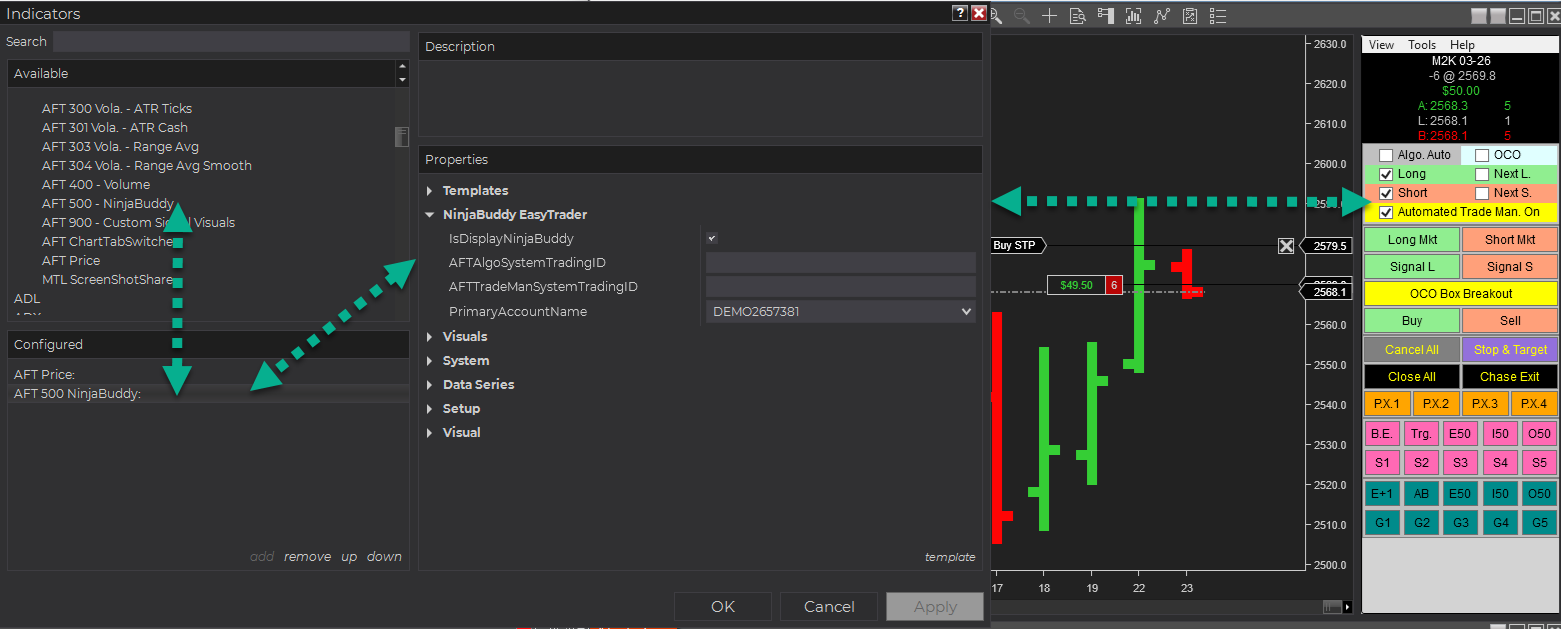
AFT8 version 20251223 update released with NinjaBuddy Trader UI requires the latest version of NinjaTrader 8, minimum version 8.1.6.2 64-bit

Download and update:

  1. Latest version of NinjaTrader 8
  2. Latest version of AFT8

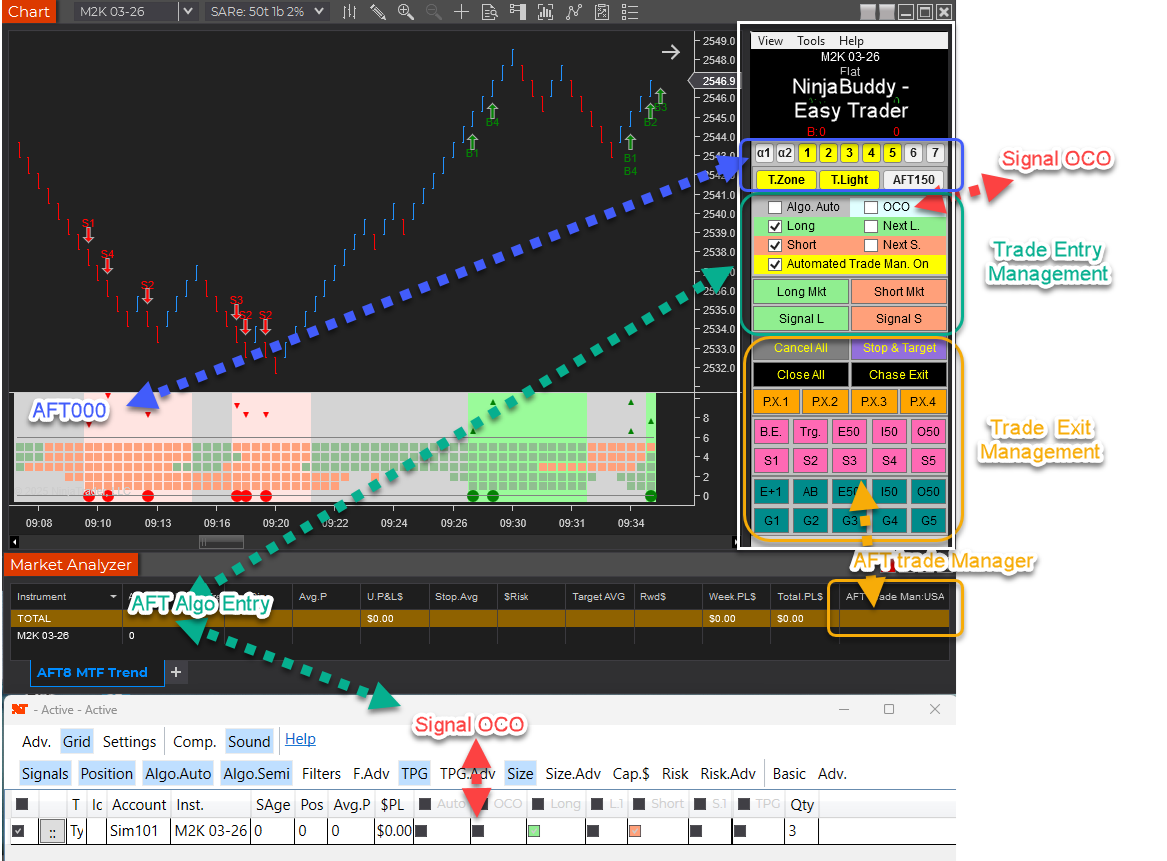
AFT500 NinjaBuddy Trade UI


Filed Under: AFT8 Tagged With: AFT8 Release, AFT8 update, aft8release, AFT8Update


🚀 Get Started 100% FREE!

AFT8 Workspaces Simplification for AFT v202051004 onwards

October 5, 2025 by AFT

AFT8 Workspace Naming Update

Release date:
October 5, 2025

The AFT8 Workspace installers will continue to ship as
Installers 1–5. What’s changing is the
workspace file naming to align with the installer number
and the Zero to Hero stages (1–4) for simpler setup and support.

At a glance

  • Installers remain: 01 → 05
  • Workspace names now include their installer number (e.g., AFT8-01-…)
  • Backwards-friendly names to reduce confusion
  • Old workspaces are removed automatically by the new installers

Legacy AFT8 workspace naming (being replaced)

Examples from NinjaTrader 8\workspaces\:

  • AFT8-SFG Breakout Trader-Basic-001.xml
  • AFT8-SFG Breakout Trader-Basic-002.xml
  • AFT8-SFG Breakout Trader-Basic-003.xml
  • AFT8-SFG Breakout Trader-Basic-004.xml
  • AFT8-SFG Breakout Trader-0000A.xml
  • AFT8-SFG Breakout Trader-0000B.xml
  • AFT8-Trend-Scalper-Basic-001.xml
  • AFT8-Trend-Scalper-Basic-002.xml
  • AFT8-Trend-Scalper-Basic-003.xml
  • AFT8-Trend-Scalper-Basic-004.xml
  • AFT8-Trend-Scalper-1000A.xml
  • …etc

These mixed patterns made it harder to discover which files belonged to installers 4–5 and the
corresponding Zero to Hero stage. The new scheme fixes that.

New AFT8 workspace naming (by installer)

AFT Workspaces 01

  • Manual Trade Entry via NinjaTrader Chart Trader + ATM
    • NinjaTrader 8\workspaces\AFT8-01-Freemium-Session-Breakout.xml
    • NinjaTrader 8\workspaces\AFT8-01-Freemium-Trend-Scalper.xml
  • Manual Trade Entry via NinjaTrader Chart Trader + AFT8 TradeManager Automated Exits
    • NinjaTrader 8\workspaces\AFT8-01-SFG Breakout Trader-Basic-001a.xml
    • NinjaTrader 8\workspaces\AFT8-01-SFG Breakout Trader-Basic-001b.xml
    • NinjaTrader 8\workspaces\AFT8-01-SFG Breakout Trader-Basic-001c.xml
    • NinjaTrader 8\workspaces\AFT8-01-Trend-Scalper-Basic-001a.xml
    • NinjaTrader 8\workspaces\AFT8-01-Trend-Scalper-Basic-001b.xml
    • NinjaTrader 8\workspaces\AFT8-01-Trend-Scalper-Basic-001c.xml

AFT Workspaces 02

  • AFT8 Hybrid Automated Trade Entry + AFT8 TradeManager Automated Exits
    • NinjaTrader 8\workspaces\AFT8-02-SFG Breakout Trader-Basic-002a.xml
    • NinjaTrader 8\workspaces\AFT8-02-SFG Breakout Trader-Basic-002b.xml
    • NinjaTrader 8\workspaces\AFT8-02-SFG Breakout Trader-Basic-002c.xml
    • NinjaTrader 8\workspaces\AFT8-02-Trend-Scalper-Basic-002a.xml
    • NinjaTrader 8\workspaces\AFT8-02-Trend-Scalper-Basic-002b.xml
    • NinjaTrader 8\workspaces\AFT8-02-Trend-Scalper-Basic-002c.xml

AFT Workspaces 03

  • AFT8 Hybrid Automated Trade Entry + AFT8 TradeManager Automated Exits + MTF
    • NinjaTrader 8\workspaces\AFT8-03-SFG Breakout Trader-Basic-003a.xml
    • NinjaTrader 8\workspaces\AFT8-03-Trend-Scalper-Basic-003a.xml

AFT Workspaces 04

  • AFT8 Hybrid Automated Trade Entry + AFT8 TradeManager Automated Exits + MTF + AWT
    • NinjaTrader 8\workspaces\AFT8-04-SFG Breakout Trader-Basic-004a.xml
    • NinjaTrader 8\workspaces\AFT8-04-SFG Breakout Trader-MTF-104a.xml
    • NinjaTrader 8\workspaces\AFT8-04-SFG Breakout Trader-MTF-104b.xml
    • NinjaTrader 8\workspaces\AFT8-04-Trend-Scalper-Basic-004a.xml
    • NinjaTrader 8\workspaces\AFT8-04-Trend-Scalper-MTF-104a.xml
    • NinjaTrader 8\workspaces\AFT8-04-View-MTF-204a.xml

AFT Workspaces 05

  • AFT8 NinjaTrader Automated Trading pure baseline Algos for optimization/comparison
    • NinjaTrader 8\workspaces\AFT8-05-Algos-BaseLine-001.xml
    • NinjaTrader 8\workspaces\AFT8-05-Algos-BaseLine-002.xml
    • NinjaTrader 8\workspaces\AFT8-05-Algos-BaseLine-003.xml
    • NinjaTrader 8\workspaces\AFT8-05-Algos-BaseLine-004.xml
    • NinjaTrader 8\workspaces\AFT8-05-TrendTraderAWT-001.xml

Impact

  • Smoother “Zero to Hero” onboarding: Stages 1–4 (plus 5) are now easily identifiable by installer and filename.
  • Automatic cleanup: Old workspaces are uninstalled/removed when you run the new installers.

FAQ

Where to download and install?

  • Visit your ATS Universal Account → Trader Launch Pad → My Downloads:
  • View more info on AFT8 Workspaces
Will my existing layouts break?
  • If you rely on the legacy workspace names, you’ll see them removed during install.
  • Use the new, installer-aligned names going forward (e.g., AFT8-04-… for Installer 04).
  • Your own labelled workspaces/settings/templates will not be removed
Where do the files live?
  • NinjaTrader 8\workspaces\ on your NinjaTrader installation.

Filed Under: AFT8, aft8 turnkey workspaces, NinjaTrader 8 Tagged With: AFT8 Release, AFT8 update, aft8release, AFT8Update, ninjatrader automated trading systems


🚀 Get Started 100% FREE!

AFT8 Releasd version 2025.10.3.1 for NinjaTrader 8 – Short Trail Trigger Fix + Intelli-Stop Enhancements

October 3, 2025 by AFT

aft intellistop min distance to price governor

AFT 2025.10.3.1 — Short Trail Trigger Fix + IntelliStop Enhancements

Release date: 3 Oct 2025 • Version: 2025.10.3.1

This update fixes a rare trailing-stop issue in choppy/fast markets and upgrades IntelliStop so profitable runners can breathe past 100% of the Session Fib Grid and reach 150–200% on strong moves.

Quick Summary

  • Short Trail Trigger: Fixed. Prior behavior could “chase” price and miss the trigger around the T2 (~50%) zone when USAR bands skewed wider in fast markets. Also applies to longs.
  • IntelliStop: Minimum % margin corrected and behavior refined. Trails engage noticeably above ~75% profit of a 100%-equivalent move and hold up to a ~20% offset, avoiding premature stop-ins.
  • Outcome: More consistent trails and better probability of capturing extended moves beyond 100% (e.g., 150–200% runs).
aft8 short trail last optimized triggers
aft intellistop min distance to price governor

What Was Fixed

In earlier builds, the stop trail reference included the full width of the dynamic USAR band. During choppy/fast conditions, the band could expand, causing the trail trigger to drift from the intended target area. Practically, this showed up around the T2 target (~50%) region stretching out toward 60%+, so the trail often didn’t trigger in time. This behavior affected both short and long positions. The new logic decouples the trigger from that skew so it fires reliably.

IntelliStop: Smarter Trailing Behavior

  • Minimum % Margin Fix: Ensures the trail doesn’t crash into price when profit accelerates.
  • Engages Above ~75% Profit: On a 100% Fib Grid–equivalent move, the IntelliStop now trails in noticeably above ~75%, not earlier.
  • Holds a ~20% Offset: The trail will maintain up to ~20% distance from current price, allowing healthy continuation through 100% and into 150–200% extensions when momentum persists.
Why this matters: Early, overly tight trails frequently cut winners short. This refinement keeps risk contained while letting strong trends do the work.

Trader Impact

  • Consistency: Trails trigger as expected in volatile/choppy phases.
  • Profit Capture: Higher odds of catching extended runs beyond the 100% level.
  • Smoother Management: Less micromanagement needed during fast markets.

Behavior Example

Before: In a fast, two-sided session, the USAR band widens. The short trail “chases” the expanding band near T2 (~50%), drifting toward 60%+ and failing to arm the trail in time.

Now: The trigger is stable. Once profit reaches ~75% of a 100% move, IntelliStop begins to trail with breathing room (up to ~20% offset), often letting the position push through 100% and into 150–200% when trend pressure continues.

Changelog (2025.10.3.1)

  • Fix: Short trail trigger corrected for dynamic USAR band skew (also improves longs).
  • Fix: IntelliStop minimum % margin and trail engagement logic refined.
  • Improve: Trailing offset behavior capped (~20%) to avoid price collision while preserving extension potential.

Update Notes

  • Recommended: Restart NinjaTrader after installing the update.
  • Best practice: Verify your stop/target templates and instrument tick sizes are correct for your account and prop-firm rules.
  • Reminder: Settings and methods are for educational purposes. Markets carry risk; trade your plan.

Disclaimer

Trading futures and derivatives involves substantial risk and is not suitable for every investor. Performance is not guaranteed. Examples are for illustration only and are not financial advice. Use proper risk controls and follow your prop firm or broker rules.

Filed Under: AFT8, automated futures trading, fully automated trading system, NinjaTrader 8 Tagged With: AFT8, AFT8 Release, AFT8 update, aft8release, AFT8Update, ninjatrader automated trading systems


🚀 Get Started 100% FREE!

  • 1
  • 2
  • 3
  • …
  • 5
  • Next Page »

Help & Information

  • ninjatrader automated trading
  • Automated Trading Systems
  • Support Center
  • Help Desk Articles
  • Trading Group & Forum
  • Videos

Recent Posts

  • AFT8 Performance Tweaks for NinjaTrader 8.1.7
  • AFT Lifetime (One-Time Purchase) License Terms Updated
  • ATS Futures Trading Group Rebooted!
  • AFT8 version 20260518 released for compatibility with NinjaTrader 8 .1.7
  • What Algos Are Included in AFT8? Complete Guide to Signals, Hybrid Trading & Automation
  • Facebook
  • RSS
  • Twitter
  • YouTube


  • NinjaTrader Automated Trading
  • automated futures trading
  • automated trading systems
  • Day Trading Futures
  • Get Started Day Trading Futures
  • VIP Trading Group Live Market Trade Along
  • Secret to Day trading futures success
  • AFT8 for NinjaTrader 8
  • Futures Algo Trading Systems
  • Market News
  • NinjaTrader Free Trading Platform
  • Legal Notices
  • AFT Legal Info
  • Terms
  • FULL RISK DISCLOSURE
  • Privacy Policy
  • Cookie Usage
  • About AlgoFuturesTrader
  • Connect to AFT
  • Blog
  • Videos
  • Support
  • Contact
  • My account
  • Sitemap
  • Affiliates

Ninja Futures Trading
Algo Futures Trader Copyright Algo Trading Systems© 2026 ·
AlgoFuturesTrader.com is owned & operated by Algo Trading Systems LLC. By using this website or products & services, you are bound by our Terms & subject to US legal jurisdiction only. Errors & omissions excluded.
AFT made in England, powered by MicroTrends NinjaTrader development

Disclaimer: Trading & investment carry a high level of risk. AlgoFuturesTrader does not make recommendations for buying or selling any financial instruments, nor do we offer trading or investment advice. We are a software company, and we only provide educational information on ways to use our sophisticated Algo Futures trading tools. It is up to our customers & readers to make their own trading & investment decisions, or consult with a registered investment advisor.

Risk Disclosure: Futures, CFDs, & forex trading carry substantial risk and are not suitable for every investor. An investor could potentially lose all or more than the initial investment. Risk capital is money that can be lost without jeopardizing one's financial security or lifestyle. Only risk capital should be used for trading, and only those with sufficient risk capital should consider trading. Past performance is not necessarily indicative of future results. Please read the full risk disclosure here.

Hypothetical performance results have many inherent limitations, some of which are described below. No representation is made that any account will or is likely to achieve profits or losses similar to those shown. In fact, there are frequently sharp differences between hypothetical performance results and the actual results subsequently achieved by any particular trading program. One of the limitations of hypothetical performance results is that they are generally prepared with the benefit of hindsight. In addition, hypothetical trading does not involve financial risk, and no hypothetical trading record can completely account for the impact of financial risk in actual trading. For example, the ability to withstand losses or adhere to a particular trading program despite trading losses are material points that can adversely affect actual trading results. Numerous other factors related to the markets or the implementation of any specific trading program cannot be fully accounted for in the preparation of hypothetical performance results and can adversely affect trading results.

Testimonials appearing on this website may not be representative of other clients or customers and are not a guarantee of future performance or success.

NinjaTrader® is a registered trademark of NinjaTrader Group, LLC. No NinjaTrader company has any affiliation with the owner, developer, or provider of the products or services described herein, nor do they endorse, recommend, or approve any such product or service.

We use cookies on our website to give you the most relevant experience by remembering your preferences and repeat visits. By clicking “Accept All”, you consent to the use of ALL the cookies. However, you may visit "Cookie Settings" to provide a controlled consent.
Cookie SettingsAccept All
Manage consent

Privacy Overview

This website uses cookies to improve your experience while you navigate through the website. Out of these, the cookies that are categorized as necessary are stored on your browser as they are essential for the working of basic functionalities of the website. We also use third-party cookies that help us analyze and understand how you use this website. These cookies will be stored in your browser only with your consent. You also have the option to opt-out of these cookies. But opting out of some of these cookies may affect your browsing experience.
Necessary
Always Enabled
Necessary cookies are absolutely essential for the website to function properly. These cookies ensure basic functionalities and security features of the website, anonymously.
CookieDurationDescription
cookielawinfo-checkbox-analytics11 monthsThis cookie is set by GDPR Cookie Consent plugin. The cookie is used to store the user consent for the cookies in the category "Analytics".
cookielawinfo-checkbox-functional11 monthsThe cookie is set by GDPR cookie consent to record the user consent for the cookies in the category "Functional".
cookielawinfo-checkbox-necessary11 monthsThis cookie is set by GDPR Cookie Consent plugin. The cookies is used to store the user consent for the cookies in the category "Necessary".
cookielawinfo-checkbox-others11 monthsThis cookie is set by GDPR Cookie Consent plugin. The cookie is used to store the user consent for the cookies in the category "Other.
cookielawinfo-checkbox-performance11 monthsThis cookie is set by GDPR Cookie Consent plugin. The cookie is used to store the user consent for the cookies in the category "Performance".
viewed_cookie_policy11 monthsThe cookie is set by the GDPR Cookie Consent plugin and is used to store whether or not user has consented to the use of cookies. It does not store any personal data.
Functional
Functional cookies help to perform certain functionalities like sharing the content of the website on social media platforms, collect feedbacks, and other third-party features.
Performance
Performance cookies are used to understand and analyze the key performance indexes of the website which helps in delivering a better user experience for the visitors.
Analytics
Analytical cookies are used to understand how visitors interact with the website. These cookies help provide information on metrics the number of visitors, bounce rate, traffic source, etc.
Advertisement
Advertisement cookies are used to provide visitors with relevant ads and marketing campaigns. These cookies track visitors across websites and collect information to provide customized ads.
Others
Other uncategorized cookies are those that are being analyzed and have not been classified into a category as yet.
SAVE & ACCEPT