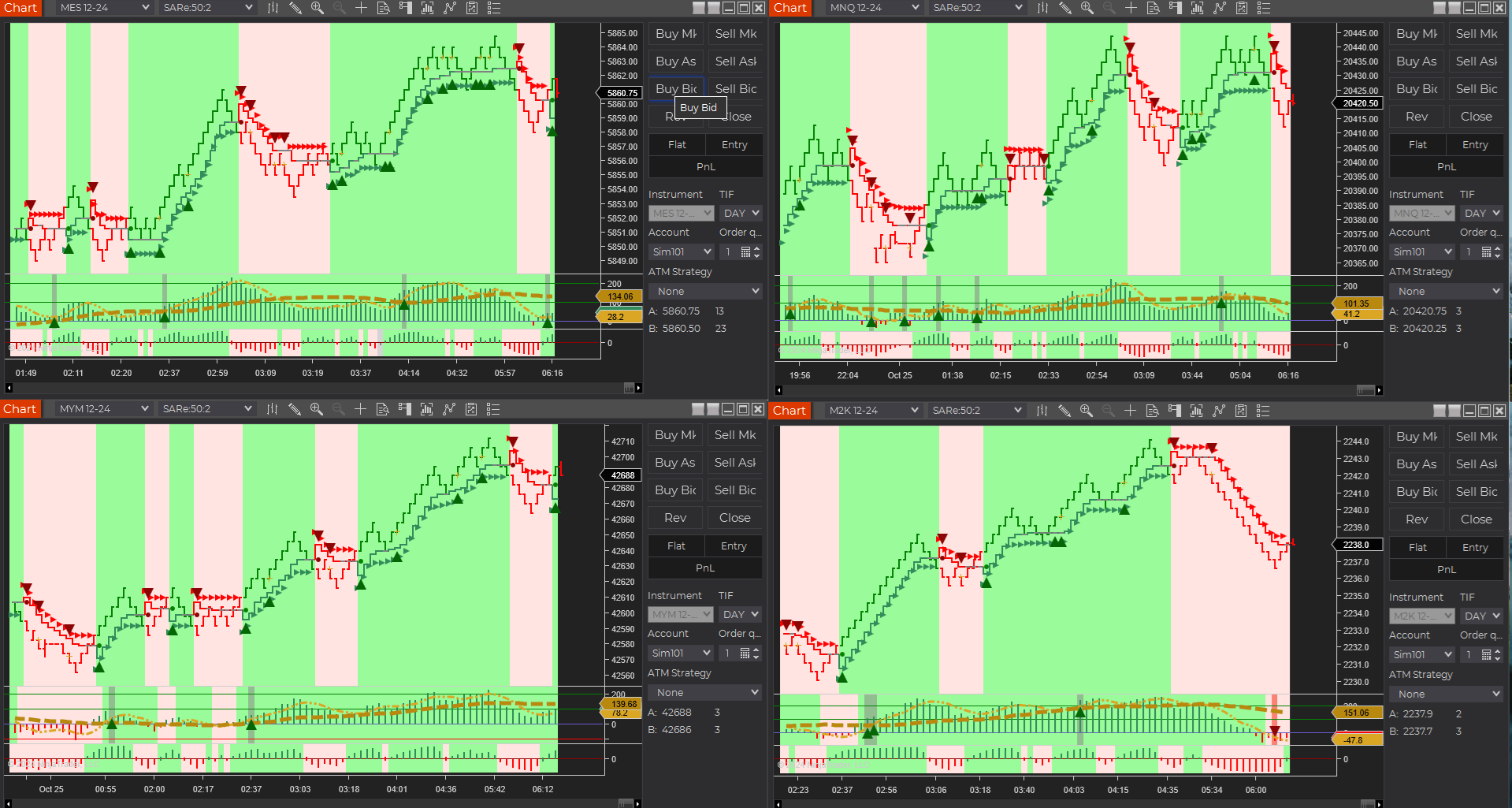
NinjaTrader Automated Trading by Algo Futures Trader

hybrid algorithmic automated futures trading for prop firm traders, day & swing traders

🚀 Get Started FREE
  • 🚀Get Started FREE
  • NinjaTrader
  • Get Funded
  • Trading Servers
  • Pricing
  • blog
  • Help

AFT8 Update 202610: A Major Update — Let’s See Inside the Box

October 9, 2026 by AFT

AFT8 Update 202610 — Release Date ETA: 15 October 2026

This major update brings new trading controls, indicators, faster data loading and system fixes, together with enforcement of feature access across Freemium, Essentials, Premium and Ultimate.

Explore the fixes and new features

  • TradeSync — Leader and Follower trading
  • MultiShot — per-algo copying switch and destination controls
  • F2 — independent daily and weekly resets and optional scheduled resets
  • Symbology — exchange contract month-code recognition
  • AFT401 — new Order Flow Deltas indicator
  • Nano futures — added instrument support
  • Self Adapting BarTypes — saved data and Super Light Mode
  • Trend strength — color blending and chart background opacity
  • Dependencies — fewer unnecessary DLLs
  • Stability — startup, synchronization and workspace fixes
  • Date formats — fixes for non-en-US cultures
  • Bug fixes — reliability improvements across AFT8 components

AFT license access and upgrades

  • License enforcement — Essentials or higher for AFT day trading
  • AFT Essentials — day-trading tools from $25/month

AFT8 fixes and enhancements

For the detailed fixes and update information, read the AFT8 Update Version 202610 — Hotfixes and Release Notes in the ATS Help Center.

AFT8 Update 202610 brings together new trading controls, counter resets, order flow analytics, BarTypes improvements and fixes for tracked known system errors.

TradeSync: Leader and Follower trading

TradeSync allows each algo to operate locally, publish trading intent as a Leader, or follow a selected signal channel. A Leader can execute its own trades or publish signals without executing. A Follower selects the source instrument and, optionally, the source system, while trading its own destination instrument.

Each Follower uses its own direction switches, filters, trading sessions, position size, order prices and types, risk locks, compounding limits and reversal rules. TradeSync sends trading intent rather than copying the source account’s quantities and protective orders. Destination prices are calculated locally.

  • Entry and exit intent: Buy, Sell, Exit, ExitLong and ExitShort.
  • Event based signals: the AFT Entry Algo receives and handles trading signals through events, including Leader and Follower signal delivery.
  • Signal expiry: a default five-second lifetime, checked through receipt, queue processing and submission.
  • Signal safeguards: rejection of duplicate, out-of-order and expired signals; prevention of feedback loops and replayed history when subscriptions start or resume.
  • Local control: each Follower retains its enable and connection checks. Exit intent bypasses entry filters and entry permission locks.
  • Visible outcomes: settings show the latest signal outcome.

MultiShot trade copier controls

The Algo Controller gains a master copying switch for each algo row and a destination popup showing the account, instrument, copying status and rejection information. Individual destinations can be switched on or off, and recognized terminal account rejections disable the affected destination.

Turning copying off blocks new copies and position synchronization. Existing orders and positions remain. TradeSync also prevents simultaneous signal following and mirror copying on the same destination account and instrument, and blocks Follower MultiShot mirror output.

F2 daily and weekly counter resets

The F2 grid adds independent F2.D and F2.W reset controls. Row buttons reset the selected period for that row; column-header controls reset that period across linked rows.

Daily and weekly reset anchors are independent and saved. A reset advances the counting anchor without deleting trade history, execution IDs or open balances. Resetting the counters does not reset realised P&L.

An optional daily reset schedule provides five time slots that can be enabled and edited individually. Default times are 00:00, 07:00, 08:30, 12:00 and 18:00 Central time. Automatic reset is off by default, and both the times and time zone are configurable.

Session windows support FibGridSession, Midnight and Custom reset bases. The optional schedule changes the daily counter window; weekly counters and Trade Plan realised P&L retain their own boundaries. Saved workspaces and parameter templates preserve the schedule settings.

Exchange symbology and contract month recognition

AFT8 now recognizes exchange-style futures contract month codes and converts them to month/year format. This supports contract recognition when NinjaTrader uses the Exchange Symbology Display Style.

The supported month codes are F (January), G (February), H (March), J (April), K (May), M (June), N (July), Q (August), U (September), V (October), X (November) and Z (December). The symbology fix was completed in version 20261003.

New AFT401 Order Flow indicator

AFT401 Order Flow Deltas adds an instrument-specific analytics dashboard for NinjaTrader 8. It displays live tape speed, average trade size, tick delta, volume delta and price trend, with a combined BUY, SELL or HOLD bias. The indicator also provides chart plots and optional recording of OFA minute snapshots for restoring recorded chart history.

Live analytics use incoming bid, ask and last-trade data. Saved minute snapshots restore chart plots; the live trade window and rolling calculations build again after a restart.

Nano futures support

AFT now supports Nano futures, expanding the available contract choices. Indicator and trading-mode access depends on the selected AFT license.

Self Adapting BarTypes improvements

  • Saved data for faster loading: Self Adapting BarTypes save data for reuse, speeding up subsequent data loading.
  • Super Light Mode: a new AFT BarTypes mode for Renko-style Self Adapting bars.

Trend strength color blending and chart background opacity

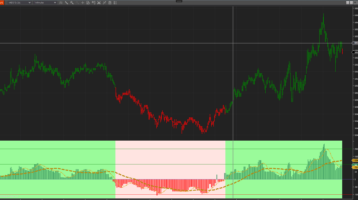
Color blending and opacity now use the absolute TrendPercentageValue, reaching full strength at 100%.

Added PaintTrendStrength and ChartBackgroundOpacityPercent controls for trend-strength painting and chart background opacity.

System dependency cleanup

System dependency cleanup removes unnecessary DLLs from the NinjaTrader Custom folder.

Startup and workspace stability improvements

Fixed an AWT Fast Sync data-loading error associated with intermittent NinjaTrader startup crashes. Additional improvements address known AFT errors during component initialization, shutdown, data loading and chart or workspace loading, including cases where NinjaTrader only starts in Safe Mode. The bug-fix section below links to the addressed system errors.

Date and time serialization for non-en-US cultures

Fixed date and time serialization errors on systems using non-en-US cultures, including invalid date-format errors.

AFT8 bug fixes and reliability improvements

The update addresses tracked known system errors identified through system error reporting. Fixes cover chart screenshots and tabs, indicator initialization and data-series access, trade copying and order submission, position and risk calculations, statistics collection, data-worker shutdown, downloads, saved files and AlphaBias connectivity.

These errors are addressed in build 2026.10.3.2.

Read the AFT8 Update Version 202610 — Hotfixes and Release Notes for the list of tracked known system errors addressed.

AFT license enforcement and day-trading access

The update will enforce the previously announced AFT license scope. Traders who have continued using legacy Freemium access for AFT intraday analysis and day-trading features will need to upgrade to AFT Essentials or higher to continue using those features.

Freemium remains available for higher-time-frame charting and selected technical indicators for swing, intermediate-term and position-trading analysis. AFT intraday bars, signals, technical trading workspaces, automated trade management and algorithmic trade entry require an eligible paid license.

AFT Essentials from $25/month

AFT Essentials provides indicators and day-trading tools, manual trade entry and automated trade management for supported Nano and Micro Futures on one PC. Upgrade for just $25/month.

Choose Premium or Ultimate if you require automated-entry features such as the Algo Entry Controller, NinjaBuddy or Risk Position Sizer. Premium supports Nano and Micro Futures; Ultimate supports all AFT-supported Futures markets and up to two PCs for one trader.

View AFT pricing and upgrade to Essentials from $25/month

See the full AFT plan comparison for component, instrument and trading-mode access.
Filed Under: AFT8, ATS News & Policy Updates, NinjaTrader 8 Tagged With: AFT8, AFT8 Release, AFT8 update, ATS News & Updates, Updates

AFT8 update release version 20260218 providing 5 levels of trail stop and target profit locks

February 19, 2026 by AFT

AFT8 version 20260218 introduces a more flexible trailing-stop framework for hybrid traders who want both manual control and automatic progression.
You now get:

  • 5 trail-stop styles that can be triggered sequentially in real-time using the TRG buttons.
  • Target-based “profit ratchet” logic per bracket: trail the stop to a defined profit % once price reaches a chosen % of the target.
  • Auto-ratcheting trails: start wide, then tighten into faster trail styles automatically as profit thresholds are reached.

1) Five Trailing Stop Levels (Manual, Real-Time)

AFT8 now provides 5 levels of trail stop that can be triggered sequentially during live trading.
These are activated from:

  • NinjaBuddy via the TRG buttons
  • Algo Trade Manager Controller (real-time control panel)

This is ideal for hybrid trading: you can keep a trade on a wider protective stop early,
then progressively “ratchet” to tighter trail behaviors as the move confirms.


2) New: Target-Based  Profit Lockin – Stop Ratchets (Per Bracket)

For each profit target, AFT8 can now automatically trail the stop loss for that specific bracket
Once the price reaches a defined percentage of that bracket’s target distance (MFA).

Example:

  • When the price reaches 80% of Target 1
  • AFT8 can trail Stop 1 to 50% of the profit target distance

The result: you can structure trades to reduce risk after the market proves intent—without forcing
early break-even behavior that can get tagged in noise.


3) Auto-Ratcheting Trails (Wide → Tight as Profit Builds)

AFT8 can now start with a wider, more forgiving trail / stop structure and then automatically switch to faster,
tighter trail styles as profits reach key thresholds.

Threshold triggers can be based on:

  • Profit thresholds aligned to profit targets
  • Profit % of the FibGrid (when applicable in your workspace/system)
  • As per settings in trade manager

This design supports a clean workflow: let the position breathe early, then progressively protect gains as the
trade matures—either automatically, manually (TRG), or both.


Four Ways to Update AFT8

Warning: All NinjaTrader desktop versions should be closed down prior to installing the update!

  1. AFT8 Primary Installer
    AFT8 Primary Installer is a “bootstrap installer” designed to always fetch and install the latest version of AFT8.
    It is available online or (if the ATS Desktop Apps installer was used) all files will be found in your Windows folders:
    Downloads\AlgoTradingSystems. Run the installer from within that folder or download and run it; it will update the AFT8 installation.
  2. AFT8 Secondary Installer
    The AFT8 Secondary Installer contains the actual AFT8 trading system. The installer will change the version to match the AFT8 version.
    This can be directly downloaded; look for the AFT8 Secondary Installer available online in the
    my downloads
    section.
  3. AFT8 NinjaTrader 8 Popup
    Wait for an AFT8 update notification in NinjaTrader 8 and click Install when prompted.AFT8 NinjaTrader 8 Popup
  4. AFT8 Desktop Application
    Run the AFT8 desktop application. If there are any interstitial updates, it will update the necessary files and sync them to the NinjaTrader 8 folders — only if NinjaTrader 8 is not running.

Related Links

  • AFT8 Installation
  • AFT Desktop Guidance
  • Trader Launch Pad
  • ATS Universal Account Downloads
  • Video Guides
  • AFT8 Workspaces Installers


Filed Under: AFT8, ninjatrader automated trading Tagged With: AFT8 Release, AFT8 update, Updates

AFT8 pending update features for last week october 2024

October 28, 2024 by Tom Leeson

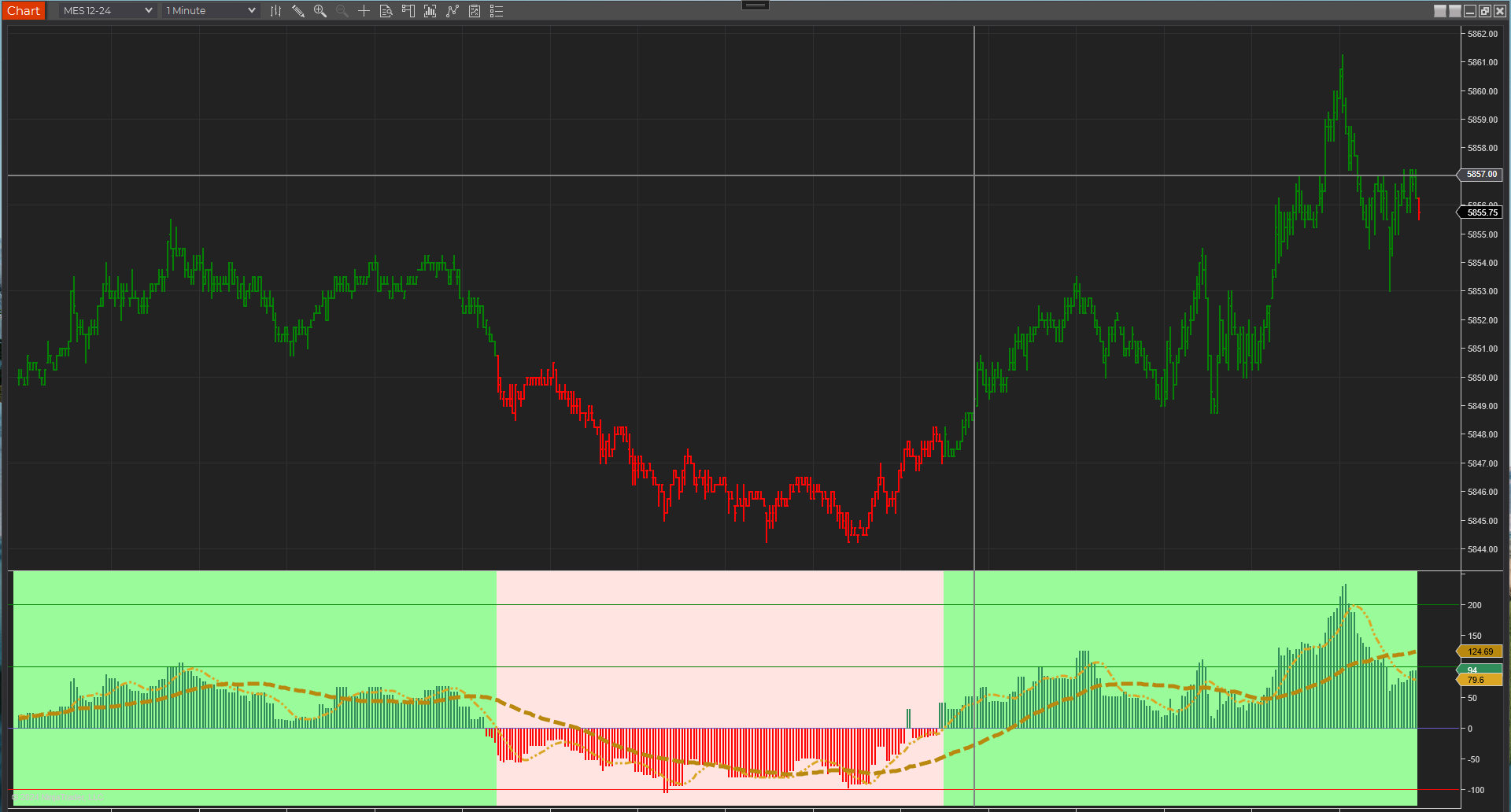
AFT Signals Indicator graphics

AFT Signals Indicator 150

AFT Signals Indicator 150 workspace 3

We are pleased to announce the upcoming AFT8 release features and enhancements for AFT8:

  • AFT-AWT API Link
  • Fixed and upgraded integration of AWT.Desktop and AFT
    • Fault recovery
    • Speed
    • Capacity up to 2GB transfer buffers – previously was 64KB which could overrun and error
    • Logging/Tracing
  • Historical data syncing from the cloud
  • AFT Indicator 150
    • Supports historical data loading allowing backtesting
    • Enhanced signal filters and graphics
  • Workspaces 3 updates to include changes

AFT Signals Indicator graphics

AFT Signals Indicator 150 new graphics

The AFT8 update is still pending, so keep a lookout for notices!

Filed Under: AFT8, NinjaTrader 8, ninjatrader automated trading Tagged With: AFT8 update, automated futures trading, automated futures trading software, automated futures trading strategies, automated futures trading system, automated futures trading systems, Automated Trading NinjaTrader, automated trading with ninjatrader, best automated futures trading software, fully automated trading system, futures algo trading, futures algorithmic trading, futures automated trading, futures trading algorithms, ninjatrader algorithmic trading, ninjatrader automated trading, ninjatrader automated trading systems, ninjatrader trading bot, ninjatrader trading systems, Updates

AFT8 update version 20240528 license hotfixes

May 28, 2024 by AFT

AFT v20240528 Hot Fixes for NinjaTrader Automated Trading

  1. Smoother startup and loading process – allows NT8 to start up and AFT8 to load before performing license checks.
  2. Previous versions of AFT8 would display a notice if a trader installed and used it in sim/demo mode without licenses. This has been changed to a notice that will only appear if NT is not a valid user license and there are connections to a live account or an unknown demo/prop evaluation account.
  3. Loading of licenses and verifications allows NT to start and load before checking.
  4. Popup notifications for license issues will only occur once per session of NinjaTrader Desktop after each restart. Components will display license issues if relevant.
  5. AFT Desktop and AWT Desktop are not started if they are not installed. If a user is using them for live trading or sim, there will be no attempt at loading or installation of desktop apps. This is purely left to the trader to follow and read the instructions in the popup or website get started info.
  6. As of this release, Apex Prop Firm support is enabled for free evaluation. Other prop firms require a license, free for users who use the ATS coupon.
  7. TradOvate prop firm support requires a license as there is no way to distinguish between a SIM and a prop firm account.
  8. AFT8 is free for Sim, Replay, BackTest, Historical, and TradOvate Demo accounts to allow a trader to view NinjaTrader Web and NinjaTrader Desktop simultaneously.
  9. AFT8 requires a license for all prop firms’ evaluation and performance, live real cash, or unknown demo accounts.
  10. AFT8 comes with a full live trading 7-day trial out of the box, accessible via downloading the AFT.Desktop app to sync the licenses.

Filed Under: AFT8, Algo Futures Trader, automated futures trading, automated trade management, NinjaTrader 8, ninjatrader automated trading Tagged With: AFT8 Release, AFT8 update, Algo Trading Futures, automated futures trading system, Automated Trading NinjaTrader, ninjatrader algorithmic trading, u, Updates

ATS Desktop App breaking changes requires uninstall and reinstall of all ATS desktop apps

March 25, 2024 by AFT

Updates and Releases

AFT8 updates and ATS Desktop apps were released over the weekend on 2024-03-24.

App Breaking Changes

App Breaking Changes

Apps now use a network accelerator deployment URL for faster global installation.

Apps affected:

  • AFT.Desktop
  • AWT.Desktop
The prior version of installed apps will not start and will require uninstalling:

Uninstall:

How to uninstall ATS Desktop Apps

It is critical to uninstall old apps before installing the new apps to avoid conflicts and errors.

Re-Install:

Download the “ATS Desktop Apps” Installer

Run and Install Apps:

How to install ATS Desktop Apps


🚀 Get Started Trading the Easy Way

Get started 100% FREE with NinjaTrader Desktop, an ATS Universal Account and access to eligible ATS Freemium applications and trader resources without a time limit. Follow the self-assisted ATS Launchpad to create and configure your account, access AFT Freemium and request an available full-feature trial. No payment card is required to get started. If you prefer personal assistance, explore optional independently supplied setup and onboarding services through the ATS Ecosystem.

1) 📊 Download and Set Up NinjaTrader Desktop

Download NinjaTrader Desktop for futures charting and simulated trading. Real-time market data requires an appropriate connection and may involve separate fees. Use NinjaTrader with AFT for manual discretionary, Hybrid Algo or fully automated trading across supported demo, simulation, prop-firm evaluation, funded and live-trading accounts, subject to your AFT plan and account-provider rules.
📊 Download NinjaTrader

2) 🚀 Get Started 100% FREE

Create your free ATS Universal Account and follow the self-assisted Trader Launchpad to unlock eligible ATS Freemium access, Market IQ, trading-group resources, trader benefits and available full-feature trials.
  • Freemium Access Without a Time Limit: Use eligible ATS Freemium applications within their included feature limits.
  • AFT Freemium: Higher-timeframe charting indicator usage free forever for swing/intermediate position trading
  • Self-Assisted Launchpad: Follow the guided steps to set up your account, applications and available services.
  • White Glove Services:  Setup, onboarding and trader-mastery services through the ATS Ecosystem.
  • Full-Feature Trial: Eligible traders can request an available trial directly from their ATS Account Trader Launchpad.
  • No Payment Card Required: Create your account and begin with Freemium access at no cost.
🚀 Get Started 100% FREE

Filed Under: AFT8, NinjaTrader 8 Tagged With: AFT8 Release, AFT8 update, Release, Updates

ATS AlgoFuturesTrader Desktop version 20243243 update optimized loading and VIP template sync hotfix

March 24, 2024 by AFT

AFT Desktop Error UpdatingATS AlgoFuturesTrader Desktop Update 20243243

ATS AlgoFuturesTrader Desktop Version 20243243 Update

Optimized loading and VIP template sync hotfix.

  • Network acceleration is used for faster installation and updating of all ATS desktop apps:
    • ATS.AlgoFuturesTrader.Desktop
    • ATS.AlphaWebTrader.Desktop
    • ATS.NT8.BootStrapper
  • VIP templates/workspaces sync to NinjaTrader 8
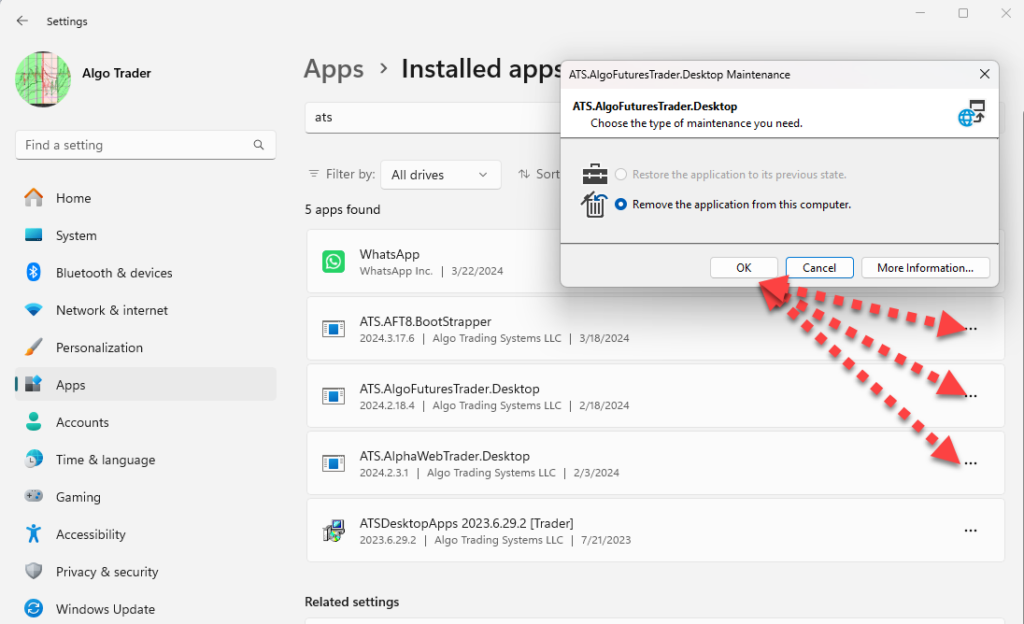
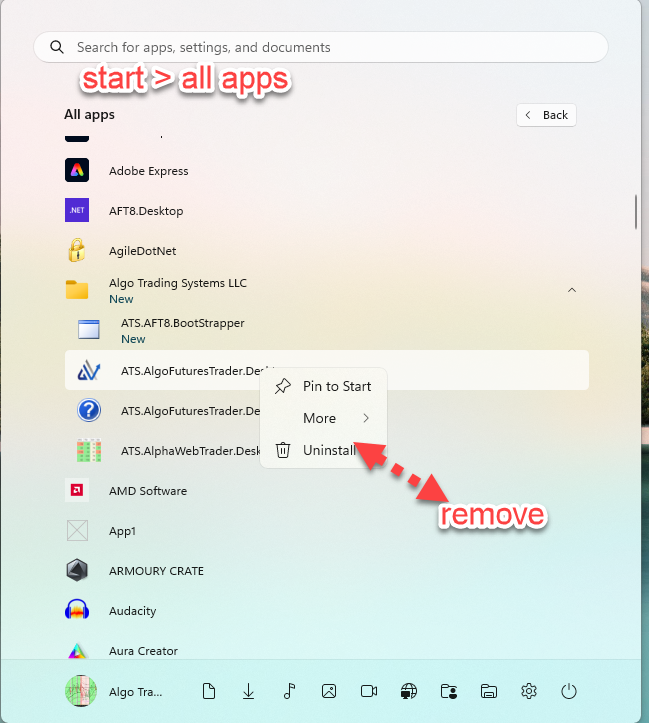
Uninstall: Remove the old version of ATS.AlgoFuturesDesktop and all ATS Desktop apps
  1. The prior version of ATS.AlgoFuturesDesktop and all ATS desktop apps must be removed from either of:
    1. Windows/Apps/Add or Remove Programs
    2. Windows Start > Apps Menu
Remove ATS Desktop apps

Remove ATS Desktop Windows apps from Add/Remove Programs

Remove ATS desktop apps from Windows Start Menu

Remove ATS desktop apps from Windows Start Menu > All Apps

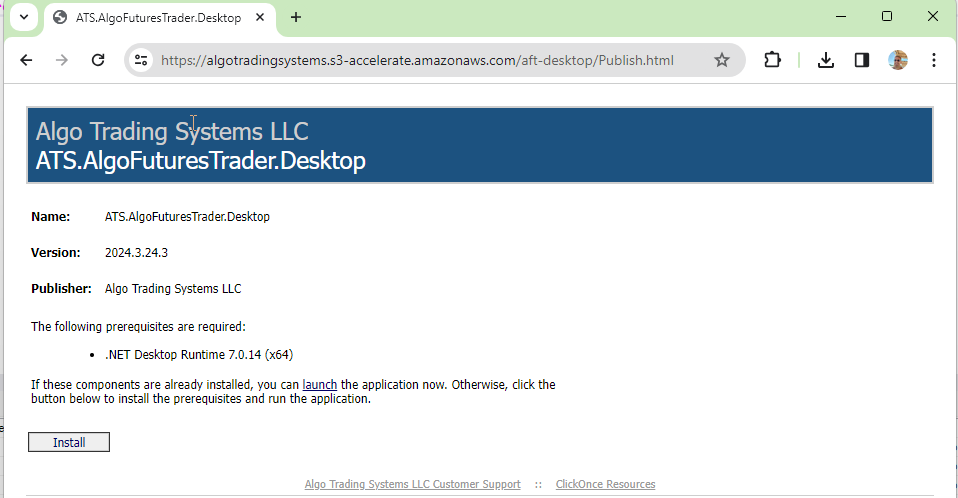
Install the new version of ATS.AlgoFuturesDesktop
  • ATS.AlgoFuturesTrader.Desktop must be re-installed from the direct installation link in your ATS Universal Account Downloads
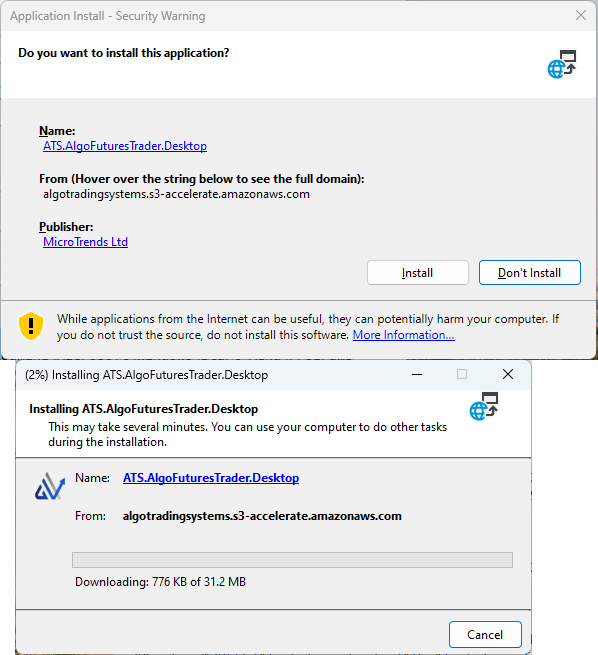
AFT Desktop Installation

AFT desktop installation must be re-installed to activate the AFT desktop over the new accelerated network deployment URL.

AFT Desktop Installation

AFT desktop installation will initiate and get the latest app from the new accelerated network location.

Troubleshooting

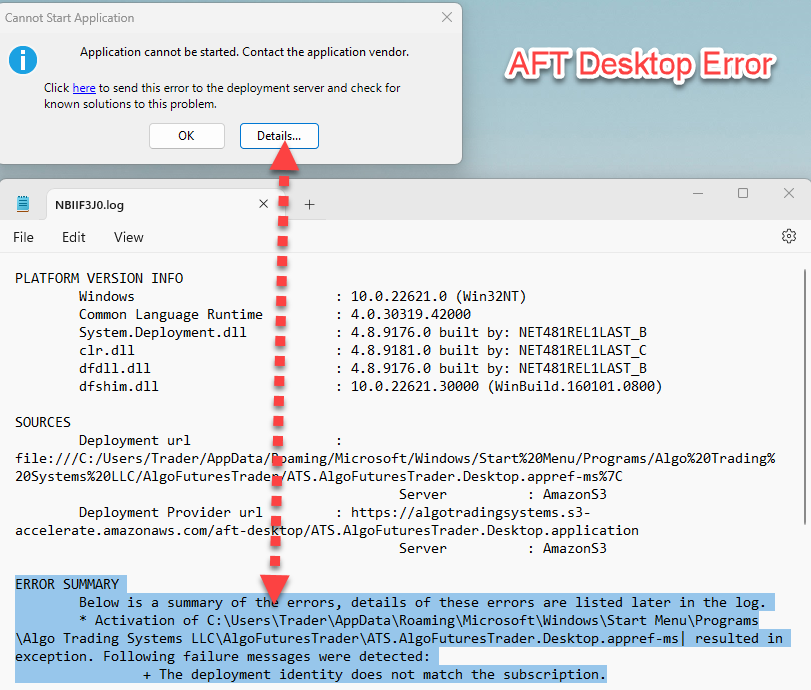
If this is not completed from the new installation link or is run from the desktop or NT8, it will fail as below:

Update Issue when Running from Desktop

The deployment URL has been updated, which means the currently installed version will attempt an update and fail.

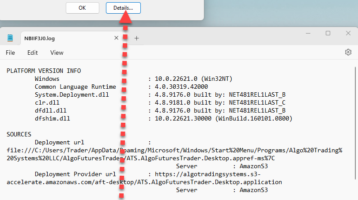
AFT Desktop Error Updating

AFT Desktop Error Updating

Error Summary

Below is a summary of the errors. Details of these errors are listed later in the log.

  • Activation of C:\Users\Trader\AppData\Roaming\Microsoft\Windows\Start Menu\Programs\Algo Trading Systems LLC\AlgoFuturesTrader\ATS.AlgoFuturesTrader.Desktop.appref-ms resulted in an exception. Following failure messages were detected:
    • The deployment identity does not match the subscription.
View More Details in the Help Desk Articles ATS AlgoFuturesTrader Desktop Network Acceleration Deployment URL

🚀 Get Started Trading the Easy Way

Get started 100% FREE with NinjaTrader Desktop, an ATS Universal Account and access to eligible ATS Freemium applications and trader resources without a time limit. Follow the self-assisted ATS Launchpad to create and configure your account, access AFT Freemium and request an available full-feature trial. No payment card is required to get started. If you prefer personal assistance, explore optional independently supplied setup and onboarding services through the ATS Ecosystem.

1) 📊 Download and Set Up NinjaTrader Desktop

Download NinjaTrader Desktop for futures charting and simulated trading. Real-time market data requires an appropriate connection and may involve separate fees. Use NinjaTrader with AFT for manual discretionary, Hybrid Algo or fully automated trading across supported demo, simulation, prop-firm evaluation, funded and live-trading accounts, subject to your AFT plan and account-provider rules.
📊 Download NinjaTrader

2) 🚀 Get Started 100% FREE

Create your free ATS Universal Account and follow the self-assisted Trader Launchpad to unlock eligible ATS Freemium access, Market IQ, trading-group resources, trader benefits and available full-feature trials.
  • Freemium Access Without a Time Limit: Use eligible ATS Freemium applications within their included feature limits.
  • AFT Freemium: Higher-timeframe charting indicator usage free forever for swing/intermediate position trading
  • Self-Assisted Launchpad: Follow the guided steps to set up your account, applications and available services.
  • White Glove Services:  Setup, onboarding and trader-mastery services through the ATS Ecosystem.
  • Full-Feature Trial: Eligible traders can request an available trial directly from their ATS Account Trader Launchpad.
  • No Payment Card Required: Create your account and begin with Freemium access at no cost.
🚀 Get Started 100% FREE

Filed Under: AFT8, Algo Futures Trader, NinjaTrader 8 Tagged With: AFT8 Release, AFT8 update, Release, Updates

  • 1
  • 2
  • 3
  • 4
  • Next Page »
  • NinjaTrader Automated Trading
  • automated futures trading
  • automated trading systems
  • Day Trading Futures
  • Get Started Day Trading Futures
  • VIP Trading Group Live Market Trade Along
  • Secret to Day trading futures success
  • AFT8 for NinjaTrader 8
  • Futures Algo Trading Systems
  • Market News
  • NinjaTrader Free Trading Platform
  • Legal Notices
  • AFT Legal Info
  • Terms
  • FULL RISK DISCLOSURE
  • Privacy Policy
  • Cookie Usage
  • About AlgoFuturesTrader
  • Connect to AFT
  • Blog
  • Videos
  • Support
  • Contact
  • My account
  • Sitemap
  • Affiliates

Ninja Futures Trading
Algo Futures Trader Copyright Algo Trading Systems© 2026 ·
AlgoFuturesTrader.com is owned & operated by Algo Trading Systems LLC. By using this website or products & services, you are bound by our Terms & subject to US legal jurisdiction only. Errors & omissions excluded.
AFT made in England, powered by MicroTrends NinjaTrader development

Disclaimer: Trading & investment carry a high level of risk. AlgoFuturesTrader does not make recommendations for buying or selling any financial instruments, nor do we offer trading or investment advice. We are a software company, and we only provide educational information on ways to use our sophisticated Algo Futures trading tools. It is up to our customers & readers to make their own trading & investment decisions, or consult with a registered investment advisor.

Risk Disclosure: Futures, CFDs, & forex trading carry substantial risk and are not suitable for every investor. An investor could potentially lose all or more than the initial investment. Risk capital is money that can be lost without jeopardizing one's financial security or lifestyle. Only risk capital should be used for trading, and only those with sufficient risk capital should consider trading. Past performance is not necessarily indicative of future results. Please read the full risk disclosure here.

Hypothetical performance results have many inherent limitations, some of which are described below. No representation is made that any account will or is likely to achieve profits or losses similar to those shown. In fact, there are frequently sharp differences between hypothetical performance results and the actual results subsequently achieved by any particular trading program. One of the limitations of hypothetical performance results is that they are generally prepared with the benefit of hindsight. In addition, hypothetical trading does not involve financial risk, and no hypothetical trading record can completely account for the impact of financial risk in actual trading. For example, the ability to withstand losses or adhere to a particular trading program despite trading losses are material points that can adversely affect actual trading results. Numerous other factors related to the markets or the implementation of any specific trading program cannot be fully accounted for in the preparation of hypothetical performance results and can adversely affect trading results.

Testimonials appearing on this website may not be representative of other clients or customers and are not a guarantee of future performance or success.

NinjaTrader® is a registered trademark of NinjaTrader Group, LLC. No NinjaTrader company has any affiliation with the owner, developer, or provider of the products or services described herein, nor do they endorse, recommend, or approve any such product or service.

We use cookies on our website to give you the most relevant experience by remembering your preferences and repeat visits. By clicking “Accept”, you consent to the use of ALL the cookies.
Do not sell my personal information.
Cookie SettingsAccept
Manage consent

Privacy Overview

This website uses cookies to improve your experience while you navigate through the website. Out of these, the cookies that are categorized as necessary are stored on your browser as they are essential for the working of basic functionalities of the website. We also use third-party cookies that help us analyze and understand how you use this website. These cookies will be stored in your browser only with your consent. You also have the option to opt-out of these cookies. But opting out of some of these cookies may affect your browsing experience.
Necessary
Always Enabled
Necessary cookies are absolutely essential for the website to function properly. These cookies ensure basic functionalities and security features of the website, anonymously.
CookieDurationDescription
cookielawinfo-checkbox-analytics11 monthsThis cookie is set by GDPR Cookie Consent plugin. The cookie is used to store the user consent for the cookies in the category "Analytics".
cookielawinfo-checkbox-functional11 monthsThe cookie is set by GDPR cookie consent to record the user consent for the cookies in the category "Functional".
cookielawinfo-checkbox-necessary11 monthsThis cookie is set by GDPR Cookie Consent plugin. The cookies is used to store the user consent for the cookies in the category "Necessary".
cookielawinfo-checkbox-others11 monthsThis cookie is set by GDPR Cookie Consent plugin. The cookie is used to store the user consent for the cookies in the category "Other.
cookielawinfo-checkbox-performance11 monthsThis cookie is set by GDPR Cookie Consent plugin. The cookie is used to store the user consent for the cookies in the category "Performance".
viewed_cookie_policy11 monthsThe cookie is set by the GDPR Cookie Consent plugin and is used to store whether or not user has consented to the use of cookies. It does not store any personal data.
Functional
Functional cookies help to perform certain functionalities like sharing the content of the website on social media platforms, collect feedbacks, and other third-party features.
Performance
Performance cookies are used to understand and analyze the key performance indexes of the website which helps in delivering a better user experience for the visitors.
Analytics
Analytical cookies are used to understand how visitors interact with the website. These cookies help provide information on metrics the number of visitors, bounce rate, traffic source, etc.
Advertisement
Advertisement cookies are used to provide visitors with relevant ads and marketing campaigns. These cookies track visitors across websites and collect information to provide customized ads.
Others
Other uncategorized cookies are those that are being analyzed and have not been classified into a category as yet.
SAVE & ACCEPT