
Some traders may have encountered a glitch that blocked the data download required for AFT Workspaces 3 to show AWT data. Follow these steps to resolve it:
- Restart AWT Desktop – it will self-update.
- If your antivirus blocks the update, re-run the ATS Desktop Apps Installer to avoid warnings.
- Select Tools > Purge & Sync. This downloads the data AFT AWT Signals Indicator needs.
- WAIT UNTIL the sync finishes, scroll down to see, 1min to 15mins depending where you are !
- Restart NinjaTrader 8 so AFT picks up the new data (only necessary if you use the AFT-AWT Link / Workspace 3). – make sure it all looks are per the chart screenshot – you might need to restart if not… send to support any logs/traces of errors if need be.
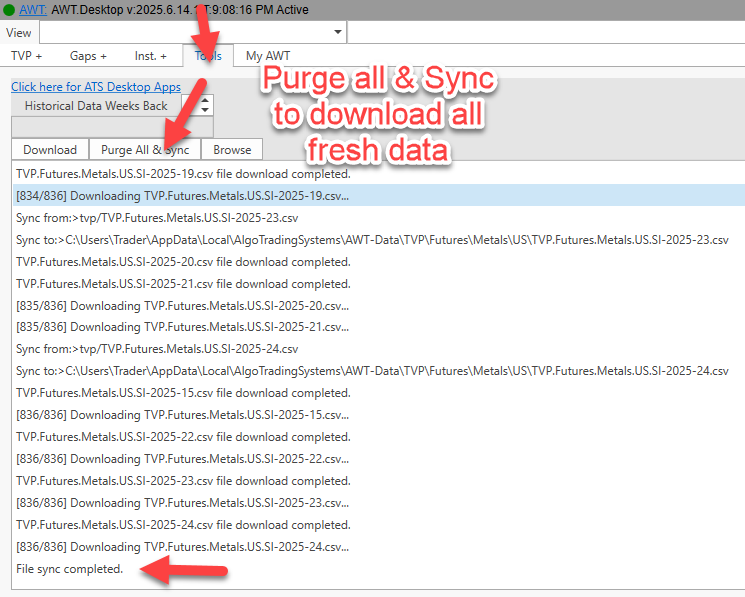
AWT Desktop – Purge & Sync data – downloads and syncs all cloud data for the AWT API link to AFT8