NinjaTrader Automated Trading by Algo Futures Trader

hybrid algorithmic automated futures trading for prop firm traders, day & swing traders

🚀 Get Started FREE
  • 🚀Get Started FREE
  • NinjaTrader
  • Get Funded
  • Trading Servers
  • Pricing
  • blog
  • Help

Protect Your Trade Zone: Set Up Do Not Disturb Before Trading

September 23, 2026 by AFT

A brief distraction can be enough to miss a planned trade entry. Protecting your attention is part of preparing to trade.

You may be waiting for the market open, a “10am jiggle” setup, or the move that follows it. Then a WhatsApp message, support request or business conversation pulls you away. By the time you return, the entry has happened and the market context has changed.

Do not chase a missed entry. Let it go, record what distracted you and wait for the next setup that meets your trade plan. Semi-automated execution and trade management can help, but they do not replace your attention or judgment.

Protect your trading window

Our usual trading window is Monday to Friday, 8:30–11:00 a.m. US Central Time (CT). Some sessions are over quickly; others require patient observation. The window is a time to be prepared and focused, not a target for how quickly to finish trading.

Schedule quiet hours to begin before the session—for example, 8:15–11:00 a.m. CT—and extend them if you are still trading. If your devices use another time zone, set the corresponding local times and check them when US daylight saving time changes.

Put aside unrelated chats, email, social media, support and sales requests, and business discussions. Let colleagues, friends and family know when you will be available again.

Decide which alerts you need

Keep availableSilence or defer
ATS Discord Trade Zone and relevant channel alertsUnrelated Discord servers, channels and direct messages
Required NinjaTrader, AFT and trade management alertsWhatsApp, Telegram, Signal and other personal chats
Essential platform, account and connection warningsEmail, social media and browser notifications
Selected emergency contactsRoutine calls, meetings and business requests

Configure both your phone and trading computer. Silencing one device will not necessarily silence notifications on another.

Windows 11: schedule Do Not Disturb

  1. Open Start → Settings → System → Notifications.
  2. Expand Turn on do not disturb automatically.
  3. Enable During these times and set your weekday trading window.
  4. Open Set priority notifications and review which calls, reminders and apps may interrupt you.
  5. Add Discord and essential trading apps where the available settings allow it.

Other Windows notifications can be reviewed later in Notification Center. See Microsoft’s guide to notifications and Do Not Disturb.

Windows 10: schedule Focus assist

  1. Open Start → Settings → System → Focus assist.
  2. Select Priority only.
  3. Open Customize your priority list and allow the essential apps available there.
  4. Under Automatic rules, open During these times.
  5. Set your weekday trading window and choose Priority only for that rule.

See Microsoft’s Focus assist guide. On either version of Windows, test your settings: an app’s own sounds or alerts may behave differently from standard Windows notifications. If an unwanted app still interrupts you, change its settings or close it during trading.

Android: schedule trading quiet hours

Menu names vary by device and Android version.

  1. Open Settings and search for Do Not Disturb.
  2. Look for a schedule or automatic rule. On some devices, you can create a custom mode named Trading.
  3. Set the days and times for your trading window.
  4. Review exceptions for essential alerts, Discord Trade Zone and emergency contacts.
  5. Keep unrelated chat and social apps outside the allowed list.

Review alarm and repeat-caller exceptions as well. See Google’s Android Do Not Disturb guide.

iPhone and iPad: create a Trading Focus

  1. Open Settings → Focus.
  2. Tap + → Custom and name the Focus Trading.
  3. Under People, choose the contacts you want to allow.
  4. Under Apps, allow Discord and any essential trading alert apps.
  5. Choose Add Schedule → Time and set your weekday trading window.
  6. Review repeated calls and time-sensitive notifications, which may permit additional interruptions.

Apple provides guides to setting up a Focus and scheduling a Focus.

Mac: schedule a Trading Focus

Open Apple menu → System Settings → Focus. Add or select a Trading Focus, configure the people and apps you want to allow, then add a schedule for your trading days and times.

If you use Share across devices, check the result on each Apple device you trade near. See Apple’s Mac Focus guide.

Keep ATS Discord Trade Zone available

Allowing Discord through a device’s quiet mode may also allow unrelated Discord notifications. Refine your settings inside Discord:

  1. Other servers: mute servers you do not need during trading and review their mention settings.
  2. ATS server: keep it available, but mute unrelated channels individually.
  3. Trade Zone channels: choose the notifications you need. Select All Messages if you need every update; Only @mentions will not alert you to ordinary messages.
  4. Direct messages: mute unrelated conversations separately.

Avoid muting the entire ATS server if you rely on Trade Zone alerts. See Discord’s notification settings guide.

Before trading, join any required voice session or stream and confirm that you can hear it. Test both channel notifications and live audio.

Quiet WhatsApp and other chats

Use your scheduled device settings to quiet WhatsApp, Telegram, Signal, Messenger, Slack, Teams and email. Keep these apps outside your allowed list unless one serves a specific trading purpose.

Check desktop apps, browser tabs, linked devices and your smartwatch too. If something still rings or appears on screen, change that app’s notification settings or close it for the session. Do Not Disturb also cannot stop you from opening a conversation yourself, so close unrelated tabs and put your phone out of sight.

Test your setup before the next session

  • Have someone send an ordinary chat message and confirm it does not interrupt you.
  • Confirm that required ATS Discord Trade Zone alerts and live audio work.
  • Test essential platform alerts safely, using simulation where appropriate.
  • Check your phone, computer, tablet and smartwatch for duplicate interruptions.
  • Confirm that quiet hours begin and end at the intended local times.

Do not mute all computer audio if you rely on trading alerts or Trade Zone commentary.

If a distraction causes you to miss an entry

Pause and reassess the market. Do not enter just because you feel you should have caught the previous move. Wait for a new setup that meets your trade plan.

Add a short note to your Trader Book of Lessons:

What happened: I answered a message while waiting for my setup and missed the entry.

My response: I let the missed trade go and waited for the next valid opportunity.

What I will change: I will schedule quiet hours on every device, close unrelated chats and test my Trade Zone alerts before the next session.
Filed Under: Hybrid Algo Trading, prop firm trading Tagged With: Discord, Do Not Disturb, futures trading, ninjaTrader, Trade Planning, Trade Zone, Trading Discipline, trading psychology

Free Day Trading Group for Futures Traders

June 19, 2021 by AFT

Multiple Trading Groups on Discord

ATS Support Group, ATS VIP Trading Group, AST Trading Signals & Market News AlertsATS Futures Trading Groups

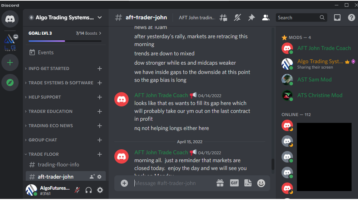
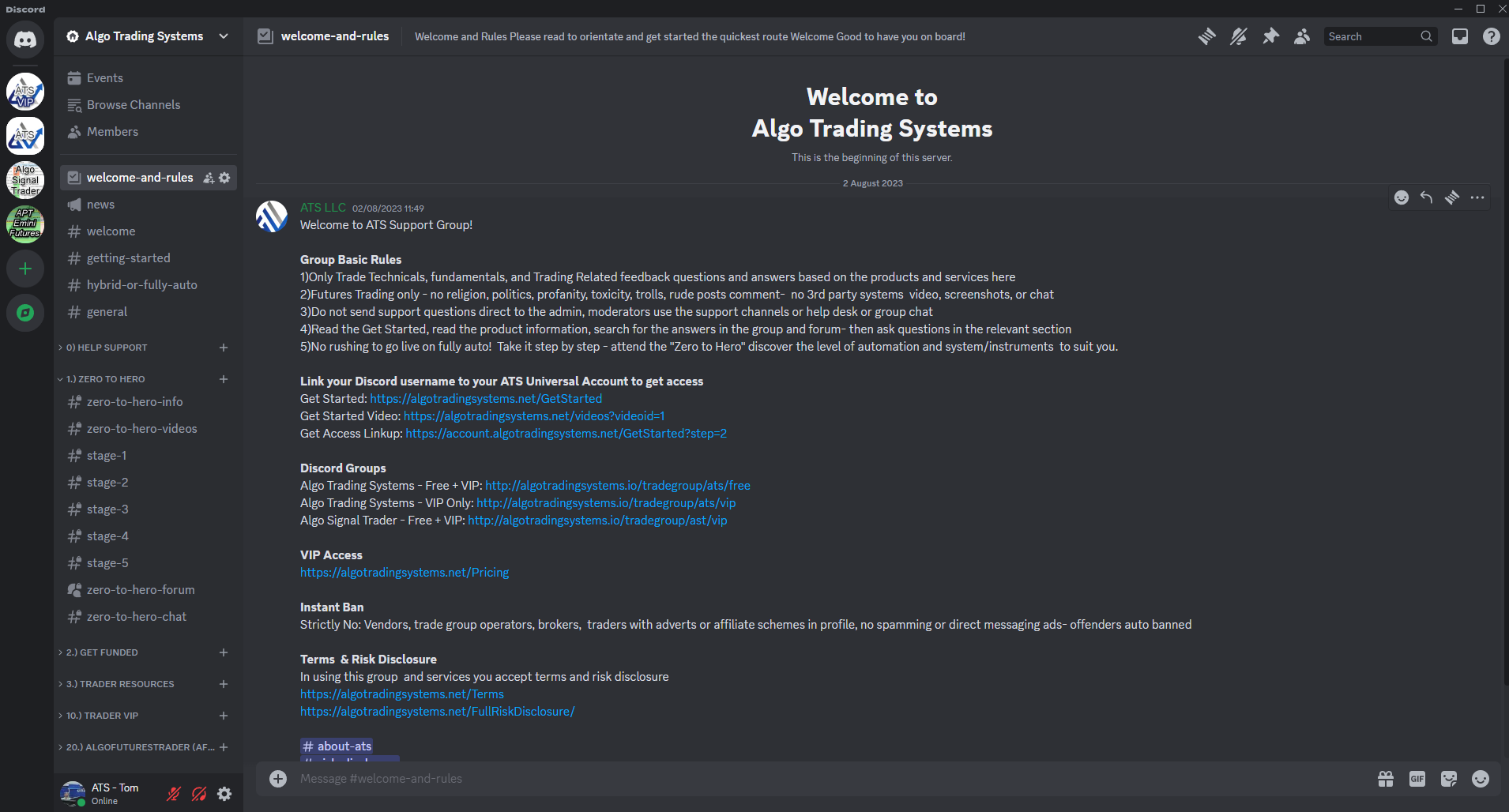
ATS futures trading groups provide systems and tools for independent-minded traders: real-deal tools for real-deal traders, education, training, technicals, methods, and traders sharing and collaborating on how they use the systems and what their stats are. This includes live market trading commentary for pre-session technicals, trade analysis, economic news updates, and market structure. There is no trading or financial advice; all traders make their own trading decisions while leveraging the trading technology to sharpen their edge.

VIP Trading Group Cutting-Edge AI Technology

  • VIP Group AI trading co-pilots mentor and provide:
    • Market Radar
      • Fundamentals
      • Economic news
      • Earnings reports
    • Market Commentary & Analysis
    • Educational context of AWT
    • Higher Time Frame Price Analysis
      • AWT Pre-Session Analysis
      • AWT Session Open
      • AWT 10 AM Jiggle Analysis
      • AWT 10:30 AM Analysis

Discord Group Links

Note: You will need to register and link your ATS universal account to your Discord account to get access.

  • Algo Trading Systems – Free + VIP
  • Algo Trading Systems – VIP Only
  • Algo Signal Trader – Free + VIP
  • Trading Group Access via ATS Universal Account

Group Basic Rules

  1. Only trade technicals, fundamentals, and trading-related feedback questions and answers based on the products and services here.
  2. Futures trading only – no religion, politics, profanity, toxicity, trolls, or rude comments. No 3rd-party systems, videos, screenshots, or chats.
  3. Do not send support questions directly to the admin. Use the support channels, help desk, or group chat for assistance.
  4. Read the “Get Started” guide, read the product information, search for answers in the group and forum, and then ask questions in the relevant section.
  5. No rushing to go live on fully automated systems! Take it step by step. Attend the “Zero to Hero” course and discover the level of automation and systems/instruments that suit you.

Link your Discord username to your ATS Universal Account to get access

  • Get Started: https://algotradingsystems.net/GetStarted
  • Get Started Video: https://algotradingsystems.net/videos?videoid=1
  • Get Access Linkup: https://account.algotradingsystems.net/GetStarted?step=2

Quality Over Quantity
Level up your game and trading skills with Hybrid Trading Systems. Attend the trading group and join a community of traders who are working up to trading live or are already trading live, or have been funded using turnkey hybrid automated trading methods. Learn from guidance and education resources, live trading chats, and trading streams. Accelerate learning, collaborate with other traders, absorb the knowledge of the community, and become a skilled and independent trader.

Group interactive support and education, real-time trading signals, technical analysis, market news alerts, and Futures VIP trade group.

  1. Group access controlled by ATS Bot & ATS Bot VIP
  2. Free access by linking your Discord username to your ATS Account
  3. Vendors, spam bots, scammers, and fake accounts will be barred
  4. VIP trade group for your live trading edge!
  5. 7-day free access to Algo Signal Trader

Filed Under: AFT8, Algo Futures Trader, AlphaBias, automated trade entry, automated trade management Tagged With: AFT Algo Signal Trader, AFT Cloud Trade Signals, AFT Trading Group, Day Trading Futures Group, Discord

  • NinjaTrader Automated Trading
  • automated futures trading
  • automated trading systems
  • Day Trading Futures
  • Get Started Day Trading Futures
  • VIP Trading Group Live Market Trade Along
  • Secret to Day trading futures success
  • AFT8 for NinjaTrader 8
  • Futures Algo Trading Systems
  • Market News
  • NinjaTrader Free Trading Platform
  • Legal Notices
  • AFT Legal Info
  • Terms
  • FULL RISK DISCLOSURE
  • Privacy Policy
  • Cookie Usage
  • About AlgoFuturesTrader
  • Connect to AFT
  • Blog
  • Videos
  • Support
  • Contact
  • My account
  • Sitemap
  • Affiliates

Ninja Futures Trading
Algo Futures Trader Copyright Algo Trading Systems© 2026 ·
AlgoFuturesTrader.com is owned & operated by Algo Trading Systems LLC. By using this website or products & services, you are bound by our Terms & subject to US legal jurisdiction only. Errors & omissions excluded.
AFT made in England, powered by MicroTrends NinjaTrader development

Disclaimer: Trading & investment carry a high level of risk. AlgoFuturesTrader does not make recommendations for buying or selling any financial instruments, nor do we offer trading or investment advice. We are a software company, and we only provide educational information on ways to use our sophisticated Algo Futures trading tools. It is up to our customers & readers to make their own trading & investment decisions, or consult with a registered investment advisor.

Risk Disclosure: Futures, CFDs, & forex trading carry substantial risk and are not suitable for every investor. An investor could potentially lose all or more than the initial investment. Risk capital is money that can be lost without jeopardizing one's financial security or lifestyle. Only risk capital should be used for trading, and only those with sufficient risk capital should consider trading. Past performance is not necessarily indicative of future results. Please read the full risk disclosure here.

Hypothetical performance results have many inherent limitations, some of which are described below. No representation is made that any account will or is likely to achieve profits or losses similar to those shown. In fact, there are frequently sharp differences between hypothetical performance results and the actual results subsequently achieved by any particular trading program. One of the limitations of hypothetical performance results is that they are generally prepared with the benefit of hindsight. In addition, hypothetical trading does not involve financial risk, and no hypothetical trading record can completely account for the impact of financial risk in actual trading. For example, the ability to withstand losses or adhere to a particular trading program despite trading losses are material points that can adversely affect actual trading results. Numerous other factors related to the markets or the implementation of any specific trading program cannot be fully accounted for in the preparation of hypothetical performance results and can adversely affect trading results.

Testimonials appearing on this website may not be representative of other clients or customers and are not a guarantee of future performance or success.

NinjaTrader® is a registered trademark of NinjaTrader Group, LLC. No NinjaTrader company has any affiliation with the owner, developer, or provider of the products or services described herein, nor do they endorse, recommend, or approve any such product or service.

We use cookies on our website to give you the most relevant experience by remembering your preferences and repeat visits. By clicking “Accept”, you consent to the use of ALL the cookies.
Do not sell my personal information.
Cookie SettingsAccept
Manage consent

Privacy Overview

This website uses cookies to improve your experience while you navigate through the website. Out of these, the cookies that are categorized as necessary are stored on your browser as they are essential for the working of basic functionalities of the website. We also use third-party cookies that help us analyze and understand how you use this website. These cookies will be stored in your browser only with your consent. You also have the option to opt-out of these cookies. But opting out of some of these cookies may affect your browsing experience.
Necessary
Always Enabled
Necessary cookies are absolutely essential for the website to function properly. These cookies ensure basic functionalities and security features of the website, anonymously.
CookieDurationDescription
cookielawinfo-checkbox-analytics11 monthsThis cookie is set by GDPR Cookie Consent plugin. The cookie is used to store the user consent for the cookies in the category "Analytics".
cookielawinfo-checkbox-functional11 monthsThe cookie is set by GDPR cookie consent to record the user consent for the cookies in the category "Functional".
cookielawinfo-checkbox-necessary11 monthsThis cookie is set by GDPR Cookie Consent plugin. The cookies is used to store the user consent for the cookies in the category "Necessary".
cookielawinfo-checkbox-others11 monthsThis cookie is set by GDPR Cookie Consent plugin. The cookie is used to store the user consent for the cookies in the category "Other.
cookielawinfo-checkbox-performance11 monthsThis cookie is set by GDPR Cookie Consent plugin. The cookie is used to store the user consent for the cookies in the category "Performance".
viewed_cookie_policy11 monthsThe cookie is set by the GDPR Cookie Consent plugin and is used to store whether or not user has consented to the use of cookies. It does not store any personal data.
Functional
Functional cookies help to perform certain functionalities like sharing the content of the website on social media platforms, collect feedbacks, and other third-party features.
Performance
Performance cookies are used to understand and analyze the key performance indexes of the website which helps in delivering a better user experience for the visitors.
Analytics
Analytical cookies are used to understand how visitors interact with the website. These cookies help provide information on metrics the number of visitors, bounce rate, traffic source, etc.
Advertisement
Advertisement cookies are used to provide visitors with relevant ads and marketing campaigns. These cookies track visitors across websites and collect information to provide customized ads.
Others
Other uncategorized cookies are those that are being analyzed and have not been classified into a category as yet.
SAVE & ACCEPT