- AFT8 version 2023.7.20.1 maintenance release is now ready to install.
- This version moves all AFT8 info tracing/error traces to the folder NinjaTrader 8/trace/.
- Removes all debug output from the NT8 output window.
- Rollover of energy contracts in workspaces.
- Handling of a folder file permissions error bug fix.
- Internal optimizations for performance and speed enhancements.
- Regional datetime culture serialization format handling.
- Still ongoing work, such as:
- GUI Easy Trader/NinjaBuddy.
- Remote Trading Module – Web to NT8 trade/algo control.
- Algo goals: wins/losing trades, cash, percentage drawdown, win rate.
- Implementation of backtester and strategy open source.
- And more!
AFT version 2023771 released
AFT8 Version 2023.7.7.1 Released
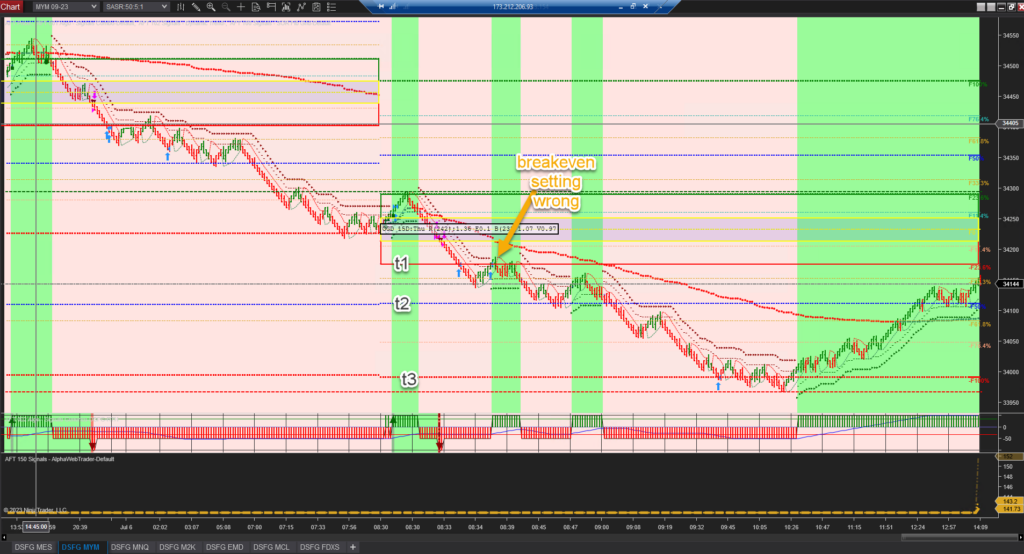
Trade Manager Breakeven Trail Settings Fixed in Turnkey Workspaces
Breakeven Examples
Lock in 25% Profit of Target 1
StopLossBreakEven1OffsetCalcMode=16
StopLossBreakEven1OffsetCalcModeCoeff=0.25
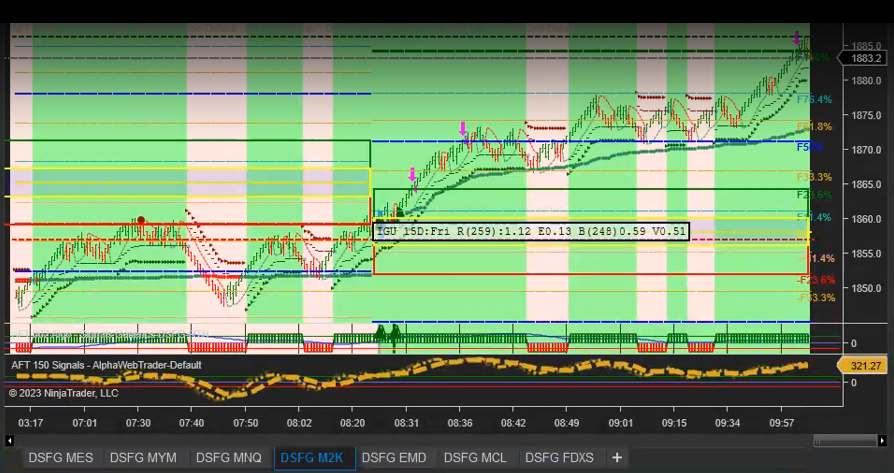
Reduce Risk by 50%
StopLossBreakEven1OffsetCalcMode=8
StopLossBreakEven1OffsetCalcModeCoeff=0.5
Alerts Sound and Digital Voice
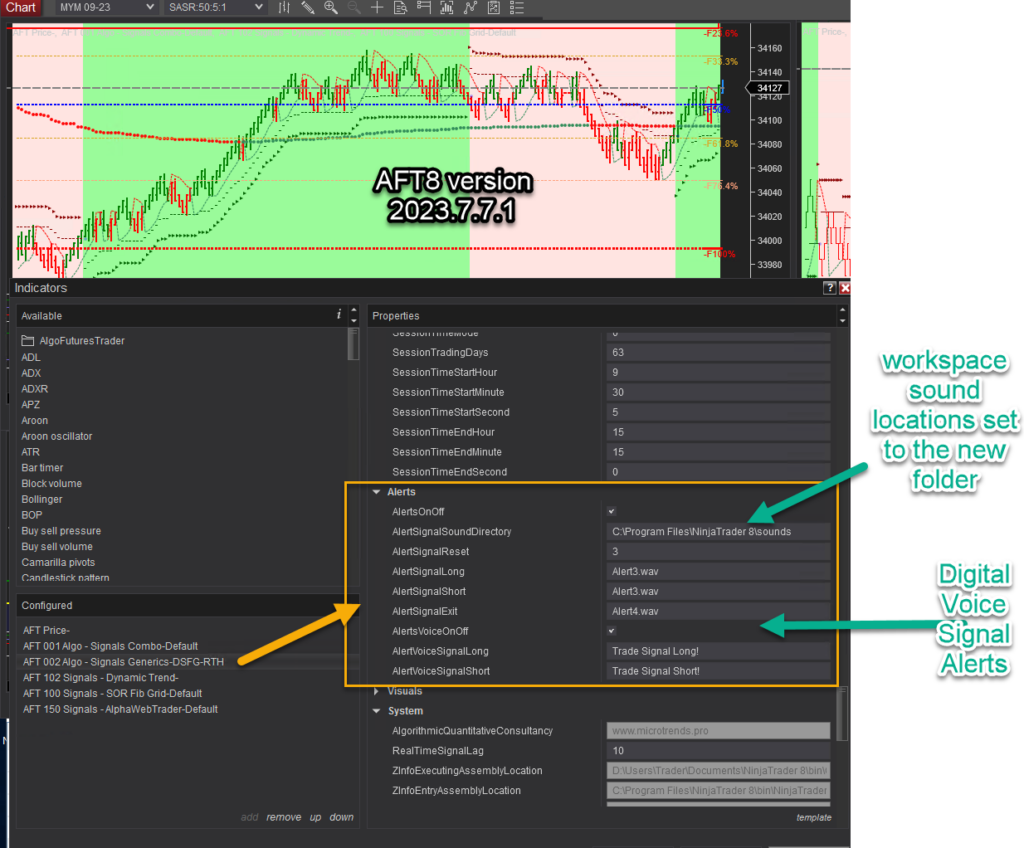
NT8 sound location fixes in all workspaces and templates.
Note: Sound alerts are now active. There may be too many; please provide feedback and let us know. Alternatively, edit the workspaces and save as a new one with alerts off, etc.
Voice digital alerts are also now released.
They can be activated on the chart.
AFT8 update released version2023752
- AFT8 Update Release 2023752
- Workspaces
- Chart Templates
- Trade Manager Settings
Corrections in the Trade Manager settings template: AFT-Algo-UDSFG-001, to prevent a trailing stop from triggering too early in some workspaces. Additional higher time frame charts/templates on the workspace AFT8-SFG Breakout Trader-0000B.
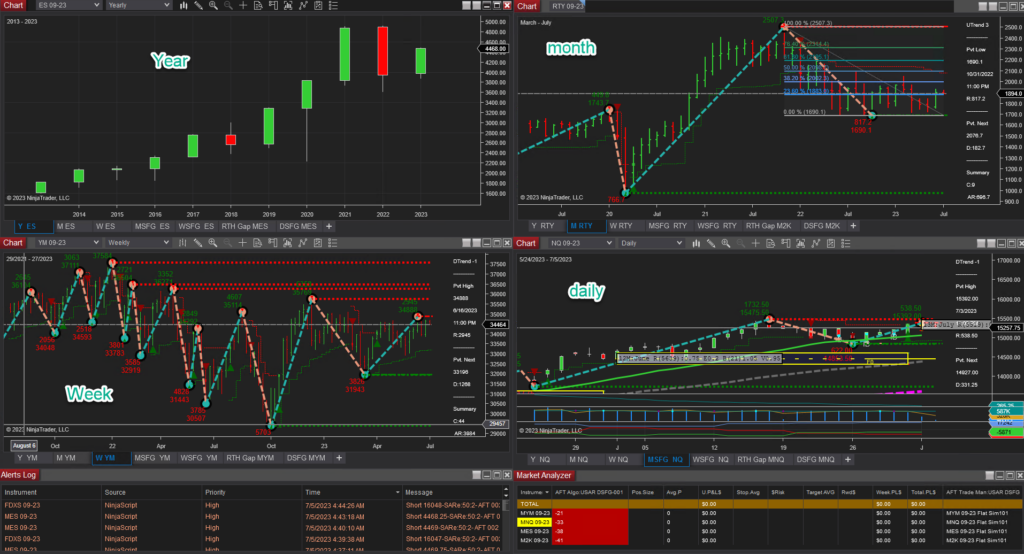
AFT8 Update 2023732 workspace breaking changes
- AFT8 version 2023.7.3.2 released.
- Changes to the AutoStart feature: AutoStart off sets the algorithm entry systems off on start.
- Removal of license popup messages. Instead, a notepad document will be provided with information on license issues and caveats, which can be sent to support for assistance with prop firms evaluation trading.
- Workspace breaking changes.
- AFT Indicators now appear in a folder at the top left of the Indicator list in the folder AlgoFuturesTrader.
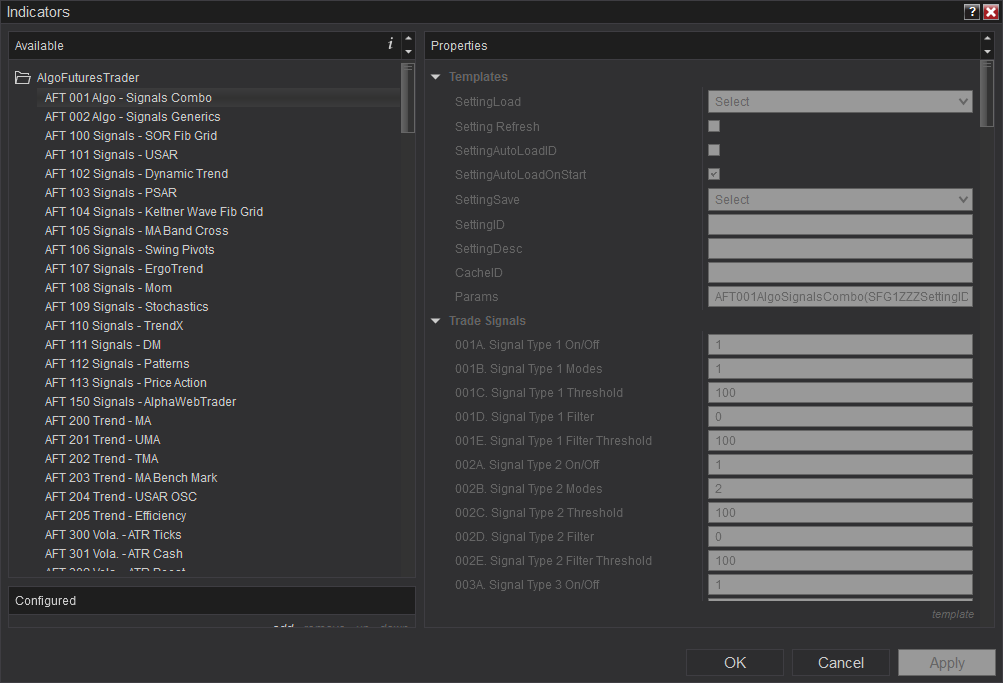
- The caveat is that all indicators will need to be re-added to the chart from your custom saved workspaces.
- AFT Workspaces are all updated and will have the indicators present and ready for use.
AFT8 Hybrid Algo Trading System official release
Current ATS Desktop Apps Prerequisite: .NET 8 Desktop Runtime
ATS Windows desktop apps require Microsoft .NET 8 Desktop Runtime (x64). Install the current serviced .NET 8 Desktop Runtime from the ATS download instructions or Microsoft’s .NET 8 download page, choosing Windows Desktop Runtime — Windows x64. Downloading the file alone does not install it: open the installer, complete installation and reopen the ATS app.
.NET Desktop Runtime is different from .NET Framework, the SDK and ASP.NET Core Runtime. A later major runtime should not be assumed to replace the .NET 8 runtime required by the app. If a current app still asks for another runtime, report the app name and exact message to ATS support.
Choose Self-Assisted or One-to-One Assisted Setup
If installation is difficult or you prefer someone to guide you, there are two routes. Self-assisted: follow the ATS Desktop Apps installation guide, one step at a time, with ATS Help Bot and technical support for supported issues. Get assisted: explore optional paid one-to-one onboarding and setup from independent ATS Ecosystem providers.
Ecosystem providers may help with ATS account onboarding, NinjaTrader and ATS installation, connections, licence sync and workspace setup. Review services, pricing and booking options through the ATS Ecosystem. Providers set their own terms; personal setup sessions are not automatically included with an AFT Essentials purchase. You can be experienced in trading and still choose personal help with the technology.
The NinjaTrader Best Trading System is Now Officially Released
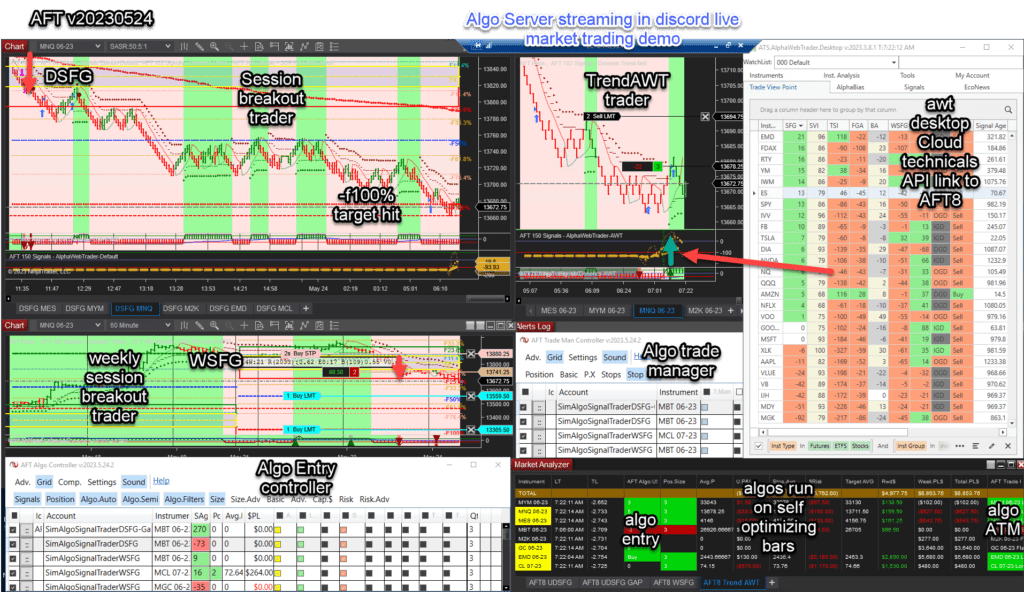
The AFT8 hybrid automated trading system’s official public release is out, with more updates and features to come. For now, this is the minimum feature set for fully automated, hybrid semi-automated, and manual entry modes with fault-tolerant adaptive trade management, algo entry controller, algo trade manager controller, and multiple algo systems with baseline turnkey workspaces.
- Historical 2023 release access; current intraday simulation, replay, evaluation and live use requires the applicable trial or paid licence.
- AFT8 will display an update message for the new version.
- Download and get started with AFT8 for free
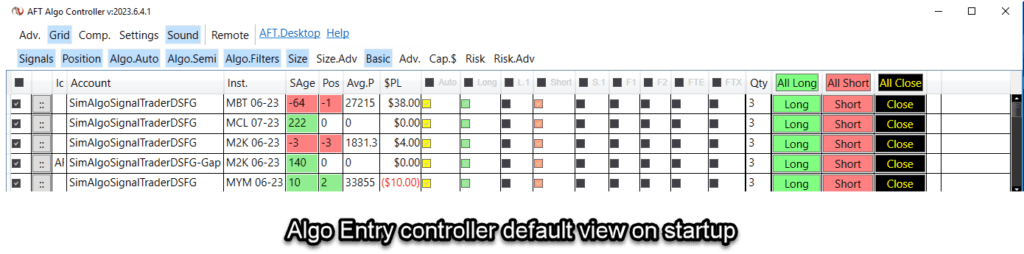
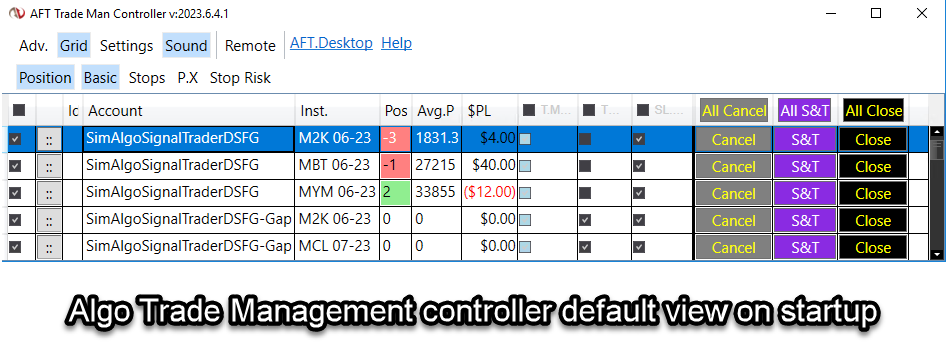
New Improved Algo Controllers Default Starting View
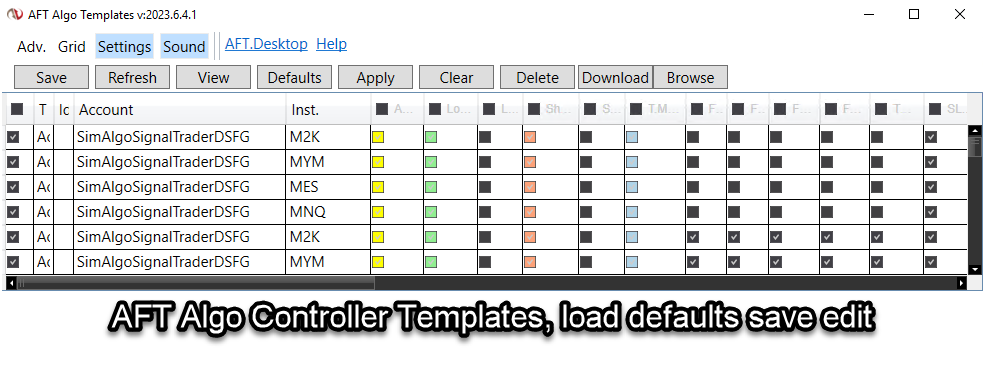
New Baseline Turnkey Workspace
- AFT8-SFG Breakout Trader-0000C-Mix
- Includes indices, oil, FDAX, gold, etc.
What Will Happen to the AFT8 Beta Version and Licenses
- Licenses will expire in 5 days.
- All prior versions of AFT8 Beta will cease to function.
- Simply upgrade to the new version and use it.
- Temporary full-feature live trading licenses will be granted.
- Over the next 2 weeks, licenses will start to lock down features.
Why Should I Upgrade from AFT8 Beta to the AFT8 Official Release?
- AFT8 Beta will expire.
- Grace period for full licenses.
- New features are being released all the time.
- Prior versions will expire after a period.
- Why is AFT8 the most advanced and best trading system for NinjaTrader?
Trader Education Training and ATS Trading Discord Group
- More features are to come, so all focus will go into coding and rolling out the updates.
- Videos, articles, and educational material will be worked on after the dust settles.
- For interactive support from 6 AM CT to 12 PM CT, join us in the ATS Discord Group.
Introducing the ATS.AlgoFuturesTrader.Desktop App
- Trading licenses, if any, will be downloaded from http://account.algotradingsystems.net/
- A new desktop app will work alongside AFT8 NinjaTrader: ATS.AlgoFutures.Desktop
- Providing auto-login, license sync, remote trading control, remote workspaces, and more.
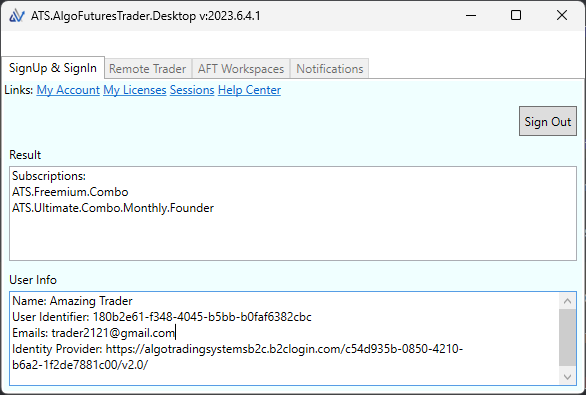
This should ideally be installed before AFT8RC1 is installed. AFT8 will attempt to install and require your permission to install. Install from here: https://algotradingsystems.s3.amazonaws.com/aft-desktop/Publish.html. The following prerequisites are required: .NET 8 Desktop Runtime (x64). Direct link here: https://dotnet.microsoft.com/en-us/download/dotnet/8.0
AFT Licenses for Live Trading Modes
The AFT8 live licensing is being enforced tentatively as we don’t want to disrupt evaluations and live trading. The system will appraise how NT8 is being used, e.g., in Sim mode or live mode/eval mode, and then check your ATS licenses. If it can’t reconcile a license to allow live account trading or eval trading, it will display a message that can be saved and sent to support to work out a plan. This approach will disable features after a timeout period, allowing time for organization. Please join us in the ATS Trading Discord Group for interactive support and Q&A.
How to upgrade from AFT7 to AFT8
AFT7 has been retired. Please upgrade to AFT8.
All AFT7 traders should upgrade to AFT8, available with freemium access and a full-featured free trial. Get AFT8 here for NinjaTrader.
ATS Customer Success is Waiting to Facilitate
- Upgrade fees apply to traders who did not subscribe to the optional annual maintenance, which provides upgrade assurance from AFT7 to AFT8.
- This includes all prior customers who purchased AFT7 from the exclusive reseller “Omegavus Trading LLC.”
- The cut-off date is for anyone who bought a lifetime license before June 2022 and did not get upgrade assurance. They are liable for the upgrade fee. Please book a call to verify details below.
- Do not panic; upgrading is easy and can be done at any time. If you do not wish to upgrade now, no problem.
- AFT8 will still work for free on sim, demo, backtest, and prop firm evaluation. It only requires a live license for live trading.
- It is possible to upgrade to a better package, such as the AFT to ATS combo: AFT + AWT.
- If you are in an AWT subscription, you can even have the fees refunded against the upgrade deal.
- Typically, the upgrade fee is 35% of the full lifetime ticket price, but it can vary depending on your current subscriptions and prior purchases, such as AWT, if you upgrade to the ATS Combo!
- Book your upgrade call with ATS Customer Success
- Upgrade options for AFT and ATS Combo packages will be presented.
- Payment details and promotions will be provided in the meeting.
CLICK HERE TO BOOK YOUR UPGRADES CALL
For AFT Ultimate Lifetime Owners from 2021/2022 AFT7 to AFT8
Customers who bought the AFT Ultimate reserved access to AFT8 when launched and do not need to upgrade as it was included. However, your AFT licenses will need migrating to the new system so that you can use AFT8 for live trading and access the ultimate features. Your licenses will appear in your ATS Universal Account with the same email login used for purchase. For any questions and queries, you can contact ATS Customer Success on a quick call to resolve and migrate your old account licenses to the new system.
CLICK HERE TO BOOK YOUR UPGRADES CALL