NinjaTrader Automated Trading by Algo Futures Trader

hybrid algorithmic automated futures trading for prop firm traders, day & swing traders

🚀 Get Started FREE
  • 🚀Get Started FREE
  • NinjaTrader
  • Get Funded
  • Trading Servers
  • Pricing
  • blog
  • Help

AFT8 Risk Control Practical Ways to Reduce Risk

February 18, 2026 by AFT

Managing Risk to Reduce Exposure and risk of ruin

Risk can be controlled in multiple ways inside the AFT8 framework. One or more of the approaches below can
significantly reduce and manage exposure, especially during evaluation or performance phases.

1) Increase the Account Size (Capital Allocation)

A larger account (for example, 100K vs 50K in prop environments) automatically reduces
percentage-based drawdown pressure and allows more flexibility in stop placement and trade management.

2) Use Fewer Lots Per Trade (Lower % Risk Per Trade)

Reducing position size is the most direct way to control risk. If a default turnkey workspace uses
3 lots, you may choose to use 1–2 lots based on your account size and risk tolerance.

3) Reduce Risk After Entry (R50 / E50 / I50)

Once the Trade Manager has placed stops:

  • Click R50% on the Algo Trade Manager Controller to reduce stop size by 50%.
  • Or click E50 / I50 on the NinjaBuddy UI to reduce risk by 50%.

This immediately compresses exposure without needing to manually adjust the stop.

4) Wait for Efficient Entry Prices

Avoid chasing signals. Instead:

  • Wait for pullbacks.
  • Enter at technically efficient prices.
  • Avoid entries that are extended far from structure.

Better price = smaller stop required = lower risk.

5) Use Smaller Bars for Entry Triggers

Smaller timeframe bars often allow the entry trigger to occur closer to the actual market price.
This reduces the distance between entry and stop placement.

6) Use Order Types at Technical Levels

Instead of market entries:

  • Use an Algo Entry limit order price when appropriate.
  • Use manual limit orders at technical levels.
  • Allow pullbacks to enter you.
  • Reduce slippage risk.
  • Use stop or OCO entry types at levels for efficient entry.

7) Reduce Stop Size in Settings

Inside AFT8 Trade Manager settings, you can reduce stop size.

Example (Session Breakout):

  • Default stop: 20% grid (wider structure stop)
  • Reduced stop: 10% grid (tighter stop)

Smaller grid percentage = smaller initial risk.

8) Use Dynamic Lots

Enable the Dynamic Lots feature to allocate a defined percentage of the account as maximum exposure.
This helps prevent over-sizing relative to account equity.

9) Use Partial Exit (PX1)

Use PX1 to close one lot without moving the stop.

Click PX on the Algo Trade Manager Controller or NinjaBuddy to reduce open exposure without changing
the stop structure.

  • Reduces open exposure
  • Lowers emotional pressure
  • Allows the remaining position to run

10) Monitor Liquidity and Slippage

Always consider:

  • Market liquidity
  • Time of day
  • News volatility

Poor liquidity increases slippage and can widen effective risk beyond the intended stop.

Final Notes

Risk management is not a single setting — it is a layered structure.

The most professional approach is to:

  • Control size
  • Control stop structure
  • Control entry efficiency
  • Control execution

Multiple small improvements combined create a meaningful reduction in total risk.

Filed Under: AFT8, automated trading ninjatrader, fully automated trading system, ninjatrader automated trading Tagged With: risk control, risk management

AFT8 update 20260123 Trade System Copier and Self Optimizing bar enhancements

January 23, 2026 by AFT

AFT8 Update Released – Version 2026.01.23

The AFT8 hot-fix update (v2026.01.23) has been released and is now ready for installation.


AFT8 Hot-Fix Update Features

  • Internal white-box optimization for Trade Plan Goals data
    Fixes a rare display error in the Algo Trade Manager.
  • Trade System Copier safety enhancement (primary ↔ sub-account sync)
    In fast markets or sharp reversals, an additional verification layer now runs after a short
    cool-down period to ensure all accounts are correctly balanced and fully synchronized.
  • Self-Optimizing Bar improvements
    White Box Code Enhancements to prevent a very rare NinjaTrader 8 chart freeze during busy tick periods.

How to Install the Latest AFT8 Version

You can update AFT8 using any of the following methods:

  1. In-App Update
    AFT8 will automatically display a pending update notification with install buttons.
  2. ATS Universal Account Downloads
    Download and run the “AFT Secondary Installer” from:
    https://account.algotradingsystems.net/
  3. Local Installer (if already downloaded)
    Check your PC downloads folder for:

    \Downloads\AlgoTradingSystems\AlgoFuturesTrader8-Installer-Setup.exe
    

Tip: After updating, restart NinjaTrader 8 and AFT8 to ensure all components load cleanly.

Filed Under: AFT8, Algo Futures Trader, NinjaTrader 8, ninjatrader automated trading systems, ninjatrader trading bot Tagged With: AFT8 Release, AFT8 update, AFT8Update, automated futures trading

AFT8 Update version 20250111 released requiring latest version of NT8

January 11, 2026 by Tom Leeson

For the latest AFT8 Update, please update NT to version 8.1.6.2 64-bit
AFT2026.1.11.1 is released and will show a pop-up update message, or can be downloaded via the ATS Universal Account – My downloads
Adds in: Fix to NinjaBuddy hotfix on some systems – cross threading error log messages and no popup of NinjaBuddy for version 2026.1.10

Filed Under: AFT8, ninjatrader automated trading

2026 new year trading start AFT8 VIP Workspaces for Prop Trading & Day Trading Futures

January 3, 2026 by AFT

3 Points of importance for 2026 new year trading start

  1. Apex 90% off Sale goes on until 6th Jan 90% Off Coupon HFMOJTET 
  2. AFT8 update – version 2022.1.2.1 released -this corrects some 2025/2026 AWT API Link rollover errors + adds in precision optimizations on the AFT Fib Grid
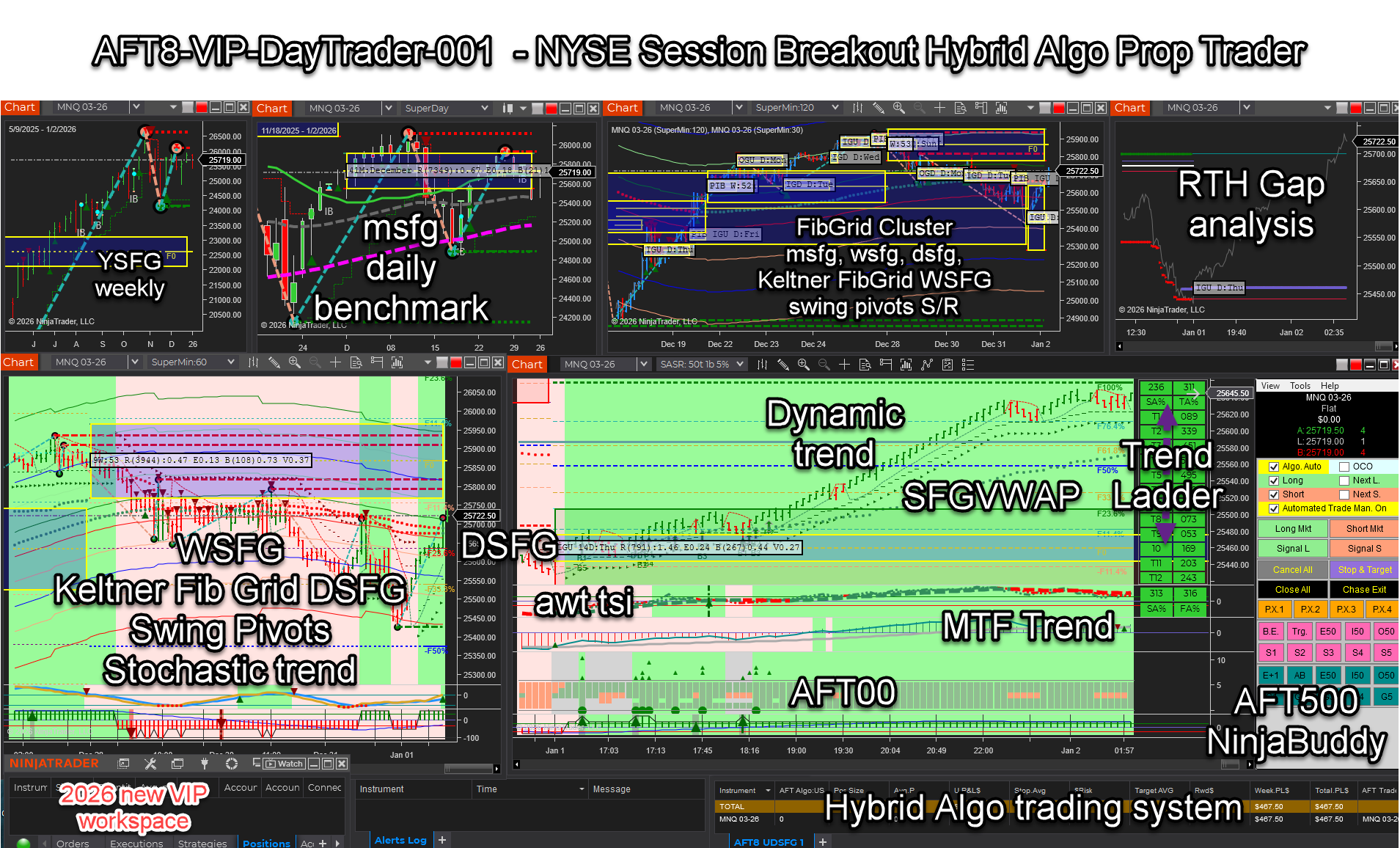
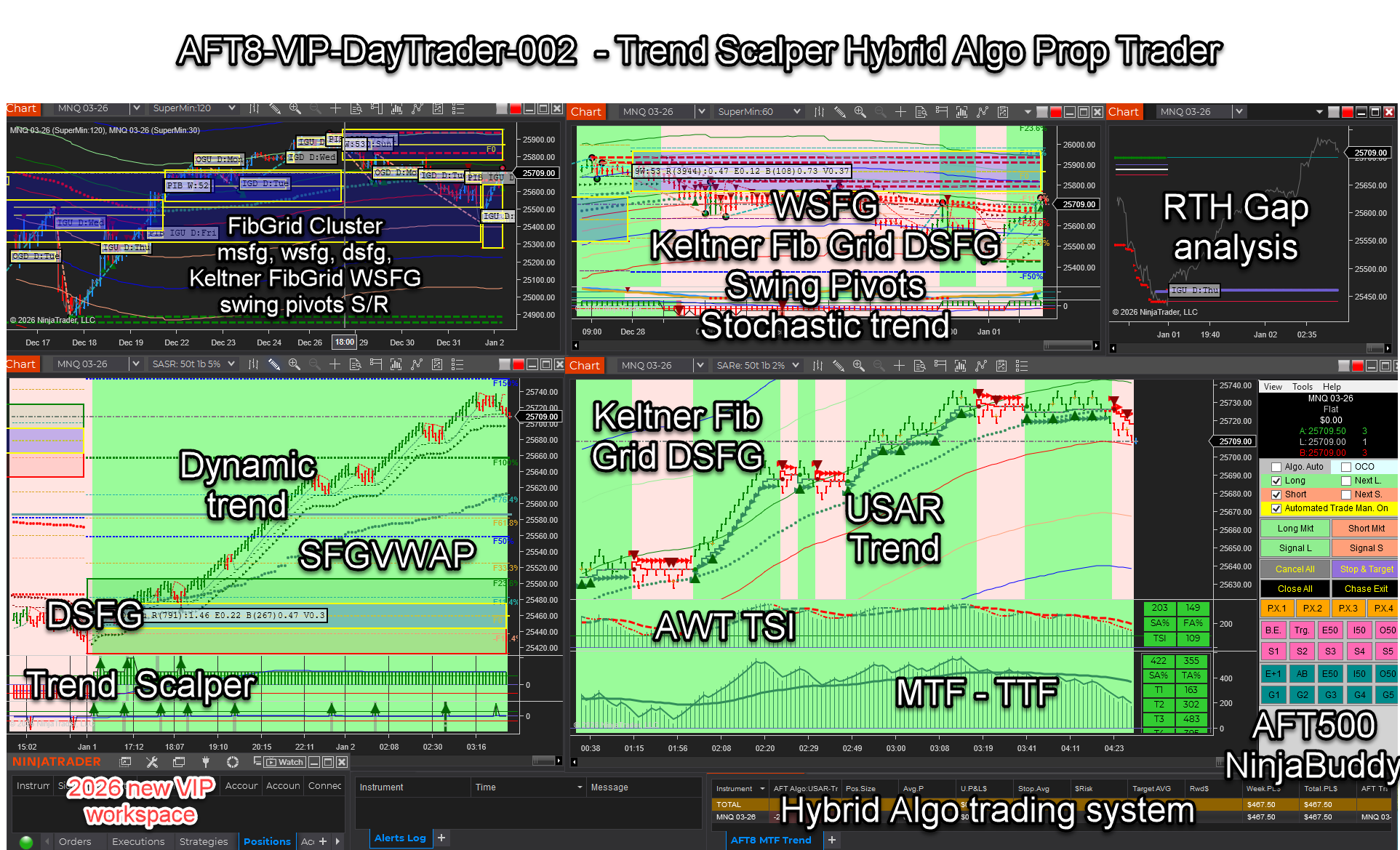
  3. 2026 Turnkey Workspaces – for VIP traders who are actively trading with a subscription or lifetime license
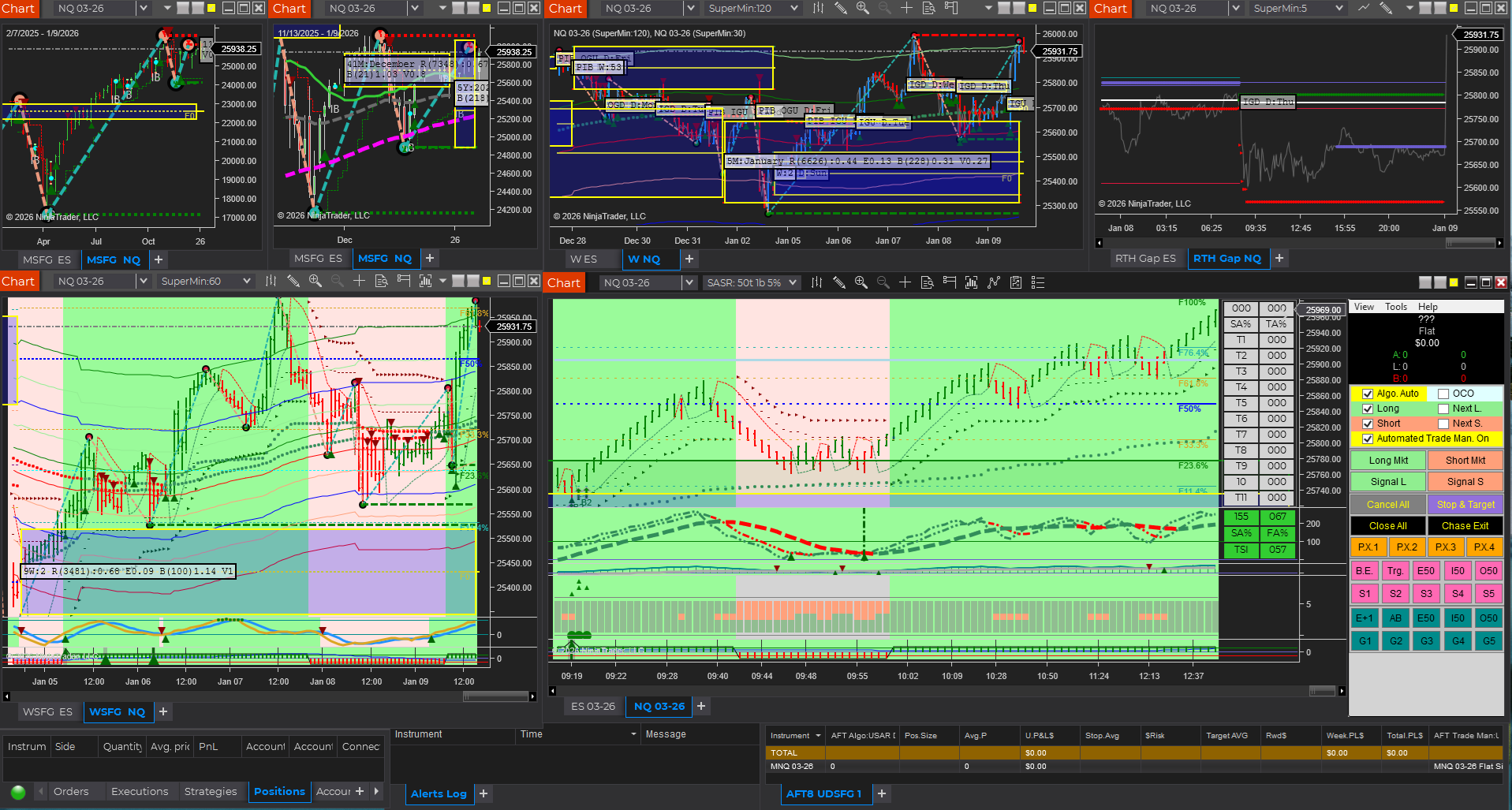
    1. AFT8-VIP-DayTrader-001 – session breakout for prop trading
    2. AFT8-VIP-DayTrader-002 – trend scalper for prop trading

Optional Annual Maintenance/ Optional Lifetime Renewals
For Lifetime Renewals, please visit ‘My Pricing’ to see what renewal promos await those who have not yet renewed and want to catch up on all the latest tech and turnkey workspaces for 2026… – this also includes vip group access/ AWT access/ support access and so on as listed at:  ATS Universal Account > My Pricing 

Filed Under: AFT8, prop firm trading Tagged With: AFT8 update, AFT8Update, automated futures trading

AFT8 version 20251223 update released with NinjaBuddy Trader UI requires latest version of NinjaTrader 8

December 25, 2025 by AFT

AFT8 version 20251223 update released with NinjaBuddy Trader UI requires the latest version of NinjaTrader 8, minimum version 8.1.6.2 64-bit

Download and update:

  1. Latest version of NinjaTrader 8
  2. Latest version of AFT8

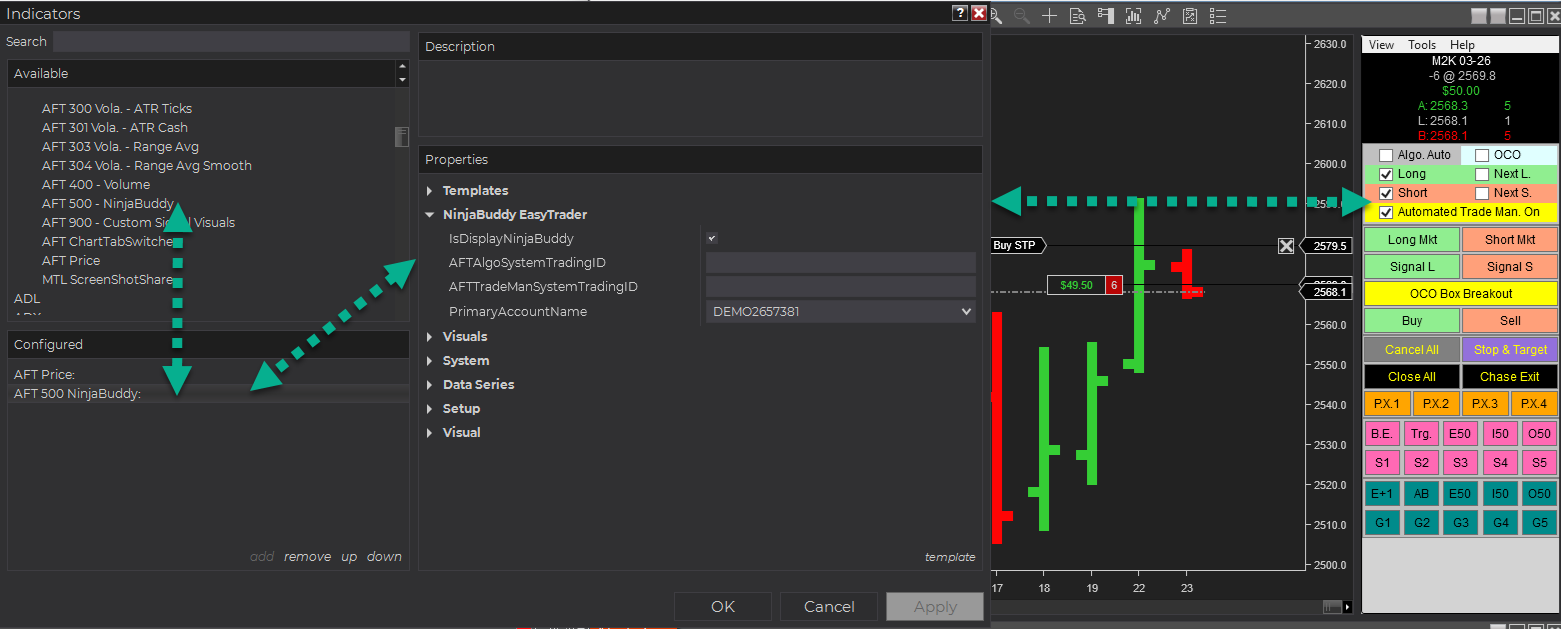
AFT500 NinjaBuddy Trade UI


Filed Under: AFT8 Tagged With: AFT8 Release, AFT8 update, aft8release, AFT8Update

AFT8 update 20251221 Signal OCO & AFT000 Hybrid Algo Chart Trader

December 21, 2025 by AFT

AFT8 Update release new Feature Announcement: Signal OCO + AFT000 Hybrid Algo Chart Trader for AFT version 2025.12.21


Signal OCO

Signal OCO for fully automated and hybrid automated trading signal execution control

Introducing Signal OCO (One-Cancels-the-Other) for your automated and hybrid algo trading modes
with AFT8 for NinjaTrader 8. This feature adds deterministic control over competing signals so
that once the first signal executes, the other is automatically disabled.

How it works

  • When Signal OCO is selected, whichever signal fires first will disable the other.
  • The primary signal can either:
    • Continue to fire normally, or
    • Be limited to 1 execution.
  • Signal OCO is located in the Algo Controller and NinjaBuddy Easy Trader.

Signal OCO is especially useful for reducing signal conflict, improving execution clarity, and supporting cleaner
automated or hybrid workflows.


AFT000 Hybrid Algo Chart Trader

When adding AFT000 to a chart, the NinjaBuddy Easy Trader GUI can be displayed
optionally. NinjaBuddy will attempt to bind to any running AFT Algo and AFT Trade Manager
that match the selected account and instrument.

What NinjaBuddy can do (current release)

  • Control the on-chart indicator
  • Control and manage signals and alerts
  • Bind to the AFT Algo Allow for the instrument
  • Bind to and AFT Trade Manager for the instrument
  • Provide advanced entry and trade management for hybrid trading

Next release: signal injection into the trade engine (planned).

Why this matters for hybrid day trading & prop trading

More critically, when NinjaBuddy is bound to an active algo and trade manager, it enables real-time hybrid control
similar to the inline Algo Controllers, but with additional advanced features designed specifically for
day trading and prop trading workflows.

  • Real-time hybrid control without restarting the algo
  • Faster chart-based operations for hybrid execution
  • Expanded controls formulated for active day trading environments& prop trading
  • Designed for fast precision prop & day trading control

NinjaBuddy Related Links

  • AFT8 NinjaBuddy where to access and display on chart? – Algo Trading Systems Help Center
  • AFT8 AFT00 NinjaBuddy Easy Trader configure to interact with AFT Algo Entry And Trade Management – Algo Trading Systems Help Center


License Information

  • Premium Monthly + Annual Subs ATS Universal or AFT
  • For AFT8 LifeTime license Premium/Ultimate
    • covered by the 1st year or the Optional annual renewal
    • For renewal, view ‘My Prices” within the ATS Universal Account

  • Summary

    • Signal OCO adds cleaner, safer signal execution control for automated and hybrid modes.
    • AFT000 + NinjaBuddy introduces advanced chart-based hybrid control with more features to come.

Filed Under: AFT8, automated futures trading system Tagged With: AFT8 update, aft8release, AFT8Update, ninjatrader automated trading

  • « Previous Page
  • 1
  • …
  • 3
  • 4
  • 5
  • 6
  • 7
  • …
  • 20
  • Next Page »
  • NinjaTrader Automated Trading
  • automated futures trading
  • automated trading systems
  • Day Trading Futures
  • Get Started Day Trading Futures
  • VIP Trading Group Live Market Trade Along
  • Secret to Day trading futures success
  • AFT8 for NinjaTrader 8
  • Futures Algo Trading Systems
  • Market News
  • NinjaTrader Free Trading Platform
  • Legal Notices
  • AFT Legal Info
  • Terms
  • FULL RISK DISCLOSURE
  • Privacy Policy
  • Cookie Usage
  • About AlgoFuturesTrader
  • Connect to AFT
  • Blog
  • Videos
  • Support
  • Contact
  • My account
  • Sitemap
  • Affiliates

Ninja Futures Trading
Algo Futures Trader Copyright Algo Trading Systems© 2026 ·
AlgoFuturesTrader.com is owned & operated by Algo Trading Systems LLC. By using this website or products & services, you are bound by our Terms & subject to US legal jurisdiction only. Errors & omissions excluded.
AFT made in England, powered by MicroTrends NinjaTrader development

Disclaimer: Trading & investment carry a high level of risk. AlgoFuturesTrader does not make recommendations for buying or selling any financial instruments, nor do we offer trading or investment advice. We are a software company, and we only provide educational information on ways to use our sophisticated Algo Futures trading tools. It is up to our customers & readers to make their own trading & investment decisions, or consult with a registered investment advisor.

Risk Disclosure: Futures, CFDs, & forex trading carry substantial risk and are not suitable for every investor. An investor could potentially lose all or more than the initial investment. Risk capital is money that can be lost without jeopardizing one's financial security or lifestyle. Only risk capital should be used for trading, and only those with sufficient risk capital should consider trading. Past performance is not necessarily indicative of future results. Please read the full risk disclosure here.

Hypothetical performance results have many inherent limitations, some of which are described below. No representation is made that any account will or is likely to achieve profits or losses similar to those shown. In fact, there are frequently sharp differences between hypothetical performance results and the actual results subsequently achieved by any particular trading program. One of the limitations of hypothetical performance results is that they are generally prepared with the benefit of hindsight. In addition, hypothetical trading does not involve financial risk, and no hypothetical trading record can completely account for the impact of financial risk in actual trading. For example, the ability to withstand losses or adhere to a particular trading program despite trading losses are material points that can adversely affect actual trading results. Numerous other factors related to the markets or the implementation of any specific trading program cannot be fully accounted for in the preparation of hypothetical performance results and can adversely affect trading results.

Testimonials appearing on this website may not be representative of other clients or customers and are not a guarantee of future performance or success.

NinjaTrader® is a registered trademark of NinjaTrader Group, LLC. No NinjaTrader company has any affiliation with the owner, developer, or provider of the products or services described herein, nor do they endorse, recommend, or approve any such product or service.

We use cookies on our website to give you the most relevant experience by remembering your preferences and repeat visits. By clicking “Accept All”, you consent to the use of ALL the cookies. However, you may visit "Cookie Settings" to provide a controlled consent.
Cookie SettingsAccept All
Manage consent

Privacy Overview

This website uses cookies to improve your experience while you navigate through the website. Out of these, the cookies that are categorized as necessary are stored on your browser as they are essential for the working of basic functionalities of the website. We also use third-party cookies that help us analyze and understand how you use this website. These cookies will be stored in your browser only with your consent. You also have the option to opt-out of these cookies. But opting out of some of these cookies may affect your browsing experience.
Necessary
Always Enabled
Necessary cookies are absolutely essential for the website to function properly. These cookies ensure basic functionalities and security features of the website, anonymously.
CookieDurationDescription
cookielawinfo-checkbox-analytics11 monthsThis cookie is set by GDPR Cookie Consent plugin. The cookie is used to store the user consent for the cookies in the category "Analytics".
cookielawinfo-checkbox-functional11 monthsThe cookie is set by GDPR cookie consent to record the user consent for the cookies in the category "Functional".
cookielawinfo-checkbox-necessary11 monthsThis cookie is set by GDPR Cookie Consent plugin. The cookies is used to store the user consent for the cookies in the category "Necessary".
cookielawinfo-checkbox-others11 monthsThis cookie is set by GDPR Cookie Consent plugin. The cookie is used to store the user consent for the cookies in the category "Other.
cookielawinfo-checkbox-performance11 monthsThis cookie is set by GDPR Cookie Consent plugin. The cookie is used to store the user consent for the cookies in the category "Performance".
viewed_cookie_policy11 monthsThe cookie is set by the GDPR Cookie Consent plugin and is used to store whether or not user has consented to the use of cookies. It does not store any personal data.
Functional
Functional cookies help to perform certain functionalities like sharing the content of the website on social media platforms, collect feedbacks, and other third-party features.
Performance
Performance cookies are used to understand and analyze the key performance indexes of the website which helps in delivering a better user experience for the visitors.
Analytics
Analytical cookies are used to understand how visitors interact with the website. These cookies help provide information on metrics the number of visitors, bounce rate, traffic source, etc.
Advertisement
Advertisement cookies are used to provide visitors with relevant ads and marketing campaigns. These cookies track visitors across websites and collect information to provide customized ads.
Others
Other uncategorized cookies are those that are being analyzed and have not been classified into a category as yet.
SAVE & ACCEPT