NinjaTrader Automated Trading by Algo Futures Trader

hybrid algorithmic automated futures trading for prop firm traders, day & swing traders

🚀 Get Started FREE
  • 🚀Get Started FREE
  • NinjaTrader
  • Get Funded
  • Trading Servers
  • Pricing
  • blog
  • Help

AFT8 Stopped Taking Automated Trades?

September 22, 2026 by AFT

Was AFT8 taking automated trades through your turnkey workspace, but has now stopped—even though signals still appear?

We’ve received reports from traders whose previously working AFT8 setup is no longer taking automated entries. If this describes your situation, an important first check is whether NinjaTrader’s contract symbology display format has changed, particularly following a NinjaTrader update or a change in your Account Dashboard preferences.

AFT8 currently requires Numeric contract symbology. A different display format can prevent it from recognising instruments correctly, so a workspace that previously took trades may stop taking entries.

Some Lifetime license owners have also seen an Optional Annual Maintenance renewal message and assumed this caused the problem. That message alone does not mean your perpetual AFT8 license has stopped working. Check contract symbology, software versions and workspace settings separately from your license entitlement.

AFT8 used to place automated trades through the turnkey workspaces; now it doesn’t take automated signals. 

We’ve received many reports from traders saying “AFT8 is not trading automatically” or “The signal appears, but the trade is not being taken.”

  • There has also been confusion among some Lifetime license owners who see an Optional Annual Maintenance renewal message and assume that it has disabled AFT8.
  • These situations need separate checks: your license entitlement, your installed software versions, and your NinjaTrader workspace settings.

Lifetime owners: Optional Annual Maintenance is optional

  • See here for an explaination on OAM Pricing

An AFT8 Ultimate Perpetual license included with an ATS Ultimate One-Time/Lifetime package does not require an Optional Annual Maintenance renewal to keep the core AFT8 software working.

  • Older AFT8 versions may display renewal messages based on previous licensing rules. A renewal reminder does not, by itself, establish why a trade was missed.
  • Make sure you have the latest supported versions of NinjaTrader 8 and AFT8, and follow our AFT8 renewal notification and license-check instructions.
  • With the correct perpetual license assigned and synchronised, the current software should remain available under that license. Automated entries still depend on your configuration, connections, valid signals and trading controls.

One setting to check first: contract symbology

  • If AFT8 previously worked and has stopped taking entries, check whether NinjaTrader’s contract display format has changed.
  • NinjaTrader supports several contract display styles, but AFT8 requires Symbology Display Style to be set to Numeric.
  • An unsupported format can prevent AFT8 from recognising instruments correctly. Symptoms may include:
    • Signals appearing without an automated entry being taken.
    • Missing Algo Entry values in the Market Analyzer.
    • Trade Manager showing Off.
    • Unknown Instrument errors in the Control Center Log tab.

These symptoms can have other causes, but contract symbology is an important early check.

There are two places to check

1. Your NinjaTrader Account Dashboard

  • The cloud-based Symbology Display Style preference in your NinjaTrader Account Dashboard applies across Web, Mobile and Desktop.

A preference selected in the Account Dashboard overrides the Desktop setting. Set it to Numeric when using AFT8.

2. Your local NinjaTrader Desktop settings

  • A recent NinjaTrader installation or update may also leave your local settings different from the configuration you previously used.

In NinjaTrader Desktop:

  1. Open Control Center → Tools → Options, or Tools → Settings, depending on your version.
  2. Select General.
  3. Set Symbology Display Style to Numeric.
  4. Click OK.
  5. Restart NinjaTrader and reopen your AFT8 workspace.

If the format changes back, recheck the Account Dashboard preference.

For screenshots and detailed instructions, see:

  • AFT8 Unknown Instrument or Missing Algo Entry Values — Set Symbology to Numeric
  • NinjaTrader 8 Contract Symbols Changed After an Update
  • NinjaTrader’s Official Contract Symbology Guide

After a NinjaTrader update, repeat your AFT8 setup checks

Installing the latest software is important, but it does not guarantee that every setting still matches your AFT8 workspace requirements.

After an installation or update, work through the AFT8 setup checklist again, including your connections, instrument contracts, session settings and trading controls.

  • Start with AFT8 Prerequisites and Recommended Settings, then follow AFT8 Not Taking Automated Trades — Troubleshooting Algo Entry.
  • Remember that a signal visible on a chart is not necessarily an eligible entry for the configured Algo Entry controller. The signal source, age, permitted session and entry conditions also need to match.
  • Verify operation in simulation before resuming live or prop-firm trading.

Still not taking trades?

Submit an ATS support request with:

  • Your NinjaTrader and AFT8 versions.
  • A screenshot of your AFT8 Market Analyzer showing the instrument, Algo Entry values and Trade Manager status.
  • The signal and time at which you expected an entry.
  • Any relevant Control Center Log errors or license messages.

This helps us distinguish a license issue from an instrument-format, setup or signal-eligibility problem.

Coming update: compatibility with different contract symbol formats

We are working on an AFT8 update to handle different NinjaTrader contract symbology formats automatically. The update is designed to convert contract symbols internally to the Numeric format AFT8 uses, so instrument recognition remains compatible regardless of the selected display format.

In the meantime, please set Symbology Display Style to Numeric in your NinjaTrader Account Dashboard and Desktop settings, restart NinjaTrader, and repeat the setup checks linked above.

You do not need to wait for this update to address the current symbology issue. Use Numeric now, then verify that Algo Entry values and Trade Manager status appear correctly and test operation in simulation. If entries still are not being taken, follow the troubleshooting guide or submit a support request with the details listed above.
Filed Under: Algo Futures Trader, ninjatrader automated trading Tagged With: AFT8, Algo Entry, automated trading, Contract Symbology, Lifetime License, Market Analyzer, NinjaTrader Updates, NinjaTrader8, Optional Annual Maintenance, Troubleshooting

ATS Restarts All Self-Assisted Free Trials Following the New Launchpad and Onboarding Relaunch

August 20, 2026 by AFT

14-Day Trial, Zero to Hero and Paid-Plan Access

The ATS full-feature free trial lasts 14 days. Week 1: work through Zero-to-Hero Stages 1–5 across five trading days. Week 2: focus on your written trade plan and practise with the VIP workspaces and eligible trading-group resources. Zero to Hero is the first-week learning pathway within this trial; it is not a separate standalone free one-week course.

Start through your Trader Launch Pad, complete onboarding, request the trial if eligible and confirm the activation email. Purchasing AFT Essentials does not activate the full-feature trial or include all ATS Ultimate/VIP benefits. Check the licences and benefits assigned to your account before expecting access to trial or VIP resources. If you bought before activating a trial and need help with access, contact ATS support for an account review. Any support-granted extension or upgrade is specific to that account.

Choose Self-Assisted or One-to-One Assisted Setup

If installation is difficult or you prefer someone to guide you, there are two routes. Self-assisted: follow the ATS Desktop Apps installation guide, one step at a time, with ATS Help Bot and technical support for supported issues. Get assisted: explore optional paid one-to-one onboarding and setup from independent ATS Ecosystem providers.

Ecosystem providers may help with ATS account onboarding, NinjaTrader and ATS installation, connections, licence sync and workspace setup. Review services, pricing and booking options through the ATS Ecosystem. Providers set their own terms; personal setup sessions are not automatically included with an AFT Essentials purchase. You can be experienced in trading and still choose personal help with the technology.

Algo Trading Systems has restarted its Self-Assisted Free Trial pathway following a major reboot and restructuring of the ATS Universal Account, Launchpad, onboarding systems and trader journey.

Eligible traders can once again create a free ATS Universal Account, complete the required onboarding stages and request an available full-feature ATS trial through their personal Launchpad.

Why ATS Temporarily Paused Self-Assisted Trials

ATS temporarily suspended new Self-Assisted Free Trials while we reviewed and rebuilt the systems surrounding account access, onboarding, product licensing, education, support and trial activation.

The pause gave ATS an opportunity to address weaknesses in the previous journey. Some traders obtained software access without completing the necessary setup, orientation, education or risk-control stages. Others did not discover the wider ATS ecosystem or understand how its products, workspaces, market intelligence and trading groups were intended to work together.

Rather than simply reopening the previous process, ATS has rebooted, reimagined and restructured the experience for the future.

The New Technology-Led ATS Journey

Trading and financial technology are becoming more dependent on automation, AI, cloud services, integrated applications and real-time information. ATS is reaching ahead to meet this transformation and help future-proof the trader journey with modern technology, structured onboarding and an expanding set of connected services.

The relaunched pathway is intended to be faster, easier, more efficient and better value. It is also less dependent on scheduled human agents, discovery meetings and human-led onboarding programs.

The new experience is built around:

  • A free ATS Universal Account
  • Email verification and secure account access
  • A personal ATS Launchpad
  • Structured self-assisted onboarding
  • ATS Freemium access for eligible account holders
  • Free Market IQ services
  • A full-feature ATS trial pathway
  • Zero to Hero education
  • The ATS AI Help Agent and knowledge base
  • ATS trading and support groups
  • VIP Mastery Trade Group Copilot

Freemium Access and the Full-Feature Trial

ATS Freemium and the full-feature trial are separate access levels.

The free ATS Universal Account can unlock eligible Freemium-level access to ATS applications, services, Market IQ and trading-group benefits.

The Self-Assisted Full-Feature Trial provides eligible traders with temporary trial access to the applicable ATS Ultimate products and benefits presented through the Launchpad. These may include Algo Futures Trader, Alpha Web Trader, Algo Signal Trader, Zero to Hero, Trade Mastery and eligible VIP Trade Group access.

The Launchpad displays the stages, requirements and benefits applicable to the individual account.

The 14-Day Trial Path

Week 1: Follow the existing Zero to Hero Stages 1–5 and finish in the VIP workspace.

Week 2: Focus on your written trade plan, use the VIP workspaces, and attend the Trade Zone when available. Work toward your trading goals in sim or demo, or in an eligible evaluation, funded simulation or live account where your ATS licence, supported connection and account-provider rules permit.

Begin in simulation while learning. The trial does not guarantee profits, payouts or evaluation success.

No Discovery Meeting Is Required

The current ATS pathway is self-assisted. New traders are not required to attend an ATS Discovery Meeting or purchase a human-led Fast Track or assisted Mastery program before requesting an available trial.

Instead, traders progress through the structured Launchpad using the supplied instructions, AI assistance, help resources, product documentation, technical support channels and ATS groups.

This allows traders to begin in their own time while giving them a clearer route through account verification, setup, onboarding, trial activation and Zero to Hero education.

How to Get Started

  1. Create a free ATS Universal Account using a supported social account or an email address and password.
  2. Verify your email address using the link in the ATS welcome email.
  3. Open your personal ATS Launchpad.
  4. Complete the required self-assisted onboarding stages.
  5. Request and confirm the available full-feature trial through the Launchpad.
  6. Follow the Zero to Hero pathway and use the available ATS applications, groups and AI-assisted resources.

No card or payment information is required to create the free ATS Universal Account.

Create Your Free ATS Universal Account

Market Intelligence from the Start

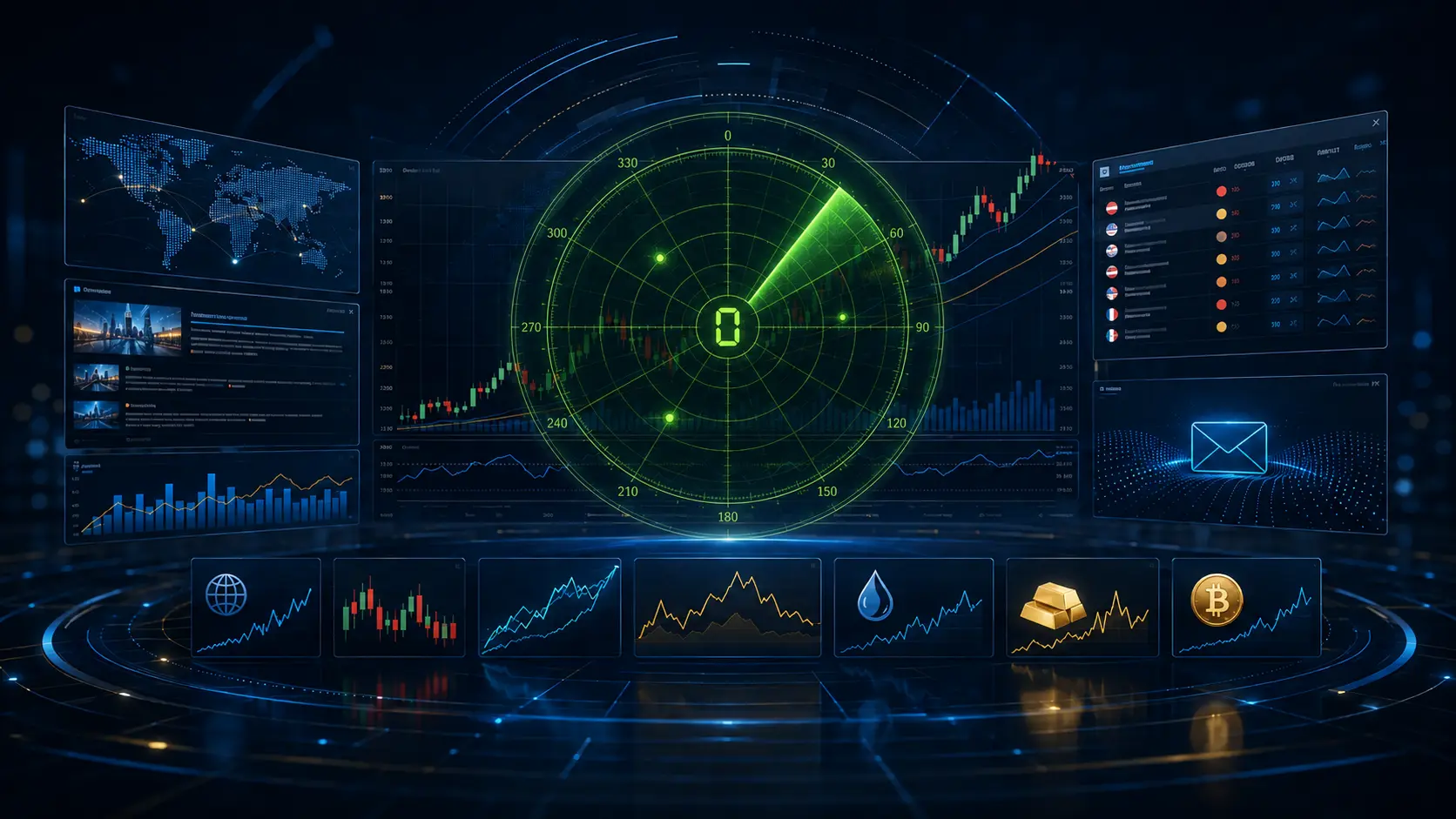
ATS Universal Account holders can also access eligible Market IQ services. Market IQ brings together market-radar analysis, financial news, cross-market intelligence and higher-timeframe technical analysis to help traders prepare before the trading session.

Learn More About ATS Market IQ

Built for the Future of Trading

ATS is continuing to evolve its products, services, AI capabilities, onboarding systems and trader resources. Our aim is to deliver a connected hybrid trading ecosystem that combines trader judgment with algorithms, automation, structured risk management and AI-assisted market intelligence.

The restored Self-Assisted Free Trial gives eligible traders an opportunity to experience this ecosystem through the newly structured ATS journey.

Explore the ATS Hybrid Trading Ecosystem

This announcement supersedes the earlier notice that all ATS Self-Assisted Free Trials had been discontinued.

Filed Under: AFT8 Tagged With: Algo Futures Trader 8

ATS Restarts Monthly and Annual Product Plans

August 20, 2026 by AFT

Algo Trading Systems has restarted monthly and annual purchase options for eligible ATS products and services.

This follows a wider reboot, reimagining and restructuring of the ATS trader journey, product ecosystem, licensing systems, Universal Account, Launchpad and onboarding experience.

Monthly, Annual and One-Time Options

Depending on the selected ATS product or package, traders can now choose from available:

  • Monthly plans
  • Annual plans
  • One-Time Lifetime licenses
  • Eligible Optional Annual Maintenance or renewal plans

This gives traders greater flexibility to select an access and payment model suited to their requirements, experience, intended use and longer-term plans.

Quarterly leases are not currently advertised as a standard purchase option. The plans available for each product are displayed on the official ATS Pricing page and inside the secure ATS Universal Account checkout.

Why ATS Reconsidered Its Pricing Structure

The temporary removal of shorter-term product plans formed part of a broader review of ATS pricing, licensing, onboarding, product access and customer usage.

Customer feedback and demand showed that traders value having a genuine choice between flexible recurring access and longer-term product ownership. ATS has therefore restored monthly and annual options where they are appropriate while retaining One-Time Lifetime licensing for eligible desktop products and packages.

The result is a more flexible structure that can serve traders at different stages without forcing everyone into the same purchasing model.

A Rebooted and Future-Focused ATS

Trading technology is evolving rapidly. AI, automation, cloud applications, real-time market intelligence and integrated desktop, web and mobile services are becoming increasingly important to the modern trading workflow.

ATS is reaching ahead to prepare for this transformation. We have restructured our products and services around a more technology-led ecosystem that is designed to be faster, easier to access, more efficient and better value.

The evolving ATS model brings together:

  • Algo Futures Trader for NinjaTrader
  • Alpha Web Trader across web, desktop and mobile
  • Market IQ market intelligence
  • ATS trading and support groups
  • Zero to Hero self-assisted education
  • VIP Mastery Trade Group Copilot
  • AI-assisted help, onboarding and market analysis
  • The ATS Universal Account and personal Launchpad

This technology-led approach reduces dependence on scheduled human-led discovery meetings and assisted onboarding programs. Traders can progress through a structured self-assisted pathway using the Launchpad, AI guidance, help articles, videos, technical resources and ATS groups.

Choosing the Right Plan

Monthly plans can provide a lower initial commitment and flexible access. Annual plans can provide longer-term continuity and value. Eligible One-Time Lifetime licenses provide long-term access to the purchased desktop product version, subject to the precise terms shown for that product.

Monthly and annual plans include the applicable renewable benefits stated for the selected plan. For eligible One-Time Lifetime licenses, first-year benefits and Optional Annual Maintenance provisions are explained separately on the Pricing page.

Product features, services, group access, support levels and renewal benefits vary by plan. Customers should review the current package details before purchasing.

View Current ATS Pricing

The public Pricing page provides the latest overview of ATS products, packages and list prices. Final availability, checkout details and any eligible customer-specific options are presented through the secure ATS Universal Account.

View current ATS products, plans and pricing

Traders who have not yet created an account can begin with a free ATS Universal Account:

Get Started with ATS

This announcement supersedes the earlier statement that ATS monthly product leases had been discontinued.

Filed Under: AFT8 Tagged With: Algo Futures Trader 8

ATS Freemium is back reimagined and relaunched

August 20, 2026 by AFT

ATS Freemium is back—reimagined, improved and relaunched through the new ATS Trader Launch Pad.

Due to popular demand, Algo Trading Systems has relaunched ATS Freemium as part of the ATS Universal Account.

The temporary pause in Freemium access allowed us to rework the ATS website, Trader Launch Pad and Freemium features in preparation for this new and improved release.

What Is the New ATS Freemium?

ATS Freemium provides every ATS Universal Account holder with an ongoing free starting point for exploring the ATS ecosystem.

After creating your account and verifying your email address, you can unlock your personal Trader Launch Pad and access the eligible Freemium products, applications and trader resources available to your account.

No payment card is required to create an ATS Universal Account or access the available Freemium benefits.

What Does ATS Freemium Include?

ATS Freemium currently provides eligible access to:

  • AlgoFuturesTrader Freemium features
  • AlphaWebTrader Freemium features
  • AlphaTraderNews
  • Available ATS trading applications
  • Eligible trading groups and trader resources
  • Free Market IQ market analysis
  • The self-assisted Zero-to-Hero pathway
  • The option to request an available ATS Ultimate full-feature trial

The precise applications, services and features available at the Freemium level may be updated as the ATS ecosystem continues to develop.

Free Market IQ Is Now Included

The relaunched ATS Freemium offering now includes access to Market IQ.

Market IQ provides market-radar analysis, financial news, cross-market intelligence and higher-timeframe technical analysis to help traders prepare for the trading session.

Explore ATS Market IQ

Access Freemium Through the Trader Launch Pad

ATS Freemium is now integrated into the new ATS Trader Launch Pad.

The Launch Pad provides one central location where traders can:

  • Verify and unlock their ATS Universal Account
  • Complete the required onboarding steps
  • Access available Freemium applications and services
  • Follow the self-assisted Zero-to-Hero pathway
  • Access eligible trading groups and trader resources
  • Request an available ATS Ultimate full-feature trial when ready

How to Get Started

  1. Create your free ATS Universal Account.
  2. Verify your email address using the link in your welcome email.
  3. Sign in and unlock your personal Trader Launch Pad.
  4. Complete the onboarding steps shown in the Launch Pad.
  5. Access your available Freemium applications, services and resources.
  6. Request an ATS Ultimate full-feature trial when you are ready to progress.

Get Started with ATS 100% Free

Progressing from Freemium to the Full-Feature Trial

ATS Freemium gives traders an ongoing free starting point. When you are ready to explore the complete ATS pathway, you can request an available ATS Ultimate full-feature trial directly from your Trader Launch Pad.

The trial unlocks the eligible ATS Ultimate range, including trading applications, advanced features, Zero-to-Hero resources, Trade Mastery and VIP Mastery Trade Group Copilot access.

Freemium, Trial and Paid Licensing

Freemium access provides eligible free applications, features and trader resources. Some advanced real-time, automated, prop-firm and live-trading functionality requires an active full-feature trial or the appropriate paid ATS licence.

Your current access is determined by your Freemium, trial or paid licence and the trading environment being used.

ATS Freemium Is Online Now

The newly reimagined ATS Freemium is now available through the ATS Universal Account and Trader Launch Pad.

Create your free account, verify your email and use the Launch Pad to begin your journey.

Sign Up and Get Started 100% Free

Filed Under: AFT8 Tagged With: ATS Freemium

Free Market IQ: Futures Market Context and Trading Insights Delivered to Your Inbox

August 13, 2026 by AFT

ATS Market IQ — daily technical analysis, Market Radar, Market Roundup, financial news, earnings, economic events, ETFs, Magnificent Seven stocks, futures indices, oil, gold and cryptocurrency
Stay informed before, during and after the trading session with free market intelligence from Algo Trading Systems.

🧠 What Is ATS Market IQ?

ATS Market IQ brings together essential market context, higher-timeframe technical analysis and timely market intelligence in one convenient service.

It is designed to help futures traders understand the wider market environment before making trading decisions—not simply react to isolated signals or short-term price movements.

Market IQ is available free to traders with an ATS Universal Account and can be accessed online or delivered directly to your inbox.

📊 See the Market Beyond a Single Chart

Futures markets do not move in isolation. Equity indices, bonds, commodities, currencies, economic events, earnings and investor sentiment can all influence price action throughout the session.

Market IQ helps you build a broader view of the trading environment by monitoring key markets and market-moving information, including:

  • Major US equity index futures
  • Leading ETFs and the Magnificent Seven stocks
  • US Treasury bonds and interest-rate expectations
  • Crude oil, gold and other major commodities
  • Bitcoin and cryptocurrency market sentiment
  • Economic announcements and scheduled events
  • Corporate earnings and significant market news
  • Pre-market, live-session and post-market conditions

📥 Free Market Intelligence Delivered to Your Inbox

Market IQ combines market reports from Alpha Trader News and Alpha Web Trader to provide useful information across different stages of the trading day.

🔭 Pre-Market Market Radar

Prepare for the session with a concise view of overnight activity, important economic events, market sentiment and the instruments likely to be in focus.

📈 Higher-Timeframe Technical Analysis

Review daily and weekly technical context across futures and related markets, including trends, important levels and developing market structure.

🌐 Market Roundup

Understand what moved the markets, how the major instruments performed and what may influence the next trading session.

🎯 Why Market Context Matters

A trading signal can identify a possible opportunity, but market context helps you decide whether that opportunity is aligned with the wider environment.

Market IQ can help traders:

  • Prepare before the futures session begins
  • Identify scheduled events that may increase volatility
  • Understand the dominant higher-timeframe trend
  • Recognize important price levels and market themes
  • Compare futures movement with related markets
  • Avoid trading without awareness of major market-moving events
  • Develop a more structured daily trading routine

🤖 Market Intelligence for Manual, Systematic and Automated Traders

Market IQ can be used alongside discretionary trading, systematic signals, automated strategies and hybrid trading systems.

Whether you trade manually or use Algo Futures Trader, Alpha Web Trader and the ATS Trading Zone, Market IQ provides an additional layer of information to help you understand the conditions in which your trading tools and strategies are operating.

🚀 Prepare, Understand and Trade with Greater Awareness

Successful futures trading requires more than watching a single chart or following isolated buy and sell signals. Traders need a repeatable process for understanding market direction, risk, volatility and the events shaping each session.

ATS Market IQ gives you that broader perspective—online and in your inbox—completely free.

Know the market environment before you trade it.

🆓 Get Market IQ Free

Market IQ is included free with your ATS Universal Account. There is no requirement to purchase a trading system to get started.

Create your free account, choose the market intelligence and newsletters you want to receive, and manage your preferences at any time from your ATS Account.

🧠 Get Free Market IQ

Filed Under: AFT8, futures trading Tagged With: algo futures trader, Algo Trading Systems, Alpha Web Trader, Futures Market Analysis, futures trading, Market Context, Market IQ, Market News, pre-market analysis, Technical Analysis

How to Pass a Prop-Firm Evaluation with M2K Small Cap or MNQ Nasdaq Futures

July 31, 2026 by AFT

Trader using AFT hybrid trading to manage M2K and MNQ prop-firm evaluation routes
Two futures prop-firm evaluation routes: 3 M2K contracts for lower risk or 1–2 MNQ contracts for higher risk, managed through one disciplined ATS Hybrid Trading process.

How to Pass a Futures Prop-Firm Evaluation with M2K or MNQ

Passing a futures prop-firm evaluation is not about finding one perfect instrument or forcing a profit target as quickly as possible. The objective is to execute a repeatable plan, protect the permitted drawdown, and comply with every current rule until the evaluation target is reached.

The Real 50K Account Is the Drawdown Allowance

A “50K account” describes nominal buying power, not the amount available to lose. The effective account is the firm’s maximum permitted drawdown. As one current example, Topstep states that its 50K Trading Combine begins with a $2,000 Maximum Loss Limit. Other firms use different drawdown amounts, calculation methods, daily loss limits, consistency requirements and trading restrictions, so always confirm the current rules directly with your selected firm before trading.

If the usable risk allowance is $2,000, every position should be judged against that $2,000—not against the headline $50,000. A $250 loss uses 12.5% of the effective risk allowance. A $500 loss uses 25%. This is why position size, stop distance, open-trade drawdown and session loss limits matter more than the number printed on the account.

Two Valid Routes: 3 M2K or 1–2 MNQ

ATS traders can use either route. The correct choice is the instrument and risk profile that fits the trader’s tested plan, experience and ability to execute consistently. M2K is presented as the lower-risk route at three contracts; MNQ is presented as the higher-risk route at one or two contracts. Neither instrument is automatically better, and neither removes the need for a qualified setup and a predefined stop.

Comparison of two illustrative 50K futures prop-firm evaluation routes
Plan ComponentM2K RouteMNQ Route
Position Size3 M2K contracts1–2 MNQ contracts
Risk ProfileLower-risk routeHigher-risk route
Market ExposureRussell 2000 US small-cap stocksNasdaq-100 large-cap growth and technology stocks
Value per Index Point$15 total: $5 per point × 3 contracts$2 with 1 contract or $4 with 2 contracts
Minimum Tick Value$1.50 total: $0.50 × 3 contracts$0.50 with 1 contract or $1 with 2 contracts
Illustrative Structural Stop10–15 M2K points125 MNQ points
Illustrative Risk per Trade$150–$225 before fees and slippage$250 with 1 MNQ or $500 with 2 MNQ before fees and slippage
Share of a $2,000 Drawdown7.5%–11.25%12.5% with 1 MNQ or 25% with 2 MNQ
Position ManagementThree contracts permit partial exits and scalingOne contract is all-in or all-out; two permit a partial exit
Best FitTraders prioritising smaller risk units and flexible scale-outsTraders deliberately accepting greater risk for Nasdaq movement

The stop distances and dollar amounts above are educational examples, not fixed settings or trade recommendations. Market structure and volatility change. Calculate the actual risk from entry to stop before every order and include commissions, fees and possible slippage.

The Contract Math Behind Each Route

CME Group specifies M2K at $5 per Russell 2000 index point with a minimum movement of 0.10 points, equal to $0.50 per contract per tick. Three M2K contracts therefore move $15 per full index point and $1.50 per tick. A 10-point stop risks approximately $150, while a 15-point stop risks approximately $225 before trading costs and slippage.

MNQ moves $2 per Nasdaq-100 index point and $0.50 per 0.25-point tick for each contract. A 125-point stop risks approximately $250 with one MNQ or $500 with two MNQ before costs and slippage. MNQ can cover considerably more index points during an active session, which is why its smaller dollar value per point does not automatically make the complete trade lower risk.

The same $100–$250 daily objective also looks different on each route. Excluding costs, three M2K require approximately 6.7–16.7 points, one MNQ requires 50–125 points and two MNQ require 25–62.5 points. These calculations describe contract arithmetic only; they do not predict what the market will offer or imply that a trader should force a daily target.

One Evaluation Process for Both Instruments

  1. Write down the firm’s current rules. Record the profit target, maximum drawdown, daily loss limit, consistency rule, permitted trading hours, news restrictions, position limit and automation policy.
  2. Choose one primary route. Select either 3 M2K or 1–2 MNQ for the plan. Use other index futures for market context and correlation rather than hopping between instruments after every missed move.
  3. Define the risk before entry. Calculate the dollar distance from entry to the protective stop. Do not place an order merely because the contract count appears small.
  4. Set a personal session limit below the firm’s limit. Leave room for commissions, slippage, open-position movement and platform or connection problems. The firm’s liquidation threshold is an emergency boundary, not a working stop.
  5. Trade only qualified setups. Focus on one to three planned trade operations during the supported session. One clean trade may be enough; there is no obligation to trade every day.
  6. Use hybrid execution. Let the trader decide whether market conditions, direction and risk qualify while AFT handles the repetitive execution and management tasks defined in the plan.
  7. Stop when the plan says stop. End the session after the daily objective, personal loss limit, maximum number of trades or deterioration in market quality.
  8. Journal the process. Capture the chart, market context, AFT state, entry, stop, target, management decisions and whether every rule was followed.
  9. Review on schedule. Judge a statistically useful group of trades weekly and monthly. Do not rewrite a proven plan in reaction to one win or loss.
  10. Progress only after simulation proves readiness. Learn the platform and system first, then demonstrate repeatable risk control in simulation before paying for or trading an evaluation.

Why AFT Hybrid Trading Fits Prop-Firm Evaluations

AlgoFuturesTrader (AFT) combines manual, semi-automatic and fully automated entry modes with automated order, stop, target, position, risk and exit management for NinjaTrader 8. For prop-firm evaluations, the ATS approach favours hybrid trading: the trader remains responsible for market selection, timing, direction, risk and rule compliance while the system supplies consistent execution and predefined trade management.

This matters because evaluation failure is often caused by behaviour rather than a complete lack of market knowledge. FOMO creates late entries, frustration increases size, a winning trade becomes an oversized reversal and a losing trade becomes revenge trading. A hybrid workflow cannot guarantee discipline or profit, but it can make the intended rules easier to execute consistently.

AFT also allows the same underlying process to support either instrument route. The trader can use 3 M2K for the lower-risk plan or 1–2 MNQ for the higher-risk plan while retaining the same setup definitions, session controls, automated protection and review process. Learn more about the ATS Hybrid Algo Trading method.

What a Day in the ATS VIP Trade Zone Looks Like

An ATS VIP Trade Zone session supplied for this article shows that the workflow begins before the first order. At 8:15 AM CT, the ATS VIP AI Bot and Copilot prepared traders for the NYSE open with scheduled economic news, earnings risk, market-news sentiment, prior-session ETF and mega-cap performance, higher-time-frame futures structure, correlations, key levels and a written risk plan.

The session plan emphasised quality over quantity: focus on one primary instrument, use correlated markets for confirmation, take only one to three high-probability trade operations, reduce size or stand aside when correlations are mixed and never force a profit target. During the live session, the Trade Zone added real-time market structure, algorithmic signals, changing correlations and trade-management context.

At the end of the morning session, the process returned to review: record statistics, save chart and AWT screenshots, document mistakes, grade adherence to the plan rather than P&L, close the charts and reset for the next session. That complete preparation-to-review cycle is the point of ATS VIP Trading Group and the live Trade Zone. It is an environment for live-market education, independent decisions and Trade Mastery—not copy trading, guaranteed callouts or follow-the-leader trading.

A Practical 50K Evaluation Framework

Example framework to adapt to the current rules of the selected prop firm
Primary InstrumentChoose 3 M2K or 1–2 MNQ before the session
Daily Objective$100–$250 when qualified opportunities are available
Trade FrequencyOne to three planned trade operations; zero is valid
M2K Trade RiskIllustratively $150–$225 using 3 contracts and a 10–15-point stop
MNQ Trade RiskIllustratively $250 with 1 contract or $500 with 2 contracts and a 125-point stop
Session StopA personal limit set well inside the firm’s maximum threshold
Entry ModeManual or semi-automatic qualification through AFT Hybrid Trading
Trade ManagementPredefined stop, target, break-even, trailing and exit logic
ReviewScreenshot, journal, statistics and rule-compliance grade after the session

Common Reasons Traders Fail an Evaluation

  • Trading the headline account size instead of the actual drawdown allowance.
  • Choosing contract quantity before calculating the entry-to-stop risk.
  • Trying to pass in one exceptional day instead of building consistent gains.
  • Increasing from 1 MNQ to 2 MNQ after a loss without a predefined rule.
  • Increasing M2K size simply because each contract appears smaller.
  • Trading through high-impact news without a tested news-event plan.
  • Ignoring unrealised P&L when the firm monitors open-equity drawdown.
  • Taking every algorithmic signal without checking context, correlation and session quality.
  • Moving a protective stop, averaging into a losing trade or revenge trading.
  • Failing to verify whether the firm permits the selected discretionary, hybrid or automated mode.

Frequently Asked Questions

Is M2K always safer than MNQ?

No. In this plan, 3 M2K are configured as the lower-risk route and 1–2 MNQ as the higher-risk route, but actual risk always depends on contract quantity, stop distance, volatility, slippage and execution. Any instrument can become high risk when it is oversized or traded without a protective plan.

Can I use either route to pass a 50K evaluation?

Yes, provided the instrument is permitted by the firm and the complete plan complies with its current rules. The evaluation is passed by reaching the target while protecting the drawdown and meeting every objective—not by trading a particular market.

Should I use 1 or 2 MNQ contracts?

That decision should be made before the session from the planned stop and maximum acceptable dollar risk. In the illustration above, a 125-point stop risks about $250 with 1 MNQ and $500 with 2 MNQ. Two MNQ also permit a partial exit, but double the initial dollar exposure.

Why use 3 M2K contracts?

Three contracts provide a smaller risk-unit example while allowing partial exits or staged trade management. At $15 per index point for the combined position, a 10-point stop risks about $150 before costs and slippage.

Does AFT guarantee that I will pass?

No. No software, trading system, group or trader can guarantee an evaluation pass, funded account, payout or profit. AFT provides hybrid execution, automation and risk-management tools; the trader remains responsible for the plan, settings, market decisions and compliance.

Start the ATS Prop-Firm Trading Pathway

The ATS pathway combines AFT Hybrid Trading, AWT market confirmation, structured simulation, risk planning, AI assistance, the VIP Trade Zone and progressive Trade Mastery. Whether you select 3 M2K or 1–2 MNQ, the mission remains the same: trade the plan, manage risk, protect the drawdown and build a repeatable process.

Explore the ATS Get Funded pathway or learn how the ATS VIP Trading Group and live Trade Zone support futures traders through live-market preparation, analysis and review.

Sources and Further Reading

  • CME Group: Micro E-mini Russell 2000 Futures Contract Specifications
  • CME Group OpenMarkets: Micro E-mini Contract Point and Tick Values
  • Topstep: Maximum Loss Limit
  • Topstep: Trading Combine Parameters
  • CFTC: Understand Risks and Markets Before Reacting to Internet Hype
  • Algo Trading Systems: Hybrid Algo Trading
  • Algo Trading Systems: Get Funded Trading Futures
  • Algo Trading Systems: ATS Trading Groups, Trade Zone and AI Copilot
  • AlgoFuturesTrader: AFT Hybrid Automated Futures Trading for NinjaTrader 8
Risk Disclosure: Futures trading involves substantial risk and is not suitable for every investor. Prop-firm evaluations and funded accounts are governed by provider-specific rules that can change. All examples are hypothetical and provided for educational purposes only. They do not represent trading advice, a performance claim or a guarantee of passing an evaluation, receiving funding, obtaining a payout or earning a profit. Use only risk capital and verify all current rules directly with the relevant provider.

Filed Under: prop firm trading Tagged With: AFT, algo futures trader, ATS VIP Trading Group, futures prop firms, Futures Risk Management, hybrid algo trading, M2K, Micro E-Mini Futures, MNQ, ninjaTrader, Prop Firm Evaluations

  • « Previous Page
  • 1
  • 2
  • 3
  • 4
  • …
  • 36
  • Next Page »
  • NinjaTrader Automated Trading
  • automated futures trading
  • automated trading systems
  • Day Trading Futures
  • Get Started Day Trading Futures
  • VIP Trading Group Live Market Trade Along
  • Secret to Day trading futures success
  • AFT8 for NinjaTrader 8
  • Futures Algo Trading Systems
  • Market News
  • NinjaTrader Free Trading Platform
  • Legal Notices
  • AFT Legal Info
  • Terms
  • FULL RISK DISCLOSURE
  • Privacy Policy
  • Cookie Usage
  • About AlgoFuturesTrader
  • Connect to AFT
  • Blog
  • Videos
  • Support
  • Contact
  • My account
  • Sitemap
  • Affiliates

Ninja Futures Trading
Algo Futures Trader Copyright Algo Trading Systems© 2026 ·
AlgoFuturesTrader.com is owned & operated by Algo Trading Systems LLC. By using this website or products & services, you are bound by our Terms & subject to US legal jurisdiction only. Errors & omissions excluded.
AFT made in England, powered by MicroTrends NinjaTrader development

Disclaimer: Trading & investment carry a high level of risk. AlgoFuturesTrader does not make recommendations for buying or selling any financial instruments, nor do we offer trading or investment advice. We are a software company, and we only provide educational information on ways to use our sophisticated Algo Futures trading tools. It is up to our customers & readers to make their own trading & investment decisions, or consult with a registered investment advisor.

Risk Disclosure: Futures, CFDs, & forex trading carry substantial risk and are not suitable for every investor. An investor could potentially lose all or more than the initial investment. Risk capital is money that can be lost without jeopardizing one's financial security or lifestyle. Only risk capital should be used for trading, and only those with sufficient risk capital should consider trading. Past performance is not necessarily indicative of future results. Please read the full risk disclosure here.

Hypothetical performance results have many inherent limitations, some of which are described below. No representation is made that any account will or is likely to achieve profits or losses similar to those shown. In fact, there are frequently sharp differences between hypothetical performance results and the actual results subsequently achieved by any particular trading program. One of the limitations of hypothetical performance results is that they are generally prepared with the benefit of hindsight. In addition, hypothetical trading does not involve financial risk, and no hypothetical trading record can completely account for the impact of financial risk in actual trading. For example, the ability to withstand losses or adhere to a particular trading program despite trading losses are material points that can adversely affect actual trading results. Numerous other factors related to the markets or the implementation of any specific trading program cannot be fully accounted for in the preparation of hypothetical performance results and can adversely affect trading results.

Testimonials appearing on this website may not be representative of other clients or customers and are not a guarantee of future performance or success.

NinjaTrader® is a registered trademark of NinjaTrader Group, LLC. No NinjaTrader company has any affiliation with the owner, developer, or provider of the products or services described herein, nor do they endorse, recommend, or approve any such product or service.

We use cookies on our website to give you the most relevant experience by remembering your preferences and repeat visits. By clicking “Accept”, you consent to the use of ALL the cookies.
Do not sell my personal information.
Cookie SettingsAccept
Manage consent

Privacy Overview

This website uses cookies to improve your experience while you navigate through the website. Out of these, the cookies that are categorized as necessary are stored on your browser as they are essential for the working of basic functionalities of the website. We also use third-party cookies that help us analyze and understand how you use this website. These cookies will be stored in your browser only with your consent. You also have the option to opt-out of these cookies. But opting out of some of these cookies may affect your browsing experience.
Necessary
Always Enabled
Necessary cookies are absolutely essential for the website to function properly. These cookies ensure basic functionalities and security features of the website, anonymously.
CookieDurationDescription
cookielawinfo-checkbox-analytics11 monthsThis cookie is set by GDPR Cookie Consent plugin. The cookie is used to store the user consent for the cookies in the category "Analytics".
cookielawinfo-checkbox-functional11 monthsThe cookie is set by GDPR cookie consent to record the user consent for the cookies in the category "Functional".
cookielawinfo-checkbox-necessary11 monthsThis cookie is set by GDPR Cookie Consent plugin. The cookies is used to store the user consent for the cookies in the category "Necessary".
cookielawinfo-checkbox-others11 monthsThis cookie is set by GDPR Cookie Consent plugin. The cookie is used to store the user consent for the cookies in the category "Other.
cookielawinfo-checkbox-performance11 monthsThis cookie is set by GDPR Cookie Consent plugin. The cookie is used to store the user consent for the cookies in the category "Performance".
viewed_cookie_policy11 monthsThe cookie is set by the GDPR Cookie Consent plugin and is used to store whether or not user has consented to the use of cookies. It does not store any personal data.
Functional
Functional cookies help to perform certain functionalities like sharing the content of the website on social media platforms, collect feedbacks, and other third-party features.
Performance
Performance cookies are used to understand and analyze the key performance indexes of the website which helps in delivering a better user experience for the visitors.
Analytics
Analytical cookies are used to understand how visitors interact with the website. These cookies help provide information on metrics the number of visitors, bounce rate, traffic source, etc.
Advertisement
Advertisement cookies are used to provide visitors with relevant ads and marketing campaigns. These cookies track visitors across websites and collect information to provide customized ads.
Others
Other uncategorized cookies are those that are being analyzed and have not been classified into a category as yet.
SAVE & ACCEPT