NinjaTrader Automated Trading by Algo Futures Trader

hybrid algorithmic automated futures trading for prop firm traders, day & swing traders

🚀 Get Started 🔴LIVE
  • 🚀Get Started
  • NinjaTrader
  • Get Funded
  • Trading Servers
  • Pricing
  • blog
  • Help

ATS Futures Trading Group Rebooted!

May 21, 2026 by AFT

ats vip trading group

VIP Trading Group Rebooted and Expanded so you got it all in 1 place, all you need for day trading prop trading

The VIP Trading Group has been rebooted and reorganized to create a cleaner, more focused environment for live market trading. The goal is to bring together live market flow, trader education, AI-assisted insights, technical analysis, trade signals, statistics, and market news in one place for active futures traders.

  • Signup and Link Your Account
  • Get VIP Elite Access
  • VIP Trading Groups

⚡ Trading Zone

Enhanced trade mastery, AI-assisted trader education, and market information are shared in a live trading environment focused on U.S. indices prop and day trading, typically from 8:15 AM CT to 11:00 AM CT, Monday through Friday.

  • The VIP Trade Chat section has moved from the ATS Support & Education Group into the VIP Trading Group, creating a dedicated live market trading environment for VIP traders.
  • Trading Zone hours: Monday to Friday, 8:15 AM CT to 11:00 AM CT is the primary live market session.
  • AI Trade Copilot commentary, pre-session analysis, and intraday market updates focused primarily on U.S. indices.
  • VIP Elite members and trialists may have read-only access depending on membership level.
  • Trade Mastery education and information may be posted by approved traders who have earned the ATS Trade Coach badge through the Zero to Hero process.
  • The objective is straightforward: follow the trade plan, use proven turnkey workspaces, and apply hybrid trading methods for Maximum Profits, Minimum Drawdown, and Least Emotion.
  • Market focus includes S&P 500 (ES), Nasdaq (NQ), Mid Cap (EMD), Small Cap (RTY), and related micro futures contracts.

Trading Education and Information

Additional educational content, trading insights, and trader-development material may be contributed by veteran ATS founders, experienced traders, and approved members who have earned the ATS Trade Coach badge through the Zero to Hero progression.

Topics may include trade planning, market structure, trader psychology, hybrid trading workflows, risk management, platform usage, execution techniques, and practical lessons learned from evaluation, prop firm, and live trading environments.

📰 Market News

The market-news channel provides market-moving news context and catalysts for U.S. indices futures traders.

Content focuses on pre-session preparation and key updates throughout the trading day covering U.S. equities, Treasury markets, oil, gold, economic releases, earnings, Federal Reserve commentary, and major risk events that may influence market direction and volatility.

The objective is to help traders understand the news environment surrounding price action without needing to monitor multiple external news sources.

🌡️ Sentiment

The sentiment channel provides a market sentiment dashboard showing bullish, bearish, and neutral news sentiment across indices, ETFs, commodities, sectors, and major market themes.

Sentiment data is intended to provide additional market context and awareness. It should be used as informational context rather than as a standalone trading signal.

🎯 Trade Signals

The trade-signals channel delivers trade signals, technical alerts, and market opportunities generated from ATS Hybrid Algo Trading systems.

Instrument Focus:

  • Equity Indices: ES, NQ, EMD, RTY
  • Commodities: CL, GC
  • Crypto: BTC

Signal types include ATS Session Breakout and trend-following systems such as DSFG, DSFG Gap, WSFG, MSFG, TR120, and TR720. Traders should use signals as market context and signal flow within their own trade plans, risk management rules, and decision-making processes.

🏆 Trades-n-Stats

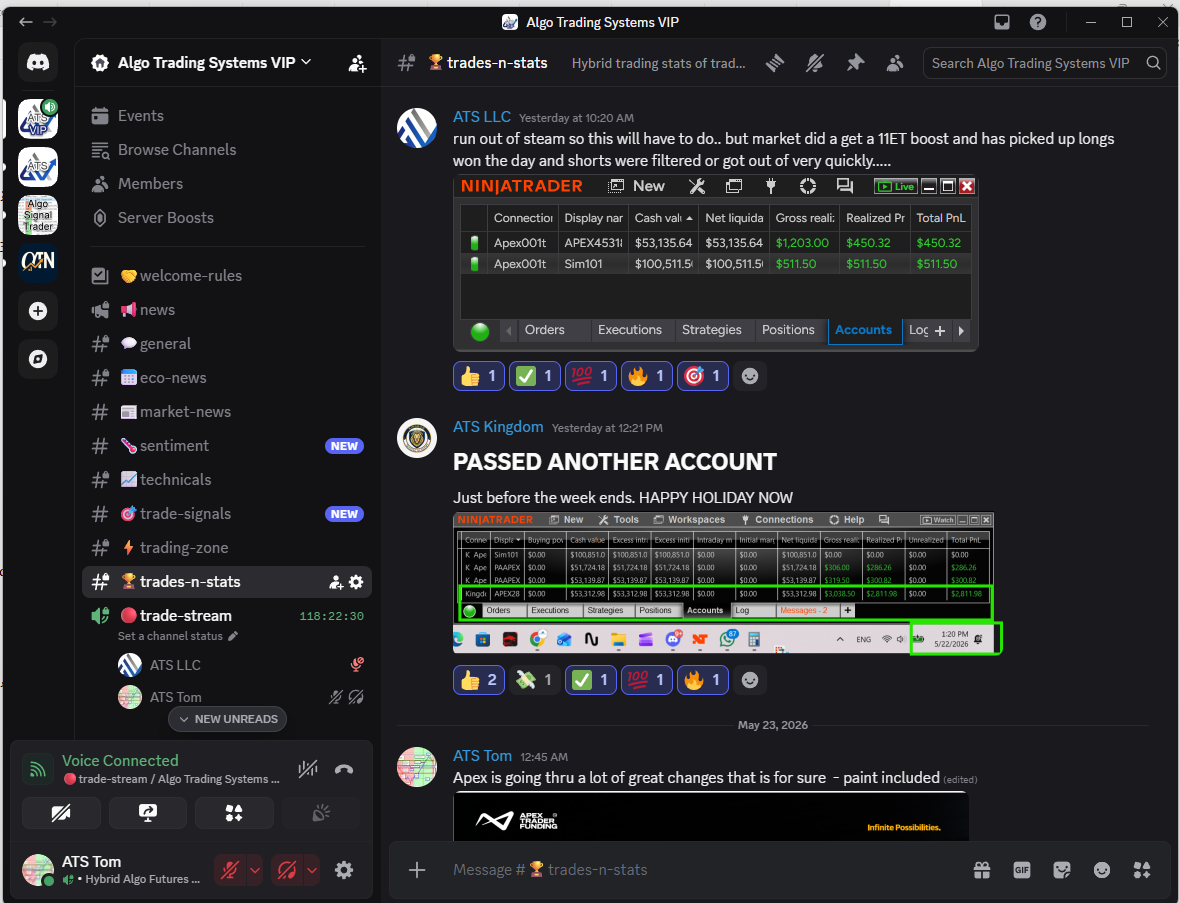
The trades-n-stats channel has moved into the VIP Group and is open to VIP Trialists and VIP Elite members.

This channel focuses on hybrid trading statistics from real trade plans — the good, the bad, and the ugly.

VIP Elite members have read/write access. The purpose is to learn how to win by following a process, not by chasing random methods or repeating losing habits.

🔴 Trade Streams

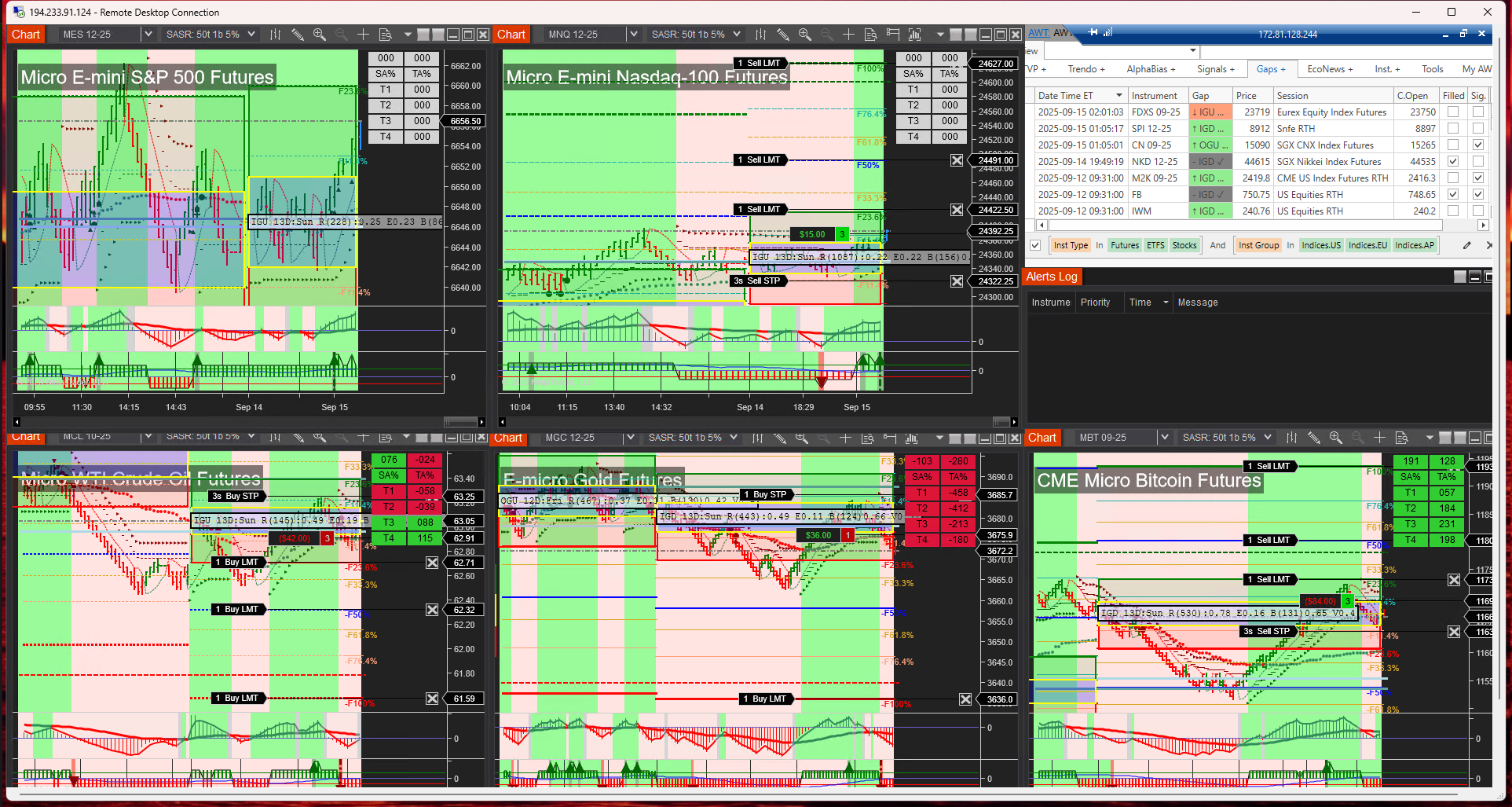
The trade-streams channel has been revamped to focus on ES, NQ, EMD, and RTY, providing a static live market view during real-time trading hours.

The stream provides real-time Algo Server chart views, typically running from Monday 7:00 AM CT through Friday market close. The Discord stream channel itself remains available 24/7.

The primary focus is the ATS Session Breakout flagship trade plan, showing live market algo trading directly on the charts with baseline entries and exits displayed for reference.

Content Lifecycle

To keep information fresh, relevant, and easy to consume in a live trading environment, most VIP Group channels automatically self-delete content daily.

Over weekends, the final trading day’s content remains visible until the next market open, allowing traders to review the most recent market context before the new trading week begins.

Summary

The VIP Trading Group is now structured to provide traders with a complete live market ecosystem that combines market news, sentiment analysis, trade signals, live trading discussion, education, statistics, and real-time chart streams in one focused environment. Whether trading evaluation accounts, prop firm accounts, or live capital, the goal remains the same: build consistency through process, discipline, and hybrid man-plus-machine trading.
Filed Under: AFT8, ATS Trading Community, automated futures trading systems, automated trading ninjatrader, get funded trading, prop firm trading Tagged With: Day Trading Futures Group, trade group


🚀 Get Started 100% FREE!

Announcing AFT8 Update Release version 20250919

September 21, 2025 by AFT

aft gold intelli stop trail stop

AFT8 Update Release – Freemium Workspaces, Smarter Trails, and Next-Level Stability

Audience: All traders • Applies to: AFT8 (NinjaTrader 8)

Quick Summary

We’re excited to announce a major AFT8 update, bringing new Freemium Workspaces, re-tuned settings for tighter and more responsive turnkey trails, and several under-the-hood improvements that push NinjaTrader performance to new levels. This release continues our mission: making advanced, professional-grade futures trading accessible to all traders.

What’s New

  • Freemium Workspaces: New setups that highlight tighter trading nuances, with T1/T2 trails (variants B and C) designed to show more precise stop behavior. Other workspaces give trades room to breathe, allowing traders to see both tight and loose trail management in action.
  • Trail Offsets Reworked: Default distances have been tightened, moving away from swing-trading artifacts and aligning instead with prop/day-trading defaults.
  • Bidirectional Entry/Exit Orchestration: Round-robin, fine-grain locks coordinate both directions — Trade Manager ↔ Algo Entry — so the active side finishes first. This works in 1:1 and many:many topologies across multiple algos and exit managers, preventing jams, thread-pool starvation, and tick-churn/render delay.
  • Asymmetric Threading Model: Our long-running thread design avoids clogging NT8’s thread pool, keeping NinjaTrader responsive under heavy load – something 99.9% of vendor systems cannot claim.
  • Reploshed Bars & Tick Aggregation: A new adaptive bars engine removes the need for tick purging on NT lag/render delays. Instead, we aggregate ticks in parallel with up to 5× compression, preserving all price/time information while keeping NT8 smooth during news events, market opens, and heavy volume sessions. Another original MicroTrends Ltd invention.
  • NT8 Maintenance Modes: Built-in recovery tools to free stuck orders and improve fault tolerance. OCO entry mode now uses a 5% margin up/down (10% total) by default.
  • Multi-Shot Entry & Exits: Available for AFT8 Lifetime (year 1) users or traders who have renewed their maintenance or lease plans.
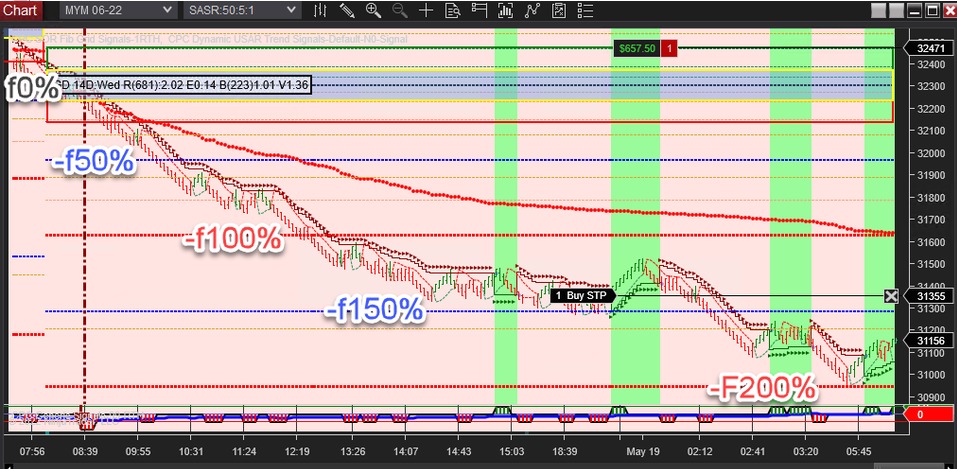
  • IntelliStop Migration: The AFT7 invention has been fully integrated into AFT8. IntelliStop is a trailing stop that adapts based on profit as a % of the expected Fib Grid range, with linear and parabolic modes.
    • For example, in a day-trading breakout with a typical 100% range, IntelliStop begins trailing at 50% profit and will close out at 100%.
    • Traders can cap the maximum tightening (e.g., 80%), leaving a final 20% buffer to let winners run.
aft gold intelli stop trail stop
AFT gold intelli-stop trail stop -locking into 100% level with a margin

Innovation Credits

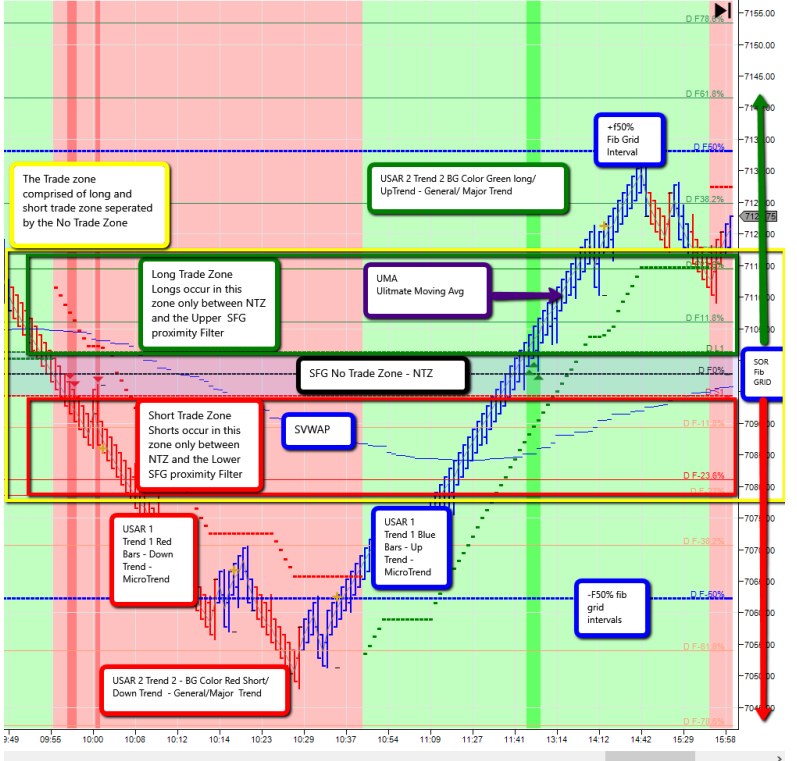
This release includes several proprietary inventions and IP owned by ATS, including: the Fib Grid, USAR methods, Apaptive Bars, and the Intelli-Stop system – both designed to help traders manage risk and profits more intelligently under real-world trading conditions.

Get Started

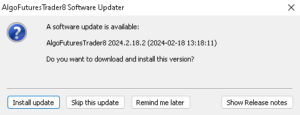
AFT8 will automatically announce this update via a popup on your next usage.
You can also download the update directly from your ATS account:
ATS User Account › Downloads.

Freemium workspaces are available now. Existing AFT8 Lifetime and maintenance/lease users can access Multi-Shot and IntelliStop features immediately. Update today and experience the new responsive trails, smarter stops, and improved NT8 performance under load.

AFT8 Update – Key Highlights

Quick Summary

  • Freemium Workspaces: New turnkey trails (T1/T2 B & C) show tighter trading nuances, while other workspaces allow trades more breathing room.
  • Trail Offsets: Defaults adjusted from swing-style to prop/day-trading responsive settings.
  • Entry/Exit Orchestration: Round-robin, fine-grain locks coordinate Trade Manager ↔ Algo Entry (1:1 or many:many), preventing jams, thread-pool starvation, and tick-churn/render delay.
  • Performance Boost: Adaptive bars with parallel tick aggregation (up to 5× compression) keep NT8 smooth during news/opens and heavy volume.
  • Maintenance & Recovery: New modes to free stuck orders; OCO entry margins adjusted.
  • Multi-Shot & IntelliStop: Available to AFT8 Lifetime (year 1) and renewed users; IntelliStop provides linear & parabolic adaptive trailing stops based on Fib Grid range.

How to Update: AFT8 will announce the update via popup on next usage. You can also download it from your ATS account here:
ATS User Account › Downloads.

Note

These updates include proprietary innovations AFT8 methods and technology including: hybrid automation trade engine, Adaptive bars, Fib Grids, USAR, MultiShot trade copier, Intelli-Stop trail system + more.

Filed Under: AFT8, automated futures trading systems, ninjatrader automated trading Tagged With: AFT8 update, aft8release, AFT8Update, automated futures trading, Automated Trading NinjaTrader


🚀 Get Started 100% FREE!

Emini Indices Futures Rollover for period 202512 – beware AFT8 will filter and close out expiry contracts within the algo systems

September 15, 2025 by AFT

The E-mini indices (ES, NQ, YM, RTY) are rolling over on September 15, 2025 into the new December 2025 (12-25) contracts.

E-mini Indices Rollover – September 15, 2025

The E-mini indices (ES, NQ, YM, RTY) are rolling over on September 15, 2025 into the new December 2025 (12-25) contracts.

⚠️ Important Notice for AFT Traders

If you are using the AFT Algo Entry module, please be aware:

  • The system may filter out new trades on the expiring September 2025 (09-25) contract.
  • Trades could be closed automatically by the AFT Algo Trade Manager if rollover is flagged in NT8 for ES, NQ, and other E-mini futures.

📊 Tip: Keep Historical Data Updated

For the most accurate results with self-adapting charts, make sure to download historical data regularly:

  • Shortcut: Select a chart and press Ctrl + Shift + R.
  • Best Practice: Use the Historical Data module to download tick, minute, and daily data.
  • Recommendation: Refresh 7–7 days of history weekly (e.g., Sunday/Monday session start).
  • Pro Tip: Download 2 days of data daily to keep your charts consistent and error-free.

Staying on top of data downloads ensures that your adaptive indicators and AFT modules perform at their best during contract rollovers.

Filed Under: AFT8, automated futures trading systems, fully automated trading system, ninjatrader trading bot Tagged With: automated futures trading, Futures rollover


🚀 Get Started 100% FREE!

AFT8 update version 20240611 license hotfixes and updates

June 12, 2024 by AFT

AFT8 Algos BaseLine 003 turnkey workspace

AFT v20240611 Hot Fixes for NinjaTrader Automated Trading


AFT8 Algos BaseLine 003 Turnkey Workspace

AFT8 Algos BaseLine 003 Turnkey Workspace

AFT8 version 2024 is now released and ready for download or update from the popup notices.

AFT8 Updater

AFT8 Updater popup can be used to install.

https://algotradingsystems.net/Downloads

Release Notes

  1. AFT8 License modes are enforced – real-time indicator plots will become invisible, signals and alerts disabled, algo entry and trade manager automation disabled.
  2. AFT8 can now be installed with no licenses or desktop apps and works with no license notifications for Sim, NT Demo, replay non-live trading, non-prop firm modes.
  3. Apex Prop Firm and Bulenox are supported for Evaluation trading for the Get Funded Accelerator save 80% + an additional promo code on top!
    1. For all other modes of prop firm or live trading, a license is required.
  4. Tracing and error message logging are now separated and accessible in the NinjaTrader Trace folder “\Documents\NinjaTrader 8\trace”.
  5. NinjaTrader Alert Window “AFT8 License Alert” will pop up once for each NinjaTrader session if licenses are required.
  6. AFT8 License Alerts details notes will be saved to the folder “\Documents\AlgoFuturesTrader\Docs” and pop up in a default web browser.
  7. AFT8 Code: Core optimization and error handling routines have been refactored for best speed, reliability, and local trace/error reporting.
  8. Indicators
    1. Indicator: Alpha PSAR – our interpretation of the PSAR has a new parameter “Trend Mode” added which allows a variant method for trend reversal calculation – this looks super awesome, check it out!
    2. Indicator: Dynamic Trend – removes some parameters and adds in PSAR Template for the secondary trend mode via settings template – create a PSAR template and use it in the Dynamic Trend for ease.
    3. Indicator: Generic Signals:
      1. New Rule 20: “Evolving Market Profile” Crossover on the Session Fib Grid Profile: Year, Month, Week, and Day – you need to switch on Market Profile Mode in the FibGrid.
      2. Fixes to Trade Signal Mode 1 – count of rules as a percentage bias.
      3. Fixes to Rule 19 – SFG-VWAP Crossover.
  9. AFT Workspaces are all available on day 1 of signup and a trader can go at their own pace and decide which one to install when they are ready.
  10. AFT VIP workspaces are provided in the Installer AFT Workspaces no4 and will sync updates to the local machine for VIP.
    1. BaseLine Futures Fully Automated Trading Systems “AFT8-Algos-BaseLine-004” has no charts at all, only the Algo Entry and Exits running.
    2. AFT8-Algos-BaseLine-003 has charts with rotating tabs the same as the algo server and a handful of indices on session breakout.
  11. Note: For Lifetime Owners who do not run the maintenance, the full feature of Trade Management will still work for live account trading. The Algo Entry Module will require renewal for live account trading and prop firm trading.

Filed Under: AFT8, automated futures trading system, automated futures trading systems, NinjaTrader 8, ninjatrader automated trading, ninjatrader trading bot Tagged With: AFT8 Release, AFT8 update, AFT8Update, ninjatrader automated trading systems


🚀 Get Started 100% FREE!

tip for the best results ninjatrader automated trading futures

May 28, 2024 by AFT

ninjatrader automated trading fully automatic

What can set you apart and put you in the top 20% of traders – the winners?

Get a routine and make it a habit; it will make you or break you! So make sure it is a good habit!

Have a Trade Plan:

  1. Define capital and risk per trade.
  2. Set trading goals and loss limits for the day and week.
  3. Select the system and instruments.
  4. Prepare system templates and workspaces.
  5. Schedule when to be at the trading desk, set the system in action, and know when to pause.

Pre-Session

  • Check the prior session and view a higher time frame analysis to get the bigger picture of the market.
  • Set a bias for the session, long or short.
  • Prepare the system with lots, risk, and limits for one trade or multiple trades.
  • Get the trade controllers ready for action with the controls you use at the ready.
  • Assess if the open is a high probability setup and entry.
  • Decide to go in with half clip or full risk according to your plan.
  • Decide whether to wait for the first 30 minutes, 5 minutes, or 1 minute of the open.

Tactics

  • Let trades run to the close – scale out.
  • Increase accuracy and limit drawdowns.
  • Use AlphaWebTrader for correlations and technicals.
  • Trade less, not more – trade smarter!

Trade Diary Stats and Notes

  • For each trade, make a screenshot of the entry and any other timeframes.
  • Note the levels, trends, and correlations of technicals, price cycles, and market news cycles.
  • Do this for the exits too, and note whether it was a winner or loser, mistake or fair trade.

Maintenance Routine
View help desk article on NinjaTrader Bars and Data

  1. Futures contract rollover.
  2. Instrument data
    1. Each day pre-session, download and get fresh data.
    2. Use the instrument manager and a list.
    3. Or refresh the data on the charts!

AFT Session Breakout needs 7 days of data downloaded to get the best consistent results of signals, range, and bars. To stay in sync across multiple desktop PCs, this task needs to be performed each day pre-session. Typically, download the last 2 days, and on weekends, download the last 7 to 7 days to get the corrections and backfills.

Filed Under: AFT8, Algo Futures Trader, automated futures trading system, automated futures trading systems, automated trade management, automated trading ninjatrader, best automated futures trading software, fully automated trading system, ninjatrader automated trading Tagged With: automated futures trading, automated futures trading software, automated futures trading strategies, automated futures trading system, automated futures trading systems, Automated Trading NinjaTrader, automated trading with ninjatrader, best automated futures trading software, fully automated trading system, futures algo trading, futures algorithmic trading, futures automated trading, futures trading algorithms, ninjatrader algorithmic trading, ninjatrader automated trading, ninjatrader automated trading systems, ninjatrader trading bot, ninjatrader trading systems


🚀 Get Started 100% FREE!

how did the fib grid technology and trade systems get invented?

May 12, 2024 by AFT

Daily Fib Grid Session

The proprietary Fib Grid and Range Grid technology first came to mind in 2007 when working for TCA Futures (RIP) in a trading arcade in the City of London – UK’s Wall St. It was conceived in response to a reprimand from the S&P500 desk head trader. He was fuming and publicly criticized me in front of some 120 other traders after hours in the daily retrospective. He’d seen my appalling trade via his CQG trade desk admin module, questioning why I was trading long at the top of the market, one hour out, quite near the end of the session. It was obvious, but I thought, how do you know where the top of the market is? Later that night, I envisioned the Fib Grid and Range Grid to show me. Back then, it was Excel and CQG, and here we are with NinjaTrader from 2009 to 2024. It’s still my core methodology, battle-tested in institutional, hedge fund, and retail trading.

Fib Grid Multi Time Frames
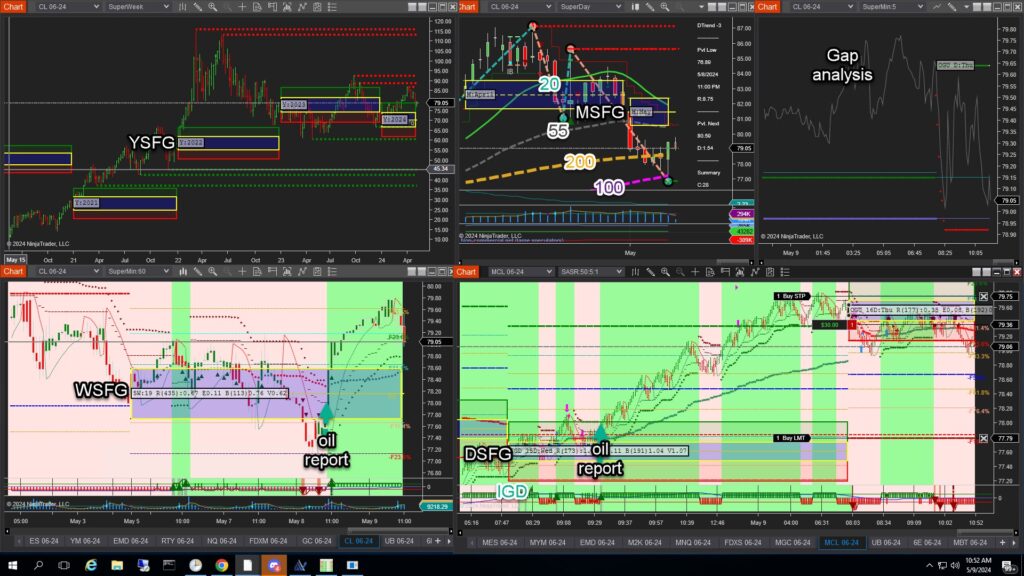
  • YSFG – Yearly Session Fib Grid
  • MSFG – Monthly Session Fib Grid
  • WSFG – Weekly Session Fib Grid
  • DSFG – Daily Session Fib Grid
Now combine this with structured price action, time, and a catalyst to provide the conditional trade setup for a high-probability move. Then use the signals/rules as the trade entry method and let the system do the rest.

Fib Grid Session Breakout Basics

Around 2008/2009, I then worked on the concept of the Fib Grid session breakout, using it to prevent my ludicrous out-of-control scalping. Up to 1200 trade operations in one day was my record, plus burnout after TCA Futures as a privateer with MFGlobal. It made my broker rich and me a 35% account loss – Emini ES trading, not small change, it hurt badly. So I stopped and later was reborn as a day/swing trader, making 1 to 3 trades per day on the DSFG. This method is used in the ATS Discord groups as a core method to teach good habits and run the trades. Fib Grid made me and saved me, thank you to the head trader.

Note: From 2015, when I traded for managed futures/futures hedge funds, I used WSFG breakouts and MSG breakouts and let that go for several weeks/months. You could get up to 100K per lot sometimes on NQ or ES FDAX, etc. So some quite serious trades have gone down, and a good lot of time too. https://algotradingsystems.net/About I guess I could follow tradition and call it the Leeson lines after my surname, as some did and still do, but to me, FibGrid has more meaning. AlgoFuturesTrader contains all the latest evolution of the FibGridTrading systems and is 100% free for sim/NT demo and prop firm evaluation trading. Enjoy & happy trading. Tom Leeson


🚀 Get Started 100% FREE!

100% FREE Get Started Trading

Get your 100% FREE day trading futures hybrid automated trade system, attend the discord-free trading group, and learn at your own pace, oriented, ready to trade with all the information & resources you need & and the right system to suit you.
  • 7-day Free Trial Ultimate universal license
  • Self Assist or Get Assisted download & installation
  • Turnkey workspaces setup ready to trade
  • Free Discord Trading Group Zero to Hero
  • VIP Trading Groups with AI Co-Pilot
  • Get Funded Accelerator!

Filed Under: AFT8, Algo Futures Trader, automated futures trading, automated futures trading systems, automated trade management, fully automated trading system, futures automated trading, NinjaTrader 8, ninjatrader automated trading, ninjatrader trading bot Tagged With: automated futures trading, automated futures trading software, automated futures trading strategies, automated futures trading system, automated futures trading systems, Automated Trading NinjaTrader, automated trading with ninjatrader, best automated futures trading software, Fib Grid, fully automated trading system, futures algo trading, futures algorithmic trading, futures automated trading, futures trading algorithms, ninjatrader algorithmic trading, ninjatrader automated trading, ninjatrader automated trading systems, ninjatrader trading bot, ninjatrader trading systems, session breakout, Session Fib Grid


🚀 Get Started 100% FREE!

  • 1
  • 2
  • Next Page »

Help & Information

  • ninjatrader automated trading
  • Automated Trading Systems
  • Support Center
  • Help Desk Articles
  • Trading Group & Forum
  • Videos

Recent Posts

  • AFT8 Performance Tweaks for NinjaTrader 8.1.7
  • AFT Lifetime (One-Time Purchase) License Terms Updated
  • ATS Futures Trading Group Rebooted!
  • AFT8 version 20260518 released for compatibility with NinjaTrader 8 .1.7
  • What Algos Are Included in AFT8? Complete Guide to Signals, Hybrid Trading & Automation
  • Facebook
  • RSS
  • Twitter
  • YouTube


  • NinjaTrader Automated Trading
  • automated futures trading
  • automated trading systems
  • Day Trading Futures
  • Get Started Day Trading Futures
  • VIP Trading Group Live Market Trade Along
  • Secret to Day trading futures success
  • AFT8 for NinjaTrader 8
  • Futures Algo Trading Systems
  • Market News
  • NinjaTrader Free Trading Platform
  • Legal Notices
  • AFT Legal Info
  • Terms
  • FULL RISK DISCLOSURE
  • Privacy Policy
  • Cookie Usage
  • About AlgoFuturesTrader
  • Connect to AFT
  • Blog
  • Videos
  • Support
  • Contact
  • My account
  • Sitemap
  • Affiliates

Ninja Futures Trading
Algo Futures Trader Copyright Algo Trading Systems© 2026 ·
AlgoFuturesTrader.com is owned & operated by Algo Trading Systems LLC. By using this website or products & services, you are bound by our Terms & subject to US legal jurisdiction only. Errors & omissions excluded.
AFT made in England, powered by MicroTrends NinjaTrader development

Disclaimer: Trading & investment carry a high level of risk. AlgoFuturesTrader does not make recommendations for buying or selling any financial instruments, nor do we offer trading or investment advice. We are a software company, and we only provide educational information on ways to use our sophisticated Algo Futures trading tools. It is up to our customers & readers to make their own trading & investment decisions, or consult with a registered investment advisor.

Risk Disclosure: Futures, CFDs, & forex trading carry substantial risk and are not suitable for every investor. An investor could potentially lose all or more than the initial investment. Risk capital is money that can be lost without jeopardizing one's financial security or lifestyle. Only risk capital should be used for trading, and only those with sufficient risk capital should consider trading. Past performance is not necessarily indicative of future results. Please read the full risk disclosure here.

Hypothetical performance results have many inherent limitations, some of which are described below. No representation is made that any account will or is likely to achieve profits or losses similar to those shown. In fact, there are frequently sharp differences between hypothetical performance results and the actual results subsequently achieved by any particular trading program. One of the limitations of hypothetical performance results is that they are generally prepared with the benefit of hindsight. In addition, hypothetical trading does not involve financial risk, and no hypothetical trading record can completely account for the impact of financial risk in actual trading. For example, the ability to withstand losses or adhere to a particular trading program despite trading losses are material points that can adversely affect actual trading results. Numerous other factors related to the markets or the implementation of any specific trading program cannot be fully accounted for in the preparation of hypothetical performance results and can adversely affect trading results.

Testimonials appearing on this website may not be representative of other clients or customers and are not a guarantee of future performance or success.

NinjaTrader® is a registered trademark of NinjaTrader Group, LLC. No NinjaTrader company has any affiliation with the owner, developer, or provider of the products or services described herein, nor do they endorse, recommend, or approve any such product or service.

We use cookies on our website to give you the most relevant experience by remembering your preferences and repeat visits. By clicking “Accept All”, you consent to the use of ALL the cookies. However, you may visit "Cookie Settings" to provide a controlled consent.
Cookie SettingsAccept All
Manage consent

Privacy Overview

This website uses cookies to improve your experience while you navigate through the website. Out of these, the cookies that are categorized as necessary are stored on your browser as they are essential for the working of basic functionalities of the website. We also use third-party cookies that help us analyze and understand how you use this website. These cookies will be stored in your browser only with your consent. You also have the option to opt-out of these cookies. But opting out of some of these cookies may affect your browsing experience.
Necessary
Always Enabled
Necessary cookies are absolutely essential for the website to function properly. These cookies ensure basic functionalities and security features of the website, anonymously.
CookieDurationDescription
cookielawinfo-checkbox-analytics11 monthsThis cookie is set by GDPR Cookie Consent plugin. The cookie is used to store the user consent for the cookies in the category "Analytics".
cookielawinfo-checkbox-functional11 monthsThe cookie is set by GDPR cookie consent to record the user consent for the cookies in the category "Functional".
cookielawinfo-checkbox-necessary11 monthsThis cookie is set by GDPR Cookie Consent plugin. The cookies is used to store the user consent for the cookies in the category "Necessary".
cookielawinfo-checkbox-others11 monthsThis cookie is set by GDPR Cookie Consent plugin. The cookie is used to store the user consent for the cookies in the category "Other.
cookielawinfo-checkbox-performance11 monthsThis cookie is set by GDPR Cookie Consent plugin. The cookie is used to store the user consent for the cookies in the category "Performance".
viewed_cookie_policy11 monthsThe cookie is set by the GDPR Cookie Consent plugin and is used to store whether or not user has consented to the use of cookies. It does not store any personal data.
Functional
Functional cookies help to perform certain functionalities like sharing the content of the website on social media platforms, collect feedbacks, and other third-party features.
Performance
Performance cookies are used to understand and analyze the key performance indexes of the website which helps in delivering a better user experience for the visitors.
Analytics
Analytical cookies are used to understand how visitors interact with the website. These cookies help provide information on metrics the number of visitors, bounce rate, traffic source, etc.
Advertisement
Advertisement cookies are used to provide visitors with relevant ads and marketing campaigns. These cookies track visitors across websites and collect information to provide customized ads.
Others
Other uncategorized cookies are those that are being analyzed and have not been classified into a category as yet.
SAVE & ACCEPT