14-Day Trial, Zero to Hero and Paid-Plan Access
The ATS full-feature free trial lasts 14 days. Week 1: work through Zero-to-Hero Stages 1–5 across five trading days. Week 2: focus on your written trade plan and practise with the VIP workspaces and eligible trading-group resources. Zero to Hero is the first-week learning pathway within this trial; it is not a separate standalone free one-week course.
Start through your Trader Launch Pad, complete onboarding, request the trial if eligible and confirm the activation email. Purchasing AFT Essentials does not activate the full-feature trial or include all ATS Ultimate/VIP benefits. Check the licences and benefits assigned to your account before expecting access to trial or VIP resources. If you bought before activating a trial and need help with access, contact ATS support for an account review. Any support-granted extension or upgrade is specific to that account.
Choose Self-Assisted or One-to-One Assisted Setup
If installation is difficult or you prefer someone to guide you, there are two routes. Self-assisted: follow the ATS Desktop Apps installation guide, one step at a time, with ATS Help Bot and technical support for supported issues. Get assisted: explore optional paid one-to-one onboarding and setup from independent ATS Ecosystem providers.
Ecosystem providers may help with ATS account onboarding, NinjaTrader and ATS installation, connections, licence sync and workspace setup. Review services, pricing and booking options through the ATS Ecosystem. Providers set their own terms; personal setup sessions are not automatically included with an AFT Essentials purchase. You can be experienced in trading and still choose personal help with the technology.
Zero to Hero: Week 1 of the 14-Day ATS Trial
Progress through 5 stages of turnkey workspaces to build mastery through 5 structured stages. 1 day for each stage 1 to 5, with live market insights and AI Copilot support, ATS Help bot, and support group interaction. Stage 5 allows focus for sim/eval trading and advances to prop or live hybrid futures trading.
- ✨VIP Group: NYSE Session live market Copilot
- ✅Stage 1: AFT Trade signals + automated exits
- ✅Stage 2: AFT Hybrid auto trades + auto exits
- ✅Stage 3: AFT Multi Time Frame + hybrid trading
- ✅Stage 4: AlphaWebTrader + AFT MTF hybrid trade
- 🏆Stage 5: VIP trading for evaluation, prop or live
- 🏁End of Trial: Continue with VIP, evaluation, or live hybrid trading
Zero to Hero Trading Stages
- Stage 1 – Manual Trade Entry & Automated Trade Management
- 14-day Ultimate FREE Trial Start
- Day 1
- 👉 Download Turnkey Workspace 1
- Turnkey Workspace 1 – Manual trade entry from signals with automated exit management
- Learn core signal concepts and trade management for index futures
- 🎥 View Workspace 1 Intro
- Stage 2 – Hybrid Automated Trade Entry & Automated Trade Management
- Day 2
- 👉 Download Turnkey Workspace 2
- Turnkey Workspace 2 – Hybrid algo entry with automated trade and exit management
- Learn core automation concepts and trade management for index futures
- 🎥 View Workspace 2 Intro
- Stage 3 – Hybrid Trading & Multi-Timeframe (MTF)
- Day 3
- 👉 Download Turnkey Workspace 3
- Turnkey Workspace 3 – Hybrid algo trading with a multi-timeframe trend ladder
- Learn core bias and trade filter concepts using algo entry and trade management for index futures
- Stage 4 – Hybrid Algo Trading, MTF & AWT Desktop Confirmation
- Day 4
- 👉 Download Turnkey Workspace 4
- Turnkey Workspace 4 – Hybrid algo trading with AWT Web and Desktop confirmation filters
- Learn core MTF and AWT bias filter concepts using algo entry and trade management for index futures
- Stage 5 – Focus on 1 Instrument for Evaluation, Prop, or Live Trading
- Day 5
- 👉 Download Turnkey VIP Workspaces
- Stage 5 provides live market trading focus on a chosen instrument
- Turnkey VIP Workspace – Trade with the full range of advanced trading features for maximum results
- Learn NinjaBuddy Trader, MTF chart context, AWT bias, AFT trade controllers, signals, and hybrid trading workflow
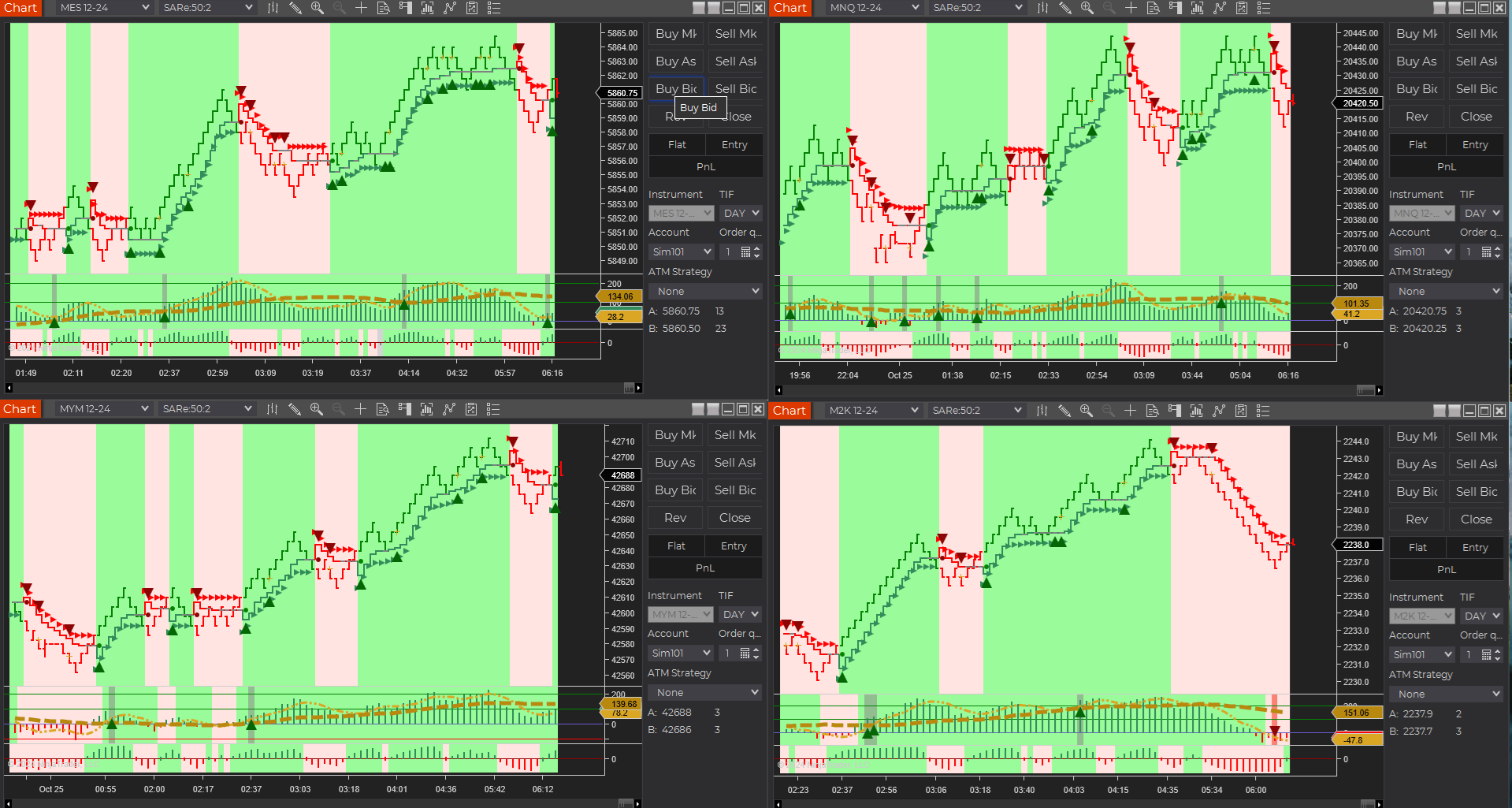
- MNQ correlated with ES is the most popular combination, but it carries higher trailing drawdown risk
- M2K correlated with EMD and ES offers a lower-risk starting point with better drawdown insulation
Week 2: Trade Plan and VIP Workspaces
After progressing through Zero to Hero Stages 1–5 in Week 1, use the second week to refine and follow a written trade plan in the VIP workspaces. Attend the Trade Zone when available and work toward your goals in sim or demo. Eligible traders may use evaluation, funded simulation or live accounts where their ATS licence, supported connection and account-provider rules permit.
Begin in simulation while learning. The trial does not guarantee profits, payouts or evaluation success.
Tip: Slow Down to Go Quicker
Traders can progress at their own pace, spending one day or more on each stage. Stage 1 introduces core signal concepts and trade-management controllers that provide a major edge—helping traders learn when to trade, when not to trade, how to use partial exits, and more. Winning traders build skill over time and choose the level of automation that best fits their trade plan. VIP traders often average 66%–80% automation for prop-firm trading.
All traders should begin with Stage 1 through Stage 5 in order to properly learn the system’s features in both breadth and depth.
During these stages, nothing should be changed. We do not tempt or distract traders with alternative settings optimized to someone else’s preferences. Stage 1–4 settings are intentionally vanilla and generic — a clean foundation that can later serve as a base for personal customization.
There is no “one size fits all.” Personalized optimization belongs in Stage 5 and beyond. That process can become an endless pursuit unless a workable compromise is accepted. In trading, progress comes faster through structured discipline than constant tweaking.
Stages 1–4: Learn the Framework (Do Not Change Settings)
The goal in Stages 1–4 is to build understanding and consistency:
- Learn how the system works end-to-end
- Understand signal concepts
- Understand trade manager concepts
- Learn trade controls and interactive / hybrid entry concepts
- Understand what each control does — and why it exists
- Manage trades using the provided structure
- Build consistency without modifying core settings
We do not want to muddy the water by suggesting configuration changes at this stage. The turnkey workspaces are intentionally designed to teach the framework exactly as it is.
The structure is guided by over 20 years of research, development, and statistical validation of these methods. As the framework evolves, refinements may occur — but the learning path remains structured.
Stage 5: Eval / Performance / Live (Customization Becomes Appropriate)
Stage 5 is where traders may begin personalizing execution and risk parameters.
At this stage, traders should:
- Choose a defined trade plan and instrument
- Select a VIP Workspace
- Use baseline defaults and manage trades interactively using the control sets
- Adjust settings only when necessary
- Adjust targets and stops to suit personal risk tolerance
- Modify breakeven, trail triggers, and profit lock-in logic
- Save adjustments as a new setting and new workspace