- Unlock AFT Free Trading System Downloads
- Install NinjaTrader 8 (NT8)
- Install AlgoFuturesTrader (AFT8)
- Install AFT Workspaces 2 or above
- Session Breakout
- Trend Scalper
- Start NT8, log in, and connect
- Set the desired account to trade in the AFT Controllers
- Algo Overview for Algo Entry, Algo Trade Manager Controllers
- Set AFT Algo Entry Controller to place trades automatically
- AFT Trade Manager will automatically place the exits
- AFT Video Resources
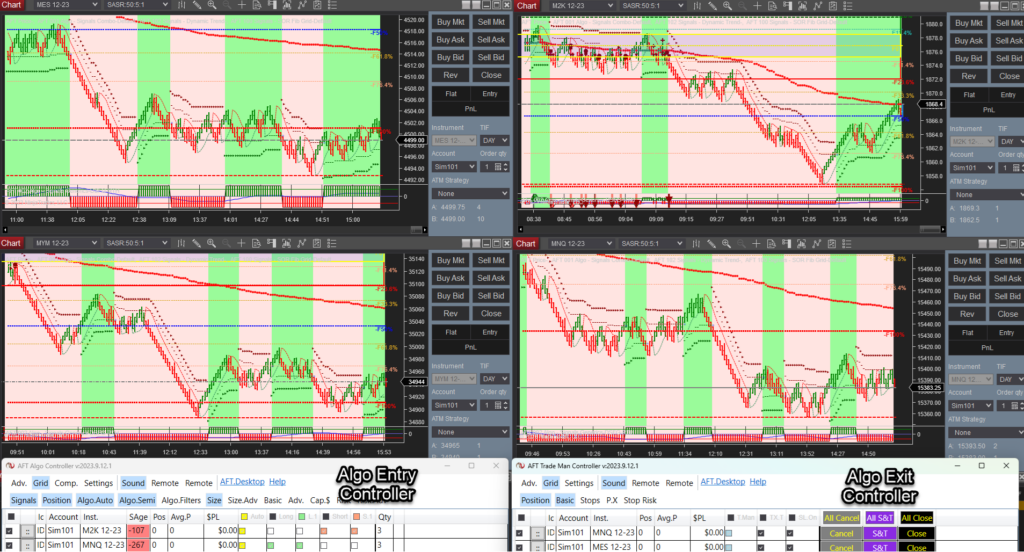
NinjaTrader automated trading fully automatic mode or semi-automatic and manual trade entry via the algo entry controller.
Related Links🚀 Get Started Trading the Easy Way
Get started 100% FREE with NinjaTrader Desktop, an ATS Universal Account and access to eligible ATS Freemium applications and trader resources without a time limit. Follow the self-assisted ATS Launchpad to create and configure your account, access AFT Freemium and request an available full-feature trial. No payment card is required to get started. If you prefer personal assistance, explore optional independently supplied setup and onboarding services through the ATS Ecosystem.1) 📊 Download and Set Up NinjaTrader Desktop
Download NinjaTrader Desktop for futures charting and simulated trading. Real-time market data requires an appropriate connection and may involve separate fees. Use NinjaTrader with AFT for manual discretionary, Hybrid Algo or fully automated trading across supported demo, simulation, prop-firm evaluation, funded and live-trading accounts, subject to your AFT plan and account-provider rules.2) 🚀 Get Started 100% FREE
Create your free ATS Universal Account and follow the self-assisted Trader Launchpad to unlock eligible ATS Freemium access, Market IQ, trading-group resources, trader benefits and available full-feature trials.- Freemium Access Without a Time Limit: Use eligible ATS Freemium applications within their included feature limits.
- AFT Freemium: Higher-timeframe charting indicator usage free forever for swing/intermediate position trading
- Self-Assisted Launchpad: Follow the guided steps to set up your account, applications and available services.
- White Glove Services: Setup, onboarding and trader-mastery services through the ATS Ecosystem.
- Full-Feature Trial: Eligible traders can request an available trial directly from their ATS Account Trader Launchpad.
- No Payment Card Required: Create your account and begin with Freemium access at no cost.
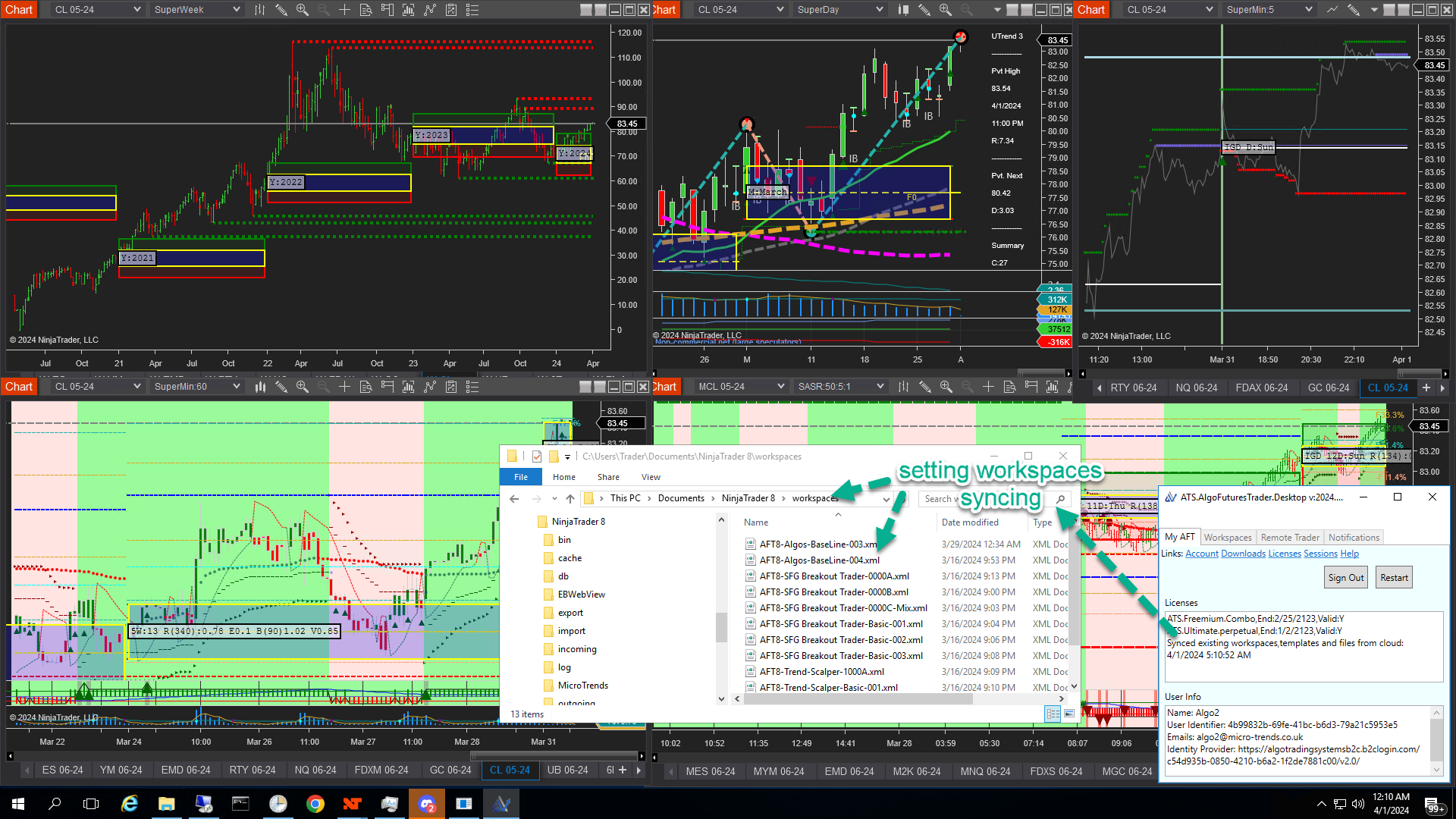 Workspace and Settings Sync